Mastering the Raspberry Pi Ecosystem
Hardware Strategy
Power vs Efficiency
Choosing between a Raspberry Pi 5 and a Zero 2 W isn't just about specs; it's about strategy. The Pi 5 is a performance powerhouse, pushing the limits of what a single-board computer can do. The Zero 2 W, on the other hand, is a master of efficiency, designed for projects where space and power are at a premium. Each board excels in its own domain.
| Feature | Raspberry Pi 5 | Raspberry Pi Zero 2 W |
|---|---|---|
| CPU | Quad-core 64-bit Arm Cortex-A76 @ 2.4GHz | Quad-core 64-bit Arm Cortex-A53 @ 1GHz |
| RAM | 4GB or 8GB LPDDR4X | 512MB LPDDR2 |
| Connectivity | Wi-Fi 5, Bluetooth 5.0, Gigabit Ethernet | Wi-Fi 4, Bluetooth 4.2 |
| Expansion | Single-lane PCIe 2.0 | None |
| Use Case | Desktop replacement, light server, media centre | Embedded systems, IoT nodes, wearables |
The table makes the architectural differences clear. The Pi 5’s Cortex-A76 cores are significantly more powerful and modern than the Zero 2 W's Cortex-A53 cores. This isn't just about clock speed; the A76 can execute more instructions per clock cycle, leading to a massive leap in performance for tasks like web browsing, compiling code, or running complex applications. The Zero 2 W is still a capable quad-core machine, but it’s tailored for headless operation where every milliwatt counts.
Feeding the Pi 5
With great power comes great power requirements. The Raspberry Pi 5 is the first model to benefit from a more sophisticated power delivery system. To unlock its full potential, you need the official 27W USB-C PD (Power Delivery) power supply.
While a standard 5V/3A (15W) USB-C adapter will boot the device, the system will automatically limit the current available to USB peripherals to 600mA. The 27W supply enables a 5V/5A (25W) mode, providing a full 1.6A for power-hungry devices like SSDs and other accessories. Using the right power supply is non-negotiable for a stable, high-performance setup.
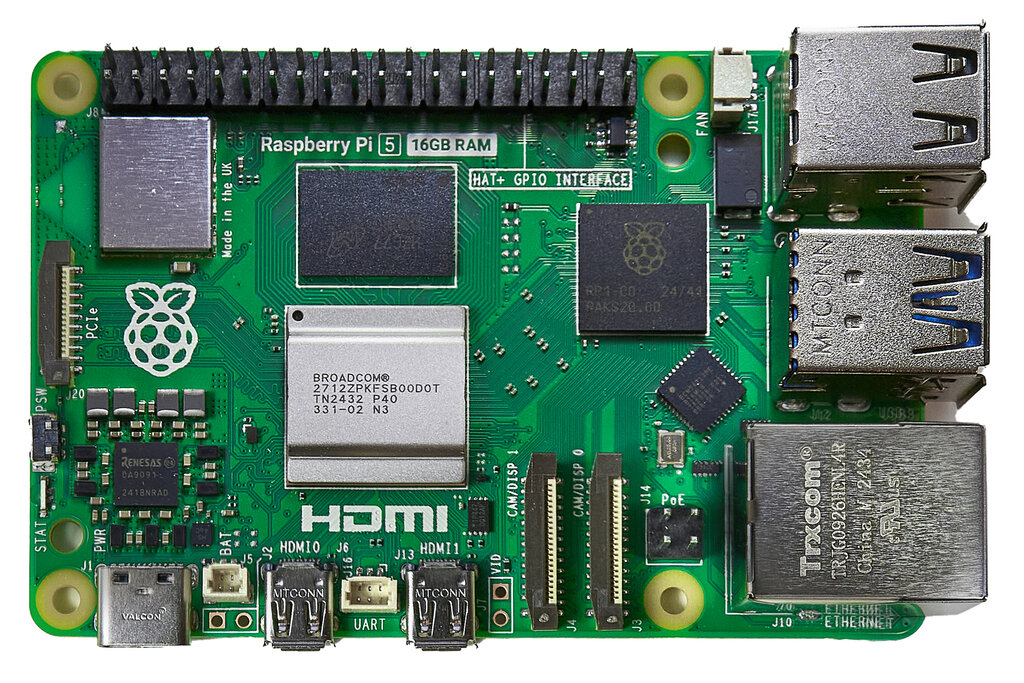
All this performance generates heat. Under sustained load, the Pi 5's processor will get hot and engage in thermal throttling to protect itself from damage. This means it intentionally slows down, reducing performance. For any task that runs for more than a few moments, active cooling is essential.
The official Active Cooler is an elegant solution, combining a heatsink and a software-controlled fan that only spins up when needed. It screws directly onto the board and connects to a dedicated fan header, keeping the processor cool without throttling performance.
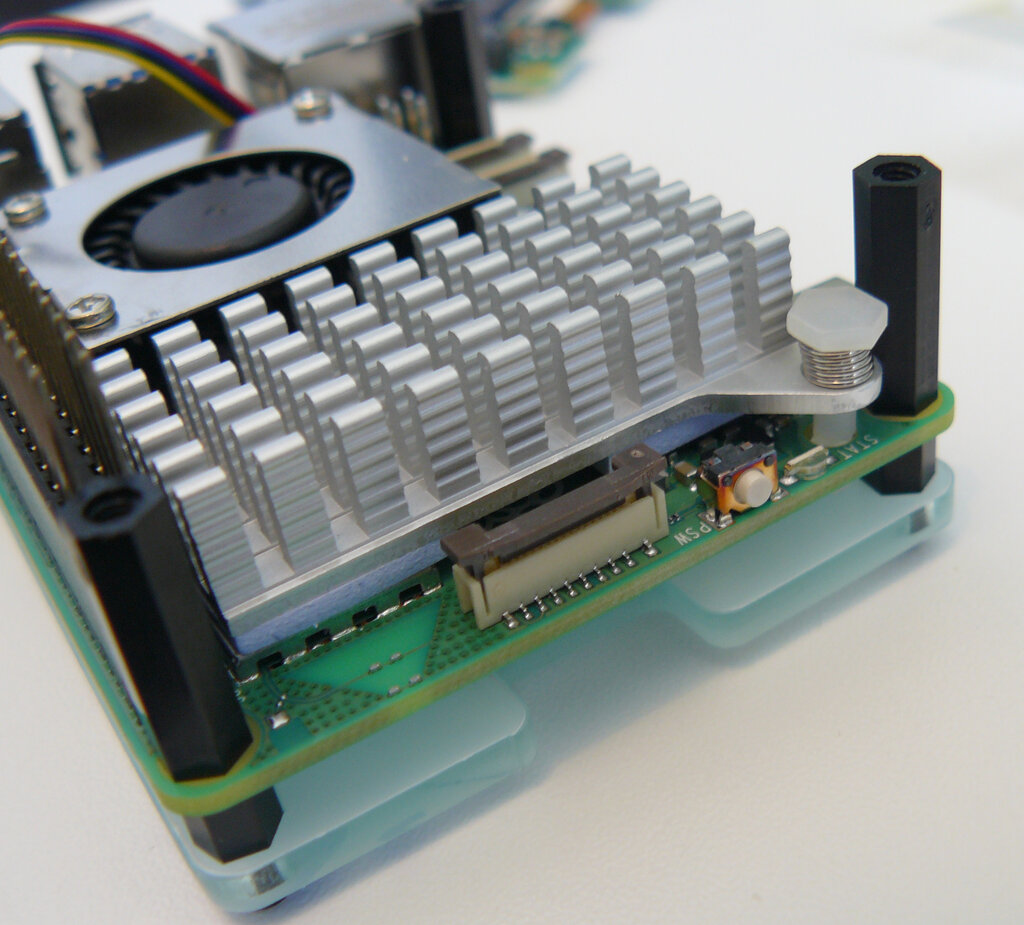
You can monitor your Pi's core temperature from the command line. This is a simple way to check if your cooling solution is effective.
# Check the CPU temperature
vcgencmd measure_temp
Beyond the SD Card
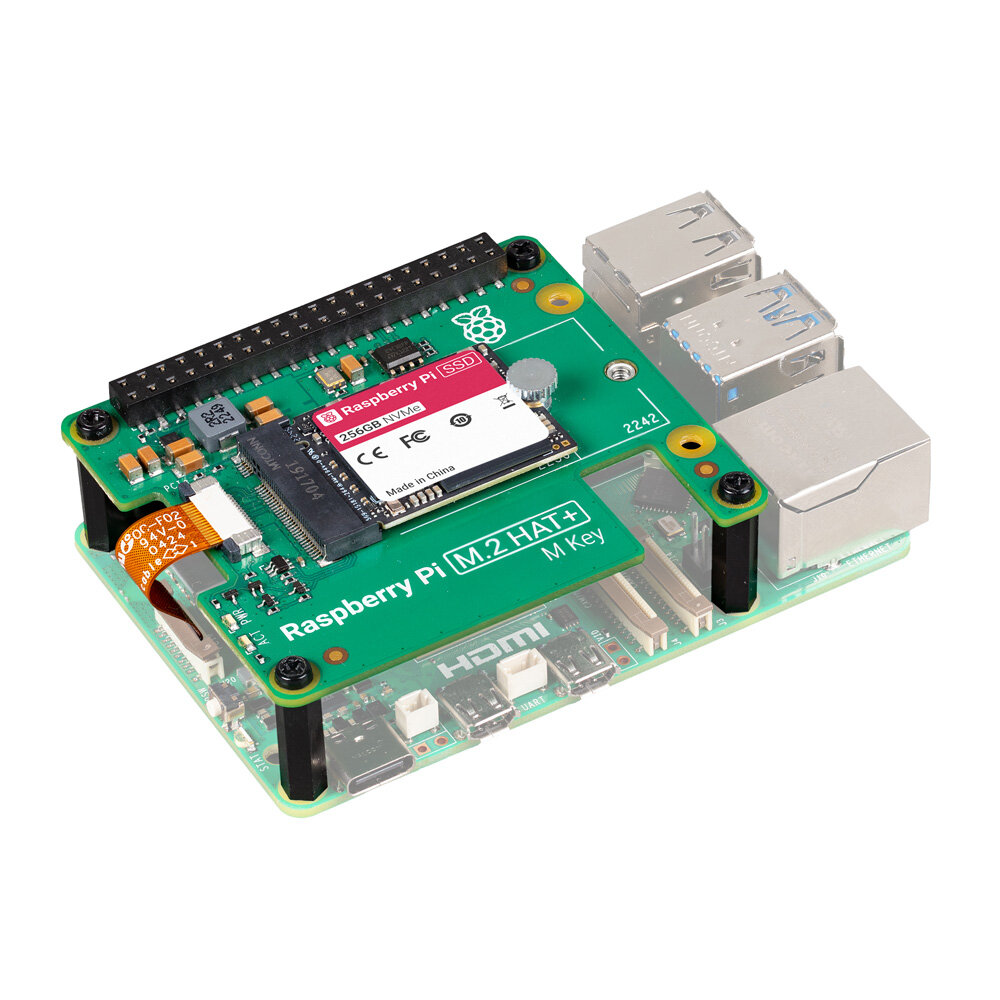
Perhaps the most significant new feature on the Pi 5 is its exposed single-lane PCIe 2.0 interface. This is a game-changer for storage performance. For years, Raspberry Pi users have been limited by the speed of SD cards or USB-connected drives.
With a compatible M.2 HAT (Hardware Attached on Top), you can connect an NVMe solid-state drive directly to this PCIe lane. The result is a dramatic increase in read and write speeds, making the entire system feel snappier. The operating system boots faster, applications load instantly, and file transfers are significantly quicker. This single feature elevates the Pi 5 from a hobbyist board to a viable desktop or server platform.
The Zero 2 W, by contrast, relies solely on a microSD card for its storage and operating system. This is perfectly adequate for its intended use as an embedded device or IoT node, where its minimal footprint and low power draw are the most important features. You don't need NVMe speeds to blink an LED or read a sensor.
So, which board should you choose? If your project involves a user interface, heavy computation, or fast storage, the Pi 5 is the clear winner. If your project needs to be small, battery-powered, or deployed in numbers, the Zero 2 W is the smarter, more efficient choice.
Let's test your understanding of these hardware considerations.
When would choosing a Raspberry Pi Zero 2 W be more strategic than a Raspberry Pi 5?
What is the primary consequence of using a standard 5V/3A (15W) USB-C power supply with a Raspberry Pi 5 instead of the recommended 27W supply?
Choosing the right hardware is the first step in building a successful project. By understanding the strengths and requirements of each board, you can architect a system that is both effective and efficient.