Mastering the Interactive Smart Screen
Interactive Multi-Touch Mastery
From Projector to Playground
Your interactive screen is more than just a digital projector. It's a collaborative canvas waiting for multiple hands and minds. Modern screens are designed for simultaneous interaction, capable of tracking up to 20 individual points of touch. This transforms the front of the classroom from a one-person presentation stage into a multi-user workspace.
Imagine small groups of students working together on the same problem, directly on the board. One student might be annotating a passage, another could be dragging in a relevant image, and a third could be writing a question. This is possible because the screen uses technologies like projected capacitive touch to pinpoint every single contact on its surface, turning a passive viewing experience into an active, hands-on one.
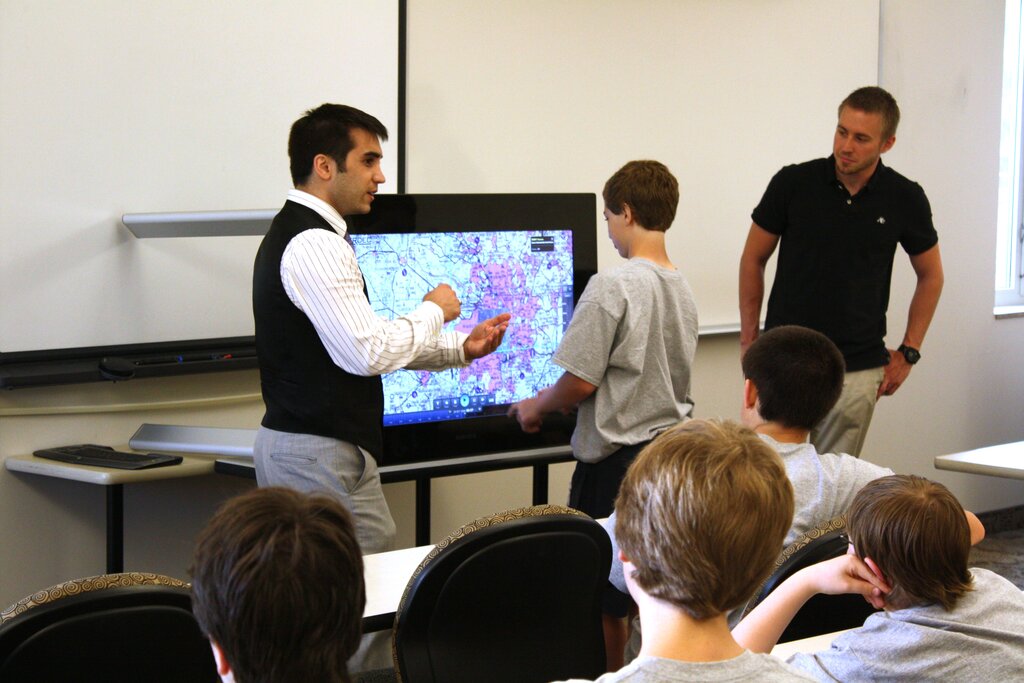
The magic lies in the screen's ability to interpret a complex language of touch. It's not just about where a finger lands, but how it moves. This gestural vocabulary is the key to unlocking fluid, intuitive control over digital content.
A New Language of Touch
Moving beyond a simple tap opens up a world of interaction. These advanced gestures are designed to feel natural, mimicking how we handle physical objects. Mastering them allows both you and your students to navigate complex information with ease.
| Gesture | Action & Description | Classroom Example |
|---|---|---|
| Pinch & Spread | Using two fingers to zoom in or out. | Deep diving into a high-resolution historical map or examining the fine details of a cell in biology. |
| Swipe | A quick flick with one or more fingers. | Creating a 'swipe-to-reveal' vocabulary quiz where the definition is hidden under a shape. |
| Two-Finger Rotate | Placing two fingers down and twisting them. | Orienting a 3D geometric shape to view it from all angles or aligning a digital protractor. |
| Drag & Drop | Touching an object and moving it across the screen. | Sorting words into categories, arranging historical events on a timeline, or solving a digital jigsaw puzzle. |
These gestures are the building blocks of interactive lessons. For example, you can layer objects, like placing a semi-transparent diagram of the human muscular system over a skeletal diagram. Students can then manipulate each layer independently, exploring the relationships between them.
Gesture-based interactions transform the user experience from a series of simple taps into a fluid, tactile dialogue with the device.
Juggling Inputs
With so many hands on the screen, how does it know what you want to do? Most interactive displays are smart enough to differentiate between different types of input. They can distinguish between a fine-tipped stylus for writing, a broader finger-touch for manipulation, and the side of a hand for erasing.
This is where palm rejection becomes essential. It's a clever feature that allows the screen to ignore a hand resting on its surface while writing with a pen. The software analyses the size and shape of the touch point. A large, stationary contact area is recognised as a palm and is disregarded, ensuring that only the intentional marks from the stylus appear. This allows students to write comfortably, just as they would on a piece of paper.
Many boards also feature a gesture-based erase function. Instead of selecting an eraser tool from a menu, a student can simply make a fist or use the side of their hand and wipe the board clean, mimicking the action of using a physical whiteboard eraser. This intuitive action keeps the lesson flowing without interruptions to switch tools.
Time to test your understanding of these interactive features.
What is the primary benefit of a screen supporting up to 20 simultaneous touch points in a classroom setting?
The technology that allows an interactive screen to ignore a hand resting on its surface while a user is writing with a stylus is known as ______.
By embracing these multi-touch capabilities, you can create a more dynamic, student-led learning environment where exploration and collaboration happen right at the front of the room.