Mastering the Google Ecosystem
Advanced Search Mastery
Beyond Basic Keywords
You already know how to type keywords into a search bar. But to find specific information efficiently, you need to give the search engine more precise instructions. This is done using search operators—special commands that act as filters, narrowing down millions of results to the exact ones you need.
Think of search operators as a grammar for searching. They add structure and logic to your query, transforming a simple guess into a targeted command.
The foundation of these commands is Boolean logic, a system that revolves around three simple words: AND, OR, and NOT. While Google often assumes the AND operator between your search terms, explicitly using these operators gives you much more control.
Core Logic: AND, OR, NOT
Boolean operators are the simplest way to refine a search. They connect your keywords to include, exclude, or broaden your results.
AND: This operator finds pages that contain all your specified terms. If you search for cats AND dogs, you'll only get results that mention both animals. Google does this by default, but using AND can be helpful for clarity in complex searches.
OR: This is for finding pages that contain at least one of your terms. A search for marketing OR advertising will return pages that mention marketing, pages that mention advertising, and pages that mention both. It's perfect for searching synonyms or related concepts.
NOT: This operator, often represented by a minus sign (-) placed directly before a word, excludes results containing that term. Searching for jaguar speed -car will give you results about the animal's speed, filtering out anything about the car brand.
| Operator | Function | Example |
|---|---|---|
| AND | Narrows results | solar panels AND installation |
| OR | Broadens results | college OR university scholarships |
| NOT (-) | Excludes a term | python -snake |
Pinpointing Your Search
Beyond basic logic, Google offers powerful operators that target specific parts of a website or a particular type of file. These are the tools for professional-grade research.
The
site:operator is one of the most useful tools for information retrieval. It restricts your search to a single website or domain. Want to find discussions about climate change but only on Reddit? Your search would beclimate change site:reddit.com.
Similarly, the filetype: operator lets you hunt for specific kinds of documents. If you need academic papers, which are often published as PDFs, you can search for particle physics filetype:pdf. This command can find presentations (ppt), documents (doc), and more.
# Find official government reports on water quality
"water quality" site:gov filetype:pdf

# Search for a course syllabus from a university
"computer science syllabus" site:edu filetype:pdf
You can get even more specific with positional operators. These look for your keywords in particular places on a web page.
intitle:searches for words only in the page title.inurl:searches for words within the page's URL.intext:searches only in the body text of the page.
A search for intitle:"beginner's guide to investing" is more likely to find a comprehensive guide than a simple search for the same phrase, which might just pull up a page that mentions it once.
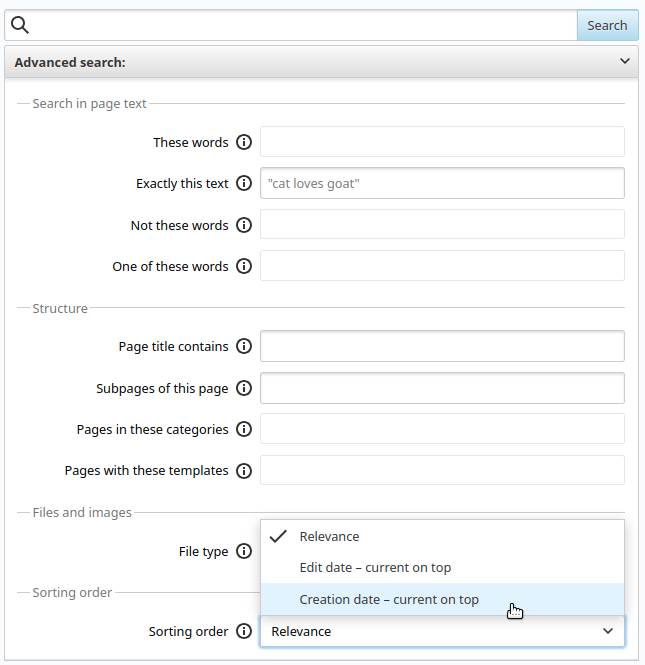
Searching Through Time
Information changes quickly. Finding data from a specific period is crucial for timely research. Google's temporal filters let you specify a date range for your search results. The before: and after: operators are simple and effective. The date must be in YYYY-MM-DD format.
For instance, to find articles about a company's stock performance in the first half of 2023, you could use "AAPL stock" after:2023-01-01 before:2023-06-30. An older, more complex operator, daterange:, uses the Julian date format and is less common today.
Sometimes you know part of a phrase but not the whole thing. The wildcard operator, an asterisk (*), serves as a placeholder for one or more words. If you're trying to remember a quote, you could search for "to be or * to be" and let Google fill in the blank.
Finally, two operators are excellent for competitive and technical analysis. The related: operator finds websites similar to the one you specify. For example, related:theverge.com will return other tech news sites.
The cache: operator shows you Google's saved version of a page from the last time it was indexed. This is useful for seeing what a page looked like recently, even if it's currently down or has been changed.
# Find competitors or alternatives to a specific site
related:nytimes.com

# View the last indexed version of a webpage
cache:wikipedia.org
Now, let's test your knowledge of these new techniques.
Which search query would be most effective for finding pages about marketing or advertising, but not sales?
You need to find official government reports on climate change, which are almost always published as PDF files. Which search operator should you use?
Mastering these operators transforms searching from a passive activity into an active process of discovery. You can now build precise, powerful queries to find exactly what you need.