Mastering the Digital Booth
Hardware Ecosystems and Workflows
The Two Titans: Rekordbox and Serato
When you step into a DJ booth, the gear in front of you will almost certainly be running one of two software ecosystems: Pioneer DJ's Rekordbox or Serato DJ Pro. Your choice between them defines your workflow, from how you prepare your music at home to how you perform it live. Think of them not just as apps, but as complete environments that link your library to the hardware.
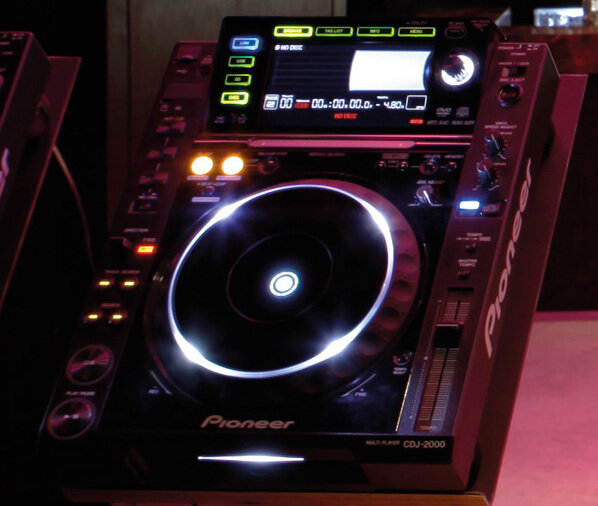
Pioneer DJ, through its dominance in club hardware like , built Rekordbox as the standard for preparing music for their players. Serato, on the other hand, grew up with the digital revolution, becoming the go-to for DJs using laptops with controllers and turntables. While their features now overlap significantly, their origins still shape how DJs interact with them.
The Rekordbox Workflow: Export vs. Performance
Rekordbox operates in two distinct modes, catering to two different types of DJing.
Export Mode is for library management. This is where you analyse your tracks, set hot cues, and build playlists. The goal is to export this organised library onto a USB drive. You then plug this USB into club-standard Pioneer CDJs or XDJs and play without a laptop. This is the 'standalone' workflow, favoured for its simplicity and reliability in a professional booth.
Performance Mode, conversely, turns your laptop into the brain of your setup. You connect a DJ controller, mixer, or players directly to your computer. This unlocks the full power of the software, including advanced effects, the sampler, and real-time track manipulation. This 'laptop-based' workflow offers more creative flexibility at the cost of bringing more gear.
One crucial feature in both ecosystems is 'Master Tempo'. When you change a track's speed with the pitch fader, Master Tempo uses a time-stretching algorithm to maintain the original musical key. This prevents the classic 'chipmunk' effect on vocals when speeding up a track, or the Darth Vader effect when slowing it down, allowing for smooth harmonic mixing.
Serato and the Art of DVS
While Rekordbox has its own excellent performance mode, Serato built its reputation on laptop-based DJing, particularly with its tight integration with a huge range of controllers and its pioneering work in DVS.
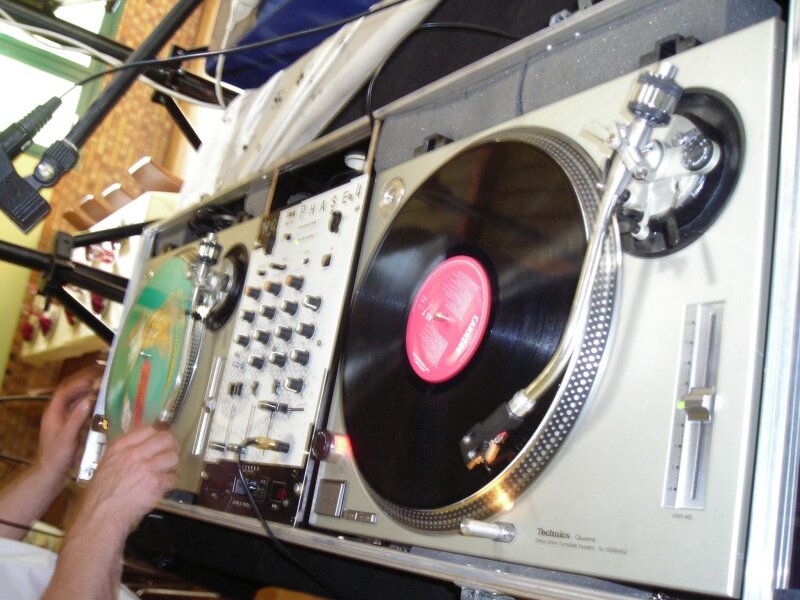
A (DVS) lets you control digital music files on your laptop using traditional turntables or CDJs. It works by playing a special record or CD that contains an audio signal, called timecode. A DVS-compatible mixer or audio interface reads this timecode, translating the platter's movements—including speed, direction, and scratching—into commands for the software.
The critical factor in DVS is latency, the tiny delay between your physical action on the turntable and the software's response. Modern Serato systems have incredibly low latency, making the experience feel virtually identical to playing a real vinyl record. You can adjust buffer size settings in the software to find the sweet spot between low latency and stable computer performance.
The Next Frontier: Stems and FX
A recent revolution in both Rekordbox and Serato is the integration of real-time Stems separation. This technology allows a DJ to isolate or remove specific parts of a track on the fly, typically the vocals, melody, bass, or drums. You can create instant acapellas or instrumentals, blend the bassline from one track with the drums of another, or remove vocals for a seamless transition.
This is a powerful creative tool that changes how DJs can think about mixing. Instead of just blending two full tracks, you are now deconstructing and reconstructing music in real-time. The workflow often involves mapping the Stem controls to pads on a controller for quick access.
Similarly, both platforms offer extensive effects (FX), but how they are applied can depend on your hardware. Many mixers and controllers have dedicated knobs and buttons for software FX. This means the physical layout of your gear directly influences your creative process. A Pioneer DJM mixer, for instance, has a famous 'Color FX' knob per channel, a workflow many DJs are accustomed to, which is emulated in their controllers.
Understanding these ecosystems and workflows is about more than just technology. It’s about choosing the tools that best fit your style and the venues you want to play. Whether you're a turntablist who loves the feel of vinyl, a club DJ who needs a reliable USB setup, or a creative controllerist pushing the boundaries with Stems, there's a workflow for you.
What is the primary function of the 'Master Tempo' feature in DJ software?
A DJ wants to use their traditional vinyl turntables to control digital music files on a laptop. Which technology is specifically designed for this purpose?
Ultimately, the best system is the one that becomes an extension of your musical ideas, allowing you to perform without thinking about the gear.