Mastering the 10-Finger Typing System
Introduction to Touch Typing
What Is Touch Typing?
Most people learn to type by hunting for keys one at a time. This “hunt and peck” method gets the job done, but it’s slow and inefficient. Your eyes are constantly darting between the screen and the keyboard, and you’re likely using only a few fingers.
Touch typing is the opposite. It’s the ability to type without looking at the keyboard, using all ten fingers. Instead of searching for keys, you rely on muscle memory to know where they are. This allows you to keep your eyes on the screen, improving your focus and workflow.
Touch typing is the art of typing without looking at the keyboard, using all ten fingers, with high accuracy and speed.
The goal is to make typing an automatic, subconscious skill, much like walking or riding a bike. Your brain thinks of the words, and your fingers simply type them out.
The Power of Ten Fingers
The foundation of touch typing is the 10-finger system. In this method, each of your fingers is assigned a specific section of the keyboard. Your hands rest in a neutral base position, and your fingers make short, efficient movements to strike their assigned keys.
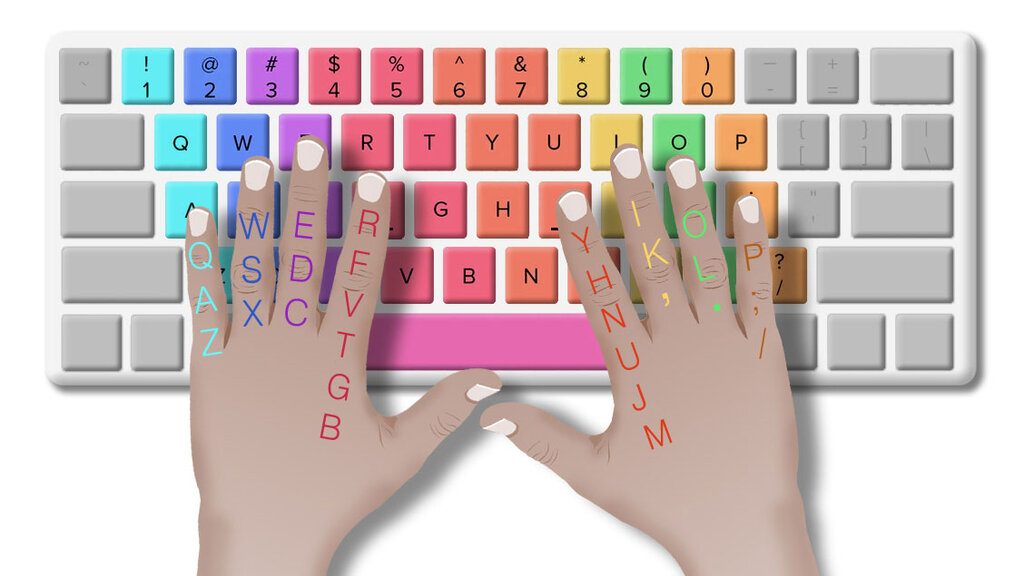
This systematic approach has two major benefits. First, it dramatically increases your typing speed because you are using more fingers and moving them less. Second, it improves accuracy. When each finger has a job, there’s less chance of hitting the wrong key. You stop relying on sight and start relying on touch.
Training Your Fingers
How can you possibly memorize the location of every key? The answer is muscle memory. Just like a pianist knows where each key is without looking, a touch typist's fingers learn the keyboard layout through repetition.
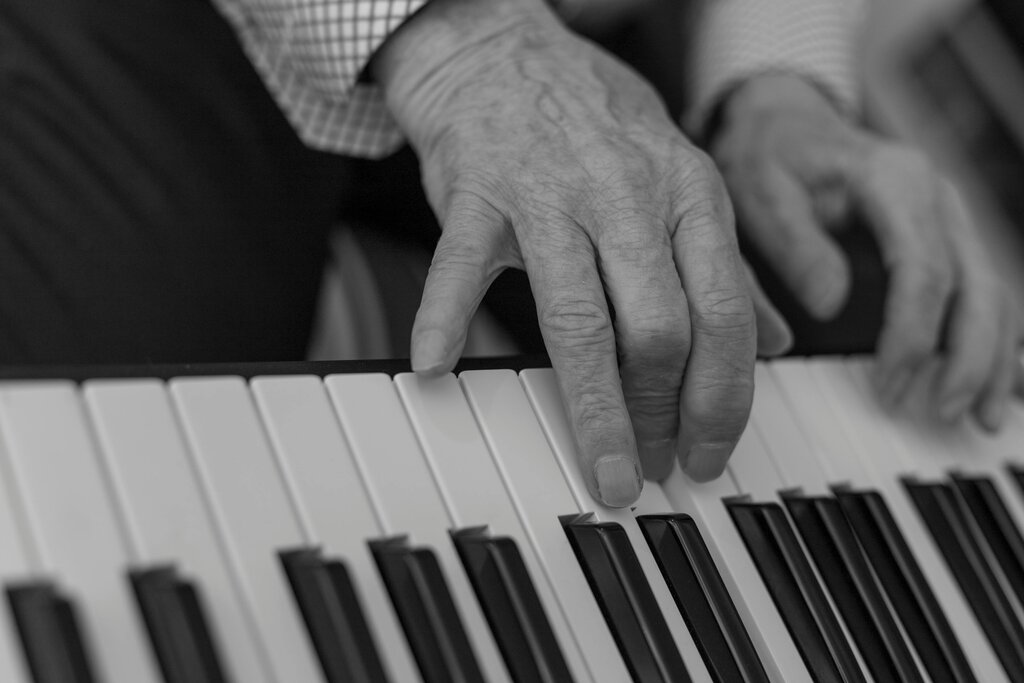
Through consistent practice, you build neural pathways that connect letters to specific finger movements. Over time, these movements become automatic. You won't have to think, "Where is the 'P' key?" Your right pinky will just know where to go.
Muscle memory, which is built through repetition, is key when learning to type.
More Than Just Speed
While speed is a great benefit, touch typing is also about ergonomics and comfort. Proper touch typing technique encourages good posture. You'll learn to sit up straight, keep your wrists in a neutral position, and use minimal force to press the keys.
This reduces physical strain on your hands, wrists, back, and neck. By avoiding the hunched-over position of a “hunt and peck” typist, you can type for longer periods with less discomfort. It’s a healthier and more sustainable way to interact with your computer, helping to prevent repetitive strain injuries.
What is the primary mechanism that allows a touch typist to know key locations without looking at the keyboard?
Touch typing relies on the subconscious, automatic recall of key locations.
Now you know the what and why of touch typing. Next, we'll get into the specifics of how to position your hands to get started.