Mastering Static Routing
Introduction to Static Routing
The Router's Road Map
Imagine a router is like a mail sorting office for a city. Its job is to look at the address on a piece of data (a packet) and send it in the right direction. But how does it know which direction is correct? It uses a routing table, which is essentially the router's internal road map.
Static routing is the simplest way to build this map. A network administrator manually tells the router exactly where to send packets destined for a specific network. Think of it like giving a friend a single, fixed set of directions to your house: "To get to my neighborhood (Destination Network), you must first drive to the big intersection at Elm Street (Next Hop)." The directions don't change unless you manually update them.
Static Route
noun
A manually configured pathway that a network router uses to forward traffic to a specific destination network.
Each static route you create is an entry in the routing table. This entry typically has two key parts:
- The Destination Network: The address of the network you're trying to reach.
- The Next Hop: The IP address of the very next router on the path to that destination.
Static vs Dynamic Routing
The opposite of static routing is dynamic routing. In dynamic routing, routers talk to each other using special protocols (like OSPF or EIGRP). They automatically share information about the networks they can reach and figure out the best paths on their own.
It's the difference between a printed map (static) and a live GPS app (dynamic). The printed map is reliable and simple, but it can't adapt if a road is closed. The GPS is more complex and uses more battery, but it will automatically find a new route around traffic jams.
Static routing is explicit and unchanging. Dynamic routing is adaptive and automatic.
| Feature | Static Routing | Dynamic Routing |
|---|---|---|
| Configuration | Manual | Automatic |
| Complexity | Simple | More Complex |
| Resource Usage | Very Low (No CPU/RAM overhead) | Higher (CPU/RAM/Bandwidth needed) |
| Scalability | Poor (Difficult for large networks) | Excellent (Adapts to growth) |
| Adaptability | None (No automatic rerouting) | High (Finds new paths if a link fails) |
| Security | More secure (routes are explicit) | Less secure (can be misconfigured) |
When to Use Static Routes
Despite the advantages of dynamic routing, static routes are still incredibly useful and common. They are perfect for small, simple networks that don't change often. Because an administrator defines the exact path, there's no ambiguity, which can increase security.
One of the most common uses for a static route is to create a default route. This is a route of last resort. It tells the router, "If you don't have a specific entry in your table for a destination, send the packet to this next hop." This is essential for connecting a local network to the internet. The default route simply points all unknown traffic to the Internet Service Provider (ISP).
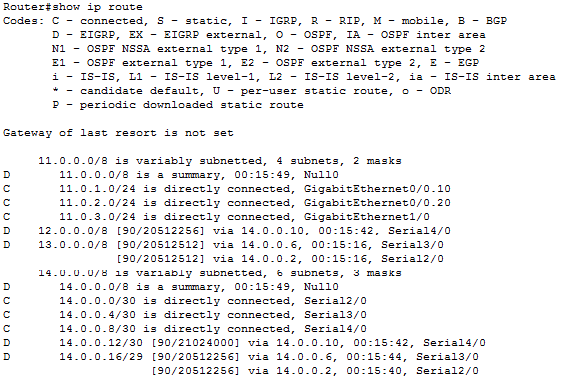
Static routing is a fundamental concept in networking. It provides a reliable, secure, and straightforward way to direct traffic, especially in smaller networks or for specific tasks like defining a gateway of last resort.
What is the primary characteristic of static routing?
A static route entry in a routing table typically consists of which two key pieces of information?