Mastering Software Defect Reporting
Defect Report Components
Anatomy of a Defect Report
A defect report, or bug report, is the primary way testers communicate problems to developers. Its goal is simple: provide all the information a developer needs to find, understand, and fix a bug. Think of it as a case file. Each piece of information helps the developer solve the mystery of why the software isn't behaving as expected.
Let's break down the essential parts of this file.
The Essentials
Every report starts with a unique identifier and a clear summary.
Bug ID: Each defect gets a unique number (like BUG-1024 or PROJ-87). This ID acts as a reference number, making it easy to track the bug throughout its lifecycle, from discovery to resolution. It prevents confusion and ensures everyone is talking about the same issue.
Title: The title is a short, accurate summary of the problem. It should be descriptive enough for someone to understand the bug's core issue without opening the full report. A good title helps managers and developers prioritize their work at a glance.
A weak title: "Submit button broken." A strong title: "Checkout page 'Submit Order' button is disabled after entering valid credit card info."
Description: The description provides a bit more context. It might briefly explain what the feature is supposed to do and where the bug occurs. It sets the stage before you get into the specifics.
Recreating the Scene
The next sections are crucial for helping a developer reproduce the bug on their own machine. If they can't make the bug happen, they can't fix it.
Steps to Reproduce
noun
A numbered list of the exact actions a user must take to trigger the defect.
This is often the most important part of the report. The steps should be clear, concise, and sequential, leaving no room for interpretation. It's like a recipe for failure.
1. Navigate to the login page.
2. Enter a valid username in the 'Username' field.
3. Enter a valid password in the 'Password' field.
4. Click the 'Login' button.
After the steps comes the climax of the story: what was supposed to happen versus what actually happened.
| Expected Result | Actual Result |
|---|---|
| The user is logged in and redirected to their dashboard. | An error message "Invalid Credentials" appears, and the user remains on the login page. |
This direct comparison clearly and immediately defines the problem without any ambiguity.
Assessing the Damage
Once the problem is clear, you need to classify its impact and urgency.
Severity: This describes the technical impact of the bug on the system. Is it a critical failure that crashes the entire application, or a minor cosmetic issue like a misspelled word?
Common severity levels include:
- Critical: Application crash, data loss, security breach.
- Major: A major feature is completely non-functional.
- Minor: A minor feature is not working or the user experiences an issue with a workaround.
- Trivial: A cosmetic issue like a typo or misalignment.
Priority: This defines how quickly the bug needs to be fixed. It’s a scheduling and business decision. A minor typo on the homepage might be a high priority to fix before a big launch, for example.
Common priority levels include:
- High: Must be fixed as soon as possible.
- Medium: Should be fixed in a normal release cycle.
- Low: Can be fixed when time is available.
Providing Evidence
Finally, you provide all the background details and evidence to support your report.
Environment Details: Software can behave differently in different settings. This section specifies the context in which the bug was found.
| Detail | Value |
|---|---|
| Operating System | Windows 11 Pro |
| Browser | Google Chrome v108.0.5359.125 |
| Device | Dell XPS 15 Laptop |
| User Account | testuser01 (Admin) |
Attachments: A picture is worth a thousand words. Screenshots, screen recordings (videos), or log files provide direct evidence of the bug. For a visual glitch, a screenshot is perfect. For a complex series of actions, a video is better. For a system crash, log files are essential.
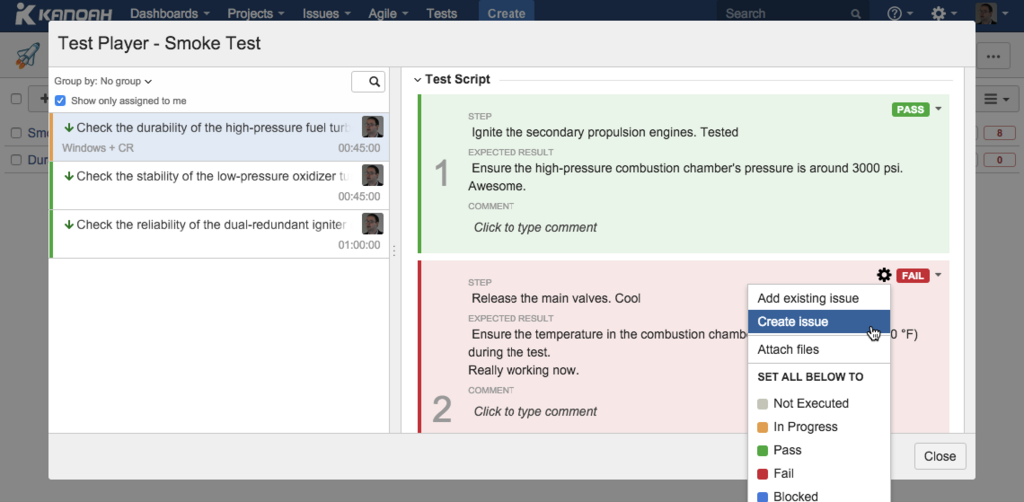
Together, these components create a complete and actionable report that empowers developers to fix bugs efficiently, improving the quality of the final product.