Mastering SAP MM in Manufacturing
MRP Demand Generation
The Start of the Chain
In a manufacturing environment, nothing happens by accident. Every screw, every bracket, and every raw material needs to be available at the right time. But how does the system know when to buy more? The process doesn't start in the purchasing department; it starts with a plan. This is where Production Planning (PP) hands the baton to Materials Management (MM).
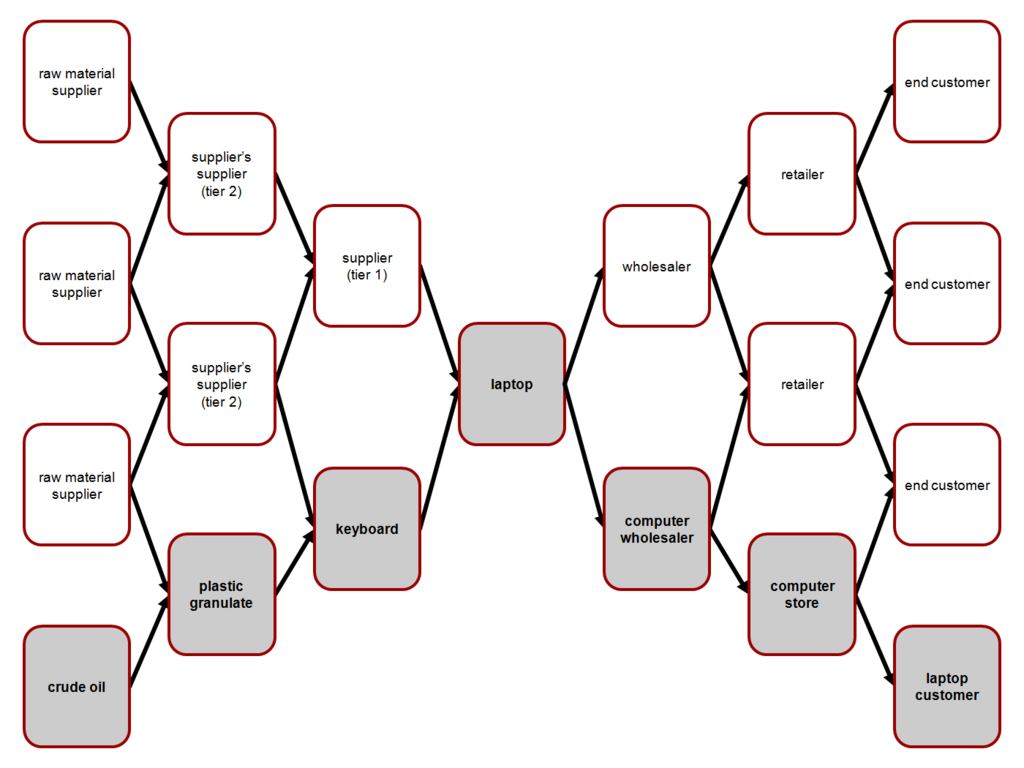
The core of this handoff is Material Requirements Planning, or MRP for short. Think of it as the brain that calculates future needs. When the system knows you need to build 100 laptops next month, MRP works backward to figure out exactly what components are needed and when. It checks current inventory, scheduled receipts, and then creates a signal if there’s a shortfall. This signal is the trigger that kicks off the entire procurement cycle in MM.
Planning with a Purpose
Not all materials are planned the same way. SAP uses a setting called the MRP Type to define the logic for triggering procurement. The two most common approaches are fundamentally different.
Material Requirements Planning (MRP) is a standard supply planning system to help businesses, primarily product-based manufacturers, understand inventory requirements while balancing supply and demand.
One method is PD, which stands for deterministic MRP. This is a forward-looking approach. It relies on firm demand signals, like sales orders or a production plan (Master Production Schedule), to calculate future needs for components.
The other method is VB, or Consumption-based Planning. This is a reactive approach. It doesn't look at future production plans. Instead, it monitors inventory levels. When stock for a material drops below a predefined reorder point, the system automatically triggers a request to replenish it.
| MRP Type | Trigger | Best For | Analogy |
|---|---|---|---|
| PD (MRP) | Future demand (sales orders, production plans) | Expensive or critical components with long lead times. | Your calendar tells you a big project is due in 3 months, so you start ordering supplies now. |
| VB (Consumption-based) | Stock level dropping below a set point | Low-cost, high-volume items like nuts and bolts. | Your car's fuel light turns on, so you go to the gas station to fill up. |
From Recipe to Shopping List
When MRP type PD runs for a finished product, like a bicycle, it doesn't just order one item. It consults the Bill of Materials (BOM) for that bicycle. The BOM is the recipe, listing every single component needed: one frame, two wheels, one handlebar assembly, and so on. MRP "explodes" this BOM, cascading the demand for the finished product down to every single raw material and subassembly.
This explosion process results in a series of Planned Orders. A planned order is an internal planning element—a recommendation from the system to either produce something (if it's made in-house) or buy something (if it's sourced externally). For our raw materials, these planned orders are the direct precursors to procurement.
A production planner reviews these planned orders. With a click, they convert the planned order for a raw material into a Purchase Requisition (PR). This conversion is the official handoff. The PR is now a formal request within the MM module, instructing the purchasing department to buy a specific quantity of a material by a specific date.
Planned Order (PP) → Conversion → Purchase Requisition (MM). This is the key transition from planning to procurement.
For materials managed with consumption-based planning (VB), this process is more direct. There's no BOM explosion. Instead, the system simply checks stock levels. If an inventory check shows that the quantity of screws on hand has fallen below the reorder point, the system can automatically generate a Purchase Requisition. In this case, the trigger isn't a future plan, but a present reality: we're running low.
Buffers and Controls
Even with perfect planning, uncertainty happens. A supplier might be late, or a machine might break down, causing you to use more material than expected. To guard against these disruptions, companies use safety stock—a buffer quantity of an item that is kept in inventory to protect against stockouts.
Safety stock works with both MRP types. In PD, the MRP calculation will ensure that the planned inventory level never drops below the safety stock level. If it projects a dip, it will create a procurement proposal to cover it. In VB, the reorder point is often calculated as the expected demand during the replenishment lead time, plus the safety stock.
Once a Purchase Requisition is created, other parameters come into play. The material master record contains external procurement settings that tell the system how to buy the item. This includes the approved vendors, the standard purchasing price, and the planned delivery time. These details ensure that when the PR is converted into a Purchase Order, all the necessary information is ready, making the procurement process smooth and efficient.
Let's review these core concepts.
What is the primary function of Material Requirements Planning (MRP) in the procurement process?
For a material planned with MRP type PD, what is the 'recipe' the system uses to determine all the necessary components?
Understanding these triggers is the first step in mastering the link between planning and procurement in SAP.