Mastering Replit for Coding
Introduction to Replit
Your Coding Environment in the Cloud
Getting started with programming often involves a tedious setup process. You have to install specific software, configure your computer, and make sure everything is compatible. It can be a frustrating hurdle before you even write your first line of code.
Replit changes all of that. It’s an integrated development environment (IDE) that lives entirely in your web browser. There's nothing to install. You just open a new tab, create an account, and start coding. This approach removes the setup barrier, letting you focus on learning to code.
It supports over 50 different programming languages, from Python and JavaScript to C++. This means you can experiment with different technologies without having to reconfigure your environment every time.
Replit bridges the gap between no-code tools and full coding, making it ideal for beginners who want to grow their technical skills over time, without jumping straight into complex coding.
Exploring the Replit Workspace
When you start a new project in Replit, you'll see a clean, three-part layout. This interface is designed to give you everything you need in one place, making the coding process smooth and intuitive.
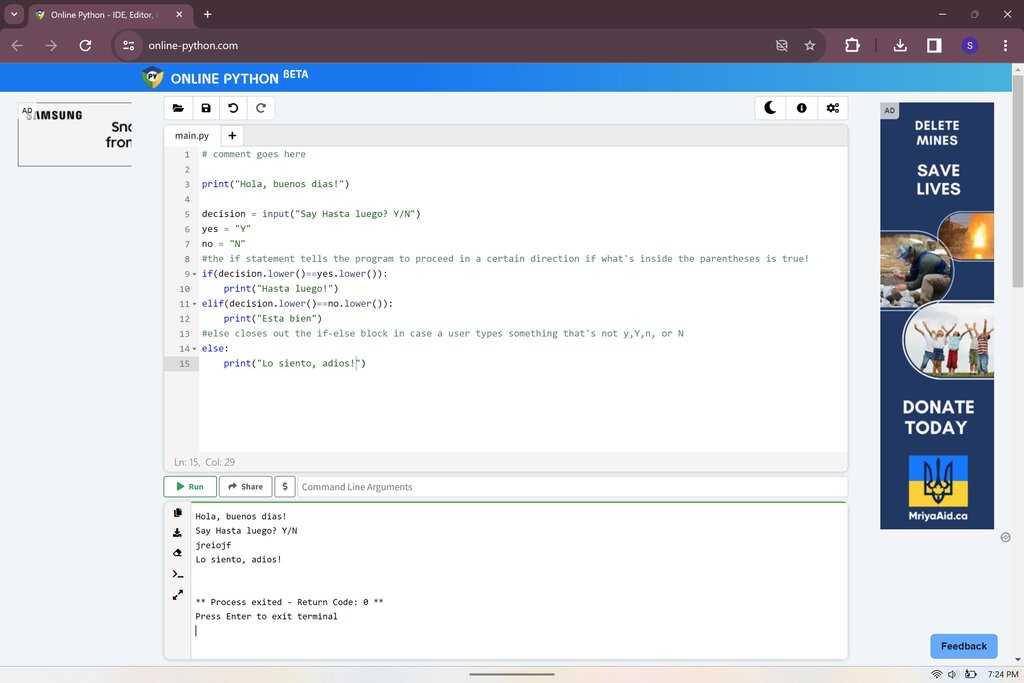
On the left, you have your file manager. This is where you can see all the files in your project, create new ones, and organize them into folders. The large, central area is the code editor. This is where you'll write and edit your code. It includes helpful features like syntax highlighting, which colors your code to make it easier to read.
The right side of the screen is the console, or terminal. When you run your code, this is where the output will appear. It's also an interactive space where you can type commands and test small snippets of code directly.
| Component | Purpose |
|---|---|
| File Manager | View, create, and organize your project files. |
| Code Editor | Write and edit your code. |
| Console | See your program's output and run commands. |
Meet Your AI Assistant
Replit also includes a powerful feature called Ghostwriter, an AI-powered coding assistant built directly into the editor. Think of it as a helpful partner that can speed up your work and help you when you get stuck.
Ghostwriter can do several things to help. As you type, it suggests ways to complete your lines of code, saving you time and preventing typos. It can also help you debug. If your code isn't working, the AI can analyze it, identify potential problems, and suggest fixes. This is incredibly useful for learning, as it helps you understand your mistakes.
Using an AI assistant allows you to focus more on the logic of your program and less on remembering the exact syntax for every command.
Replit now integrates AI capabilities like the Replit Agent, which allows developers to build applications faster and with less effort.
Now, let's test your understanding of the Replit environment.
What is the primary advantage of using Replit, especially for beginners?
What are the three main panels in the default Replit project layout?
With a browser-based IDE like Replit, you can code from anywhere, on any device, without worrying about setup.