Mastering Remote Meetings
Understanding Remote Meeting Dynamics
The New Meeting Room
Remote meetings are now a standard part of the workday. Instead of gathering in a conference room, teams connect through video calls from wherever they are. This shift offers incredible flexibility, allowing people from different cities or even countries to collaborate instantly.
But a virtual meeting isn't just an in-person meeting with a screen. It operates under a different set of rules and has its own distinct feel. The biggest advantage is convenience. There’s no commute to a physical location, and sharing digital files is seamless. On the other hand, we lose the subtle, non-verbal cues that are easy to catch when you're in the same room. A slight nod or a shift in posture can be lost in a small video window.
| Feature | In-Person Meetings | Remote Meetings |
|---|---|---|
| Location | Shared physical space | Separate locations |
| Communication | Rich verbal and non-verbal cues | Primarily verbal; non-verbal cues are limited |
| Flexibility | Low (requires travel) | High (join from anywhere) |
| Technology | Minimal (e.g., projector) | Essential (e.g., camera, mic, stable internet) |
Navigating the Challenges
Virtual meetings come with a unique set of obstacles. Technical glitches are a common culprit. A weak internet connection, a microphone that won't unmute, or a frozen screen can bring a productive conversation to a halt.
Distractions are another major factor. When you're in a shared office, there's a collective focus. At home, you might be dealing with pets, family members, or the temptation to multitask with other browser tabs. This can make it harder for everyone to stay engaged and present.
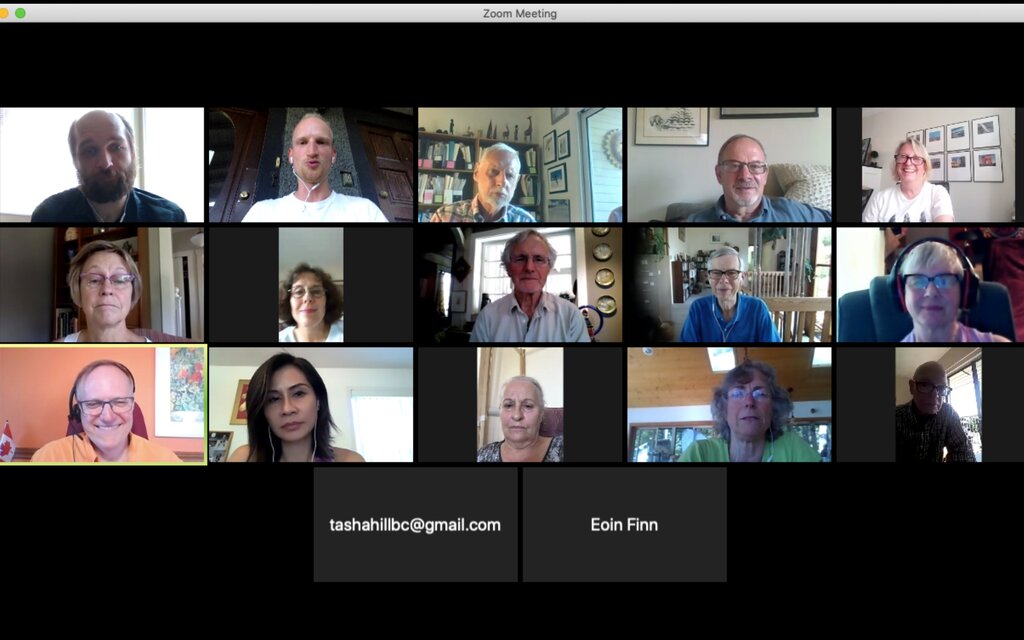
The key challenge is recreating a sense of shared presence and focus when everyone is physically apart.
Perhaps the most subtle challenge is the communication barrier. Without the full spectrum of body language, it's easier to misinterpret tone or miss signs that a teammate is confused or wants to speak. This makes active listening and clear, intentional communication more important than ever.
Beating 'Zoom Fatigue'
If you've ever ended a day of video calls feeling completely drained, you've experienced 'Zoom fatigue.' It's a real phenomenon, and it's not just about being tired of meetings.
Zoom fatigue
noun
The feeling of exhaustion, worry, or burnout associated with the overuse of virtual platforms of communication.
This exhaustion happens for a few specific reasons. In video calls, you have to stare intently at the screen to absorb information, which is more taxing than observing people in a room. You're also often looking at yourself, which can feel like being watched constantly.
Finally, being stuck in one spot, framed by a webcam, reduces our natural tendency to move around while we talk and think. This combination of intense focus, self-consciousness, and physical stillness is mentally draining.
One way to alleviate the burden of meetings is to de-emphasize their synchronous participation by shifting work to and enabling sensemaking during post-meeting asynchronous activities.
So, how do you fight it? Start by making meetings shorter. A 25-minute meeting is often just as effective as a 30-minute one, and that five-minute buffer gives you a chance to reset. It's also okay to turn your camera off occasionally to give your eyes a break from the screen. Finally, build in short breaks between calls to stand up, stretch, and step away from your computer.
Ready to check your understanding of these dynamics?
What is a primary advantage of remote meetings compared to in-person ones?
True or False: 'Zoom fatigue' is primarily caused by the long duration of meetings, and simply having fewer meetings will solve it.
Mastering these basics sets the foundation for more effective and less draining remote collaboration.