Mastering Remote Meetings
Understanding Remote Meeting Fundamentals
The New Meeting Room
Remote meetings are simply scheduled conversations that happen online instead of in person. Thanks to video conferencing tools, your team can be spread across different cities or even continents and still connect face-to-face. This flexibility is a huge advantage for modern work, allowing companies to hire talent from anywhere and giving employees more control over their schedules.
These virtual get-togethers aren't just for formal presentations. They're for brainstorming sessions, quick check-ins, and building team rapport. When done well, a remote meeting can be just as productive and engaging as gathering around a conference table.

Navigating the Hurdles
Of course, virtual meetings come with their own unique set of challenges. Unlike in-person meetings, you can't just walk into a room and start talking. There are a few common obstacles to be aware of.
However, remote meetings can also pose some challenges, such as technical issues, distractions, lack of engagement, and unclear expectations.
Here are some of the most frequent issues you might encounter:
| Challenge | Description |
|---|---|
| Tech Glitches | A poor internet connection, a microphone that won't unmute, or software that needs an update can derail a meeting before it starts. |
| Time Zones | Scheduling a meeting that works for someone in New York, London, and Tokyo requires careful planning. |
| Distractions | The dog barking, a doorbell ringing, or the temptation of other browser tabs can pull focus away from the discussion. |
| Communication Gaps | Without physical presence, it's harder to read body language and easy to accidentally talk over someone. |
Choosing Your Platform
Your virtual meeting room is the software platform you use to connect. Most platforms share core features like video, audio, screen sharing, and chat, but each has its strengths. The three most common choices are Zoom, Google Meet, and Microsoft Teams.
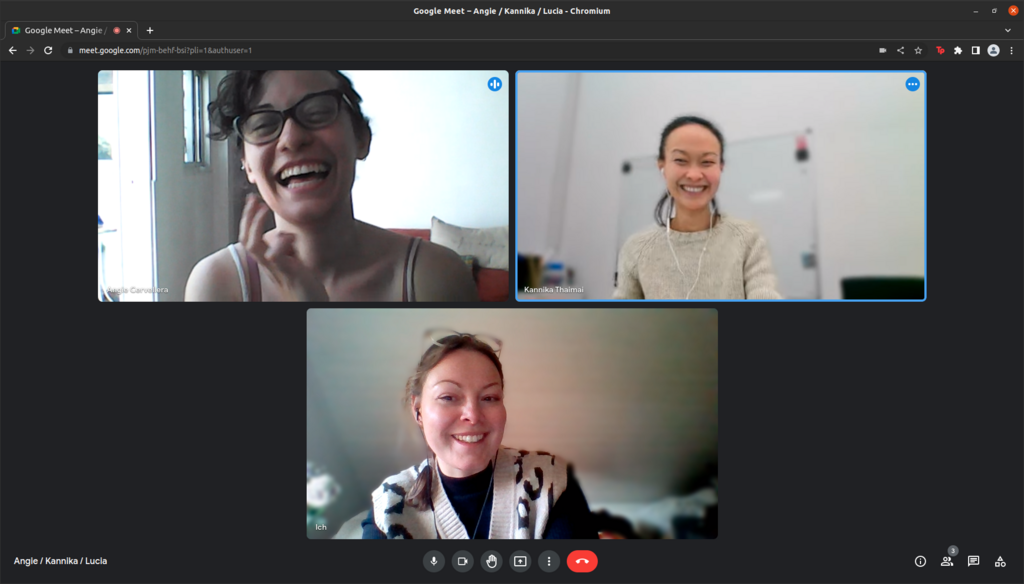
Understanding the basics of each can help you choose the right one for your needs.
| Platform | Best For | Key Features |
|---|---|---|
| Zoom | Large groups and webinars | Breakout rooms, polling, robust recording options. |
| Google Meet | Teams using Google Workspace | Seamless integration with Calendar and Gmail, simple interface. |
| Microsoft Teams | Organizations using Microsoft 365 | Combines video meetings with persistent chat and file storage. |
Ultimately, the best platform is the one your team feels comfortable using and that fits smoothly into your existing workflow.
The Unspoken Language
In a physical room, we rely heavily on non-verbal cues. We see when someone leans in with interest, nods in agreement, or glances at their watch. In a virtual setting, many of these signals are lost or muted. This makes clear, intentional communication even more critical.
Because you can't always see everyone's full body language, you have to be more deliberate. This means speaking clearly, pausing to let others contribute, and using the platform's tools to your advantage. For example, using the "raise hand" feature prevents people from interrupting each other. A simple nod or thumbs-up on camera can show agreement without making a sound.
Paying attention to your own non-verbal cues is just as important. Make eye contact by looking at your camera, not just the screen. Sit up straight and try to be present and engaged. These small actions help build trust and create a more connected atmosphere, even through a screen.
Now, let's test your understanding of these core concepts.
What is a primary advantage of remote meetings, according to the text?
Why is clear, intentional communication especially critical in remote meetings?
With these fundamentals in mind, you're ready to start having more effective and less stressful remote meetings.