Mastering Remote Meetings
Understanding Remote Meeting Fundamentals
The New Meeting Room
Remote meetings are real-time, interactive gatherings held over the internet. Instead of sitting around a conference table, participants connect from different locations using video conferencing tools. This way of working has become essential, allowing teams spread across cities or even continents to collaborate effectively.

Think of it as the digital version of a traditional office meeting. It bridges physical distances, making it possible to discuss projects, make decisions, and stay connected with colleagues without needing to be in the same room. For many organizations, these virtual get-togethers are the backbone of daily operations.
Remote meetings are a common way of communicating and collaborating with your team members, especially in the current context of work-from-home arrangements.
Benefits and Hurdles
Virtual meetings come with a clear set of advantages. The most obvious is flexibility. You can join from home, a coffee shop, or a different time zone. This saves commuting time and can lead to a better work-life balance. It also opens up a global talent pool, as companies are no longer limited to hiring people who live near the office.
Financially, it cuts down on costs associated with travel, office space, and catering for in-person events. Everything you need is right on your computer.
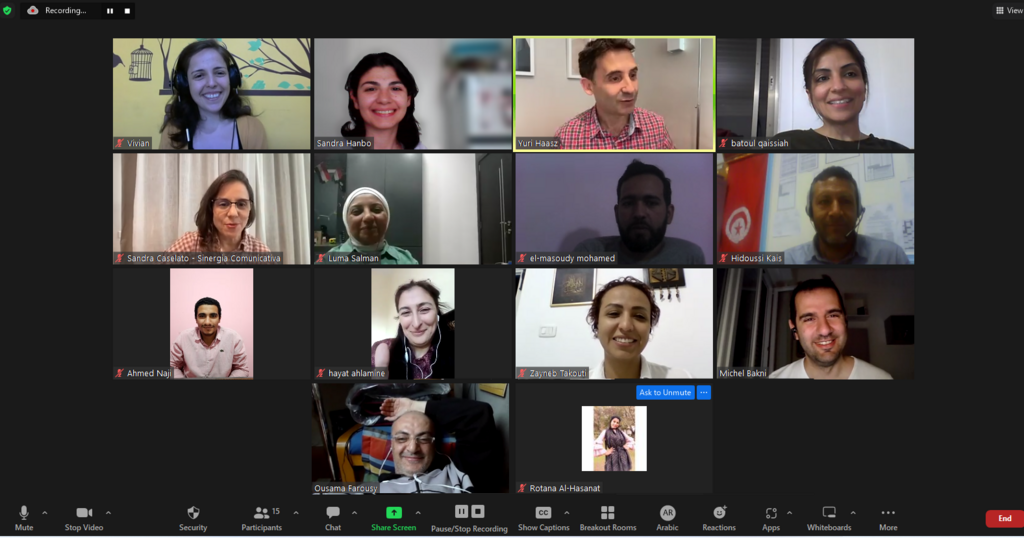
However, remote meetings aren't without challenges. Technical glitches are a common frustration. A poor internet connection, a failing microphone, or software that won't cooperate can disrupt the flow of conversation. There's also the risk of "Zoom fatigue," a feeling of exhaustion from constant video calls.
Another hurdle is maintaining engagement. It's easier for participants to get distracted by emails or other tasks when they're not physically present. Without the non-verbal cues we rely on in face-to-face interactions, it can be harder to read the room and ensure everyone feels included.
The key is to find a balance, leveraging the benefits of remote work while actively managing its potential downsides.
Choosing Your Tools
A variety of platforms exist to host remote meetings, each with its own strengths. Most offer core features like video and audio conferencing, screen sharing, and chat. The right choice often depends on your team's size, budget, and specific needs.
| Platform | Key Features | Best For |
|---|---|---|
| Zoom | High-quality video, breakout rooms, webinar capabilities. | Large meetings, interactive workshops, and public-facing events. |
| Google Meet | Seamless integration with Google Workspace, simple interface. | Teams already using Google Calendar, Docs, and Drive. |
| Microsoft Teams | Deep integration with Office 365, persistent chat channels. | Organizations heavily invested in the Microsoft ecosystem. |
| Slack | Quick video calls ("huddles") within a chat-based platform. | Spontaneous, informal discussions and quick check-ins. |
Beyond the main platforms, other tools can enhance the experience. Digital whiteboards like Miro or Mural allow for real-time brainstorming, while project management software like Trello or Asana helps track action items discussed during a call.
When working remotely, you should develop familiarity with remote collaboration tools for work such as Slack, Microsoft Teams, Google Meet, and Zoom, and project management software such as Trello or Monday.com.
Setting the Rules of Engagement
To ensure remote meetings are productive, it's vital to establish clear ground rules, or protocols. These are simple agreements on how the team will interact during calls. Without them, meetings can become chaotic and inefficient.
Start with the basics. Should cameras be on or off? When should you mute your microphone? How do you signal that you want to speak, perhaps by using the "raise hand" feature? Deciding on these conventions upfront prevents confusion.
Setting expectations is just as important. Every meeting invitation should include a clear purpose and agenda. This lets everyone know why they're attending and what topics will be covered, allowing them to prepare. It also helps keep the conversation focused and on track.
A simple rule: No agenda, no meeting. This single practice can eliminate many unnecessary calls and make the ones you have more effective.
Finally, be mindful of time. Start and end meetings on schedule to show respect for everyone's day. If a meeting finishes early, give people that time back. These small acts build a culture of efficient and respectful communication.
Ready to check your understanding? Let's dive into a few questions.
What is a primary advantage of remote meetings for companies?
A feeling of exhaustion from constant video calls is often referred to as ______.
With a solid grasp of these fundamentals, you're better equipped to participate in and contribute to successful remote meetings.