Mastering Remote Meetings
Understanding Remote Meetings
What Are Remote Meetings?
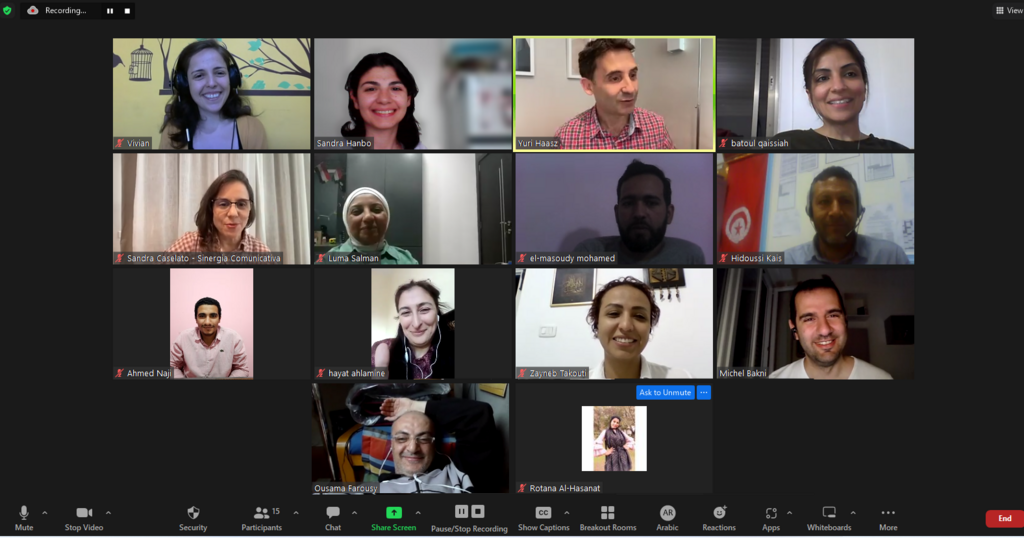
A remote meeting is a get-together that happens online instead of in a physical conference room. Team members use video conferencing software to connect from different locations, whether that's a home office, a coffee shop, or another city entirely.
In today's workplace, these virtual gatherings are essential. They're how distributed teams collaborate on projects, make important decisions, and maintain a sense of connection. Without a shared office, remote meetings become the primary space for face-to-face interaction and teamwork.
Remote meetings are a common way of communicating and collaborating with your team members, especially in the current context of work-from-home arrangements.
The Upside of Meeting Online
Virtual meetings offer some clear advantages over traditional, in-person ones. The most obvious is flexibility. Anyone with an internet connection can join, which allows companies to build teams with talent from all over the world. This geographic freedom means you're no longer limited to hiring people who live within commuting distance.
There are financial benefits, too. Companies save money on travel expenses and the need for large office spaces. For attendees, it means no time or money spent on commuting.
Remote meetings can also be incredibly efficient. Features built into conferencing platforms, like screen sharing, digital whiteboards, and instant polling, make it easy to share information and gather feedback on the spot. Plus, the ability to record meetings means anyone who couldn't attend can catch up later, ensuring no one misses out on key information.
Recording a meeting allows team members across different time zones to stay in the loop, even if they can't attend live.
Common Hurdles to Overcome
Despite their benefits, remote meetings aren't without their difficulties. Technical glitches are a frequent frustration. A weak internet connection, a microphone that won't unmute, or a camera that freezes can disrupt the flow of conversation and cause delays.
Distractions are another major challenge. When you're in your own space, it's easy for your attention to wander to a barking dog, a ringing doorbell, or the temptation to check your email. Keeping everyone focused and engaged is much harder when you're not all in the same room.
This can lead to a lack of personal connection. It's more difficult to read body language and social cues through a screen, which can sometimes result in miscommunication or a feeling of isolation. The back-to-back nature of many virtual meetings can also lead to "Zoom fatigue," a term for the exhaustion that comes from spending too much time in video calls.
Tools of the Trade
A variety of platforms exist to host remote meetings, each with its own set of features. While there are many options, most modern teams rely on one of a few key players.
- Zoom: Often the default choice, known for its reliability and straightforward interface.
- Microsoft Teams: Integrates tightly with other Microsoft Office products, making it a popular choice for organizations that already use that ecosystem.
- Google Meet: Part of the Google Workspace, it connects seamlessly with Gmail and Google Calendar, simplifying the process of scheduling and joining calls.
These tools do more than just provide a video feed. They are collaboration hubs that typically include features like text chat for side conversations, screen sharing for presentations, and breakout rooms for smaller group discussions.
What is a primary advantage of remote meetings for a company's hiring strategy?
Which of the following is described as a common challenge of remote meetings?
Now that you're familiar with the fundamentals of remote meetings, you can start thinking about how to make them as effective as possible.