Mastering Regular Expressions
Introduction to Regular Expressions
The Ultimate Find and Replace
Imagine you have a huge document and you need to find every email address inside it. A simple text search for "@" might work, but it would also find every mention of the @ symbol used for other reasons. You need a smarter way to search. You need to search for a pattern of text, not just a specific word.
This is where regular expressions come in. A regular expression, often shortened to regex or regexp, is a special sequence of characters that defines a search pattern. It's like a tiny, powerful language for describing and matching text. Instead of telling a program to find "cat", you can tell it to find any three-letter word that starts with "c" and ends with "t".
Regular expressions are used to identify, extract, or even modify text that fits a specific structure.
From Theory to Text Editors
The idea behind regular expressions began in the 1950s with theoretical computer science and the study of formal languages. But they weren't just a theoretical curiosity for long. In the 1960s, computer science pioneer Ken Thompson built regular expressions into a text editor called QED. This was the first time they were used for practical text searching.
From there, their popularity exploded. Thompson brought them to the Unix operating system, creating the now-famous command-line tool grep, which stands for "global regular expression print." Soon, regex became a fundamental feature in countless programming languages and tools, evolving from a niche academic concept into a standard tool for developers, data scientists, and system administrators.
Where Regex Shines
Regular expressions are incredibly versatile. Once you start looking, you'll see them everywhere.
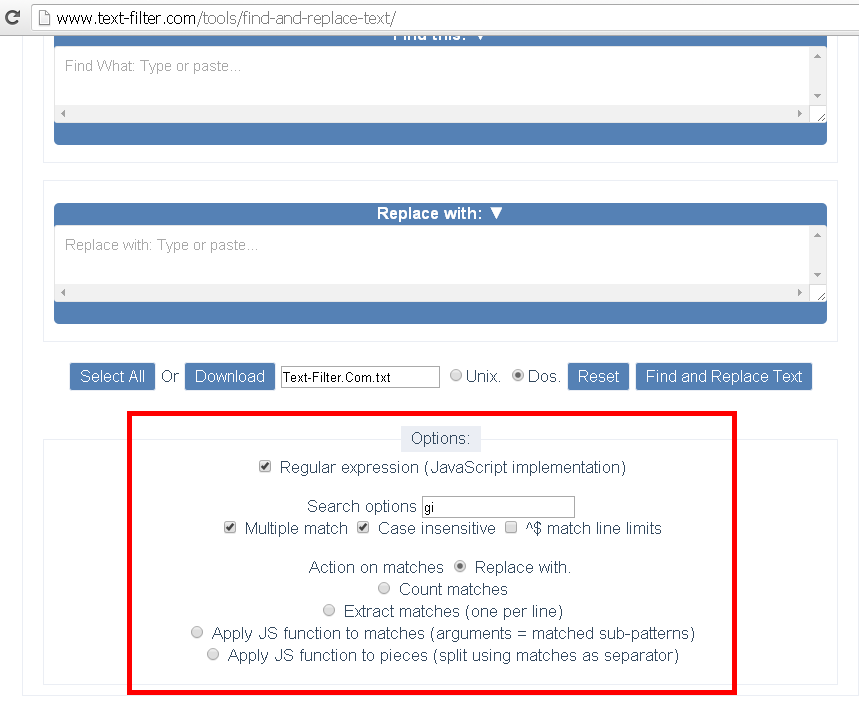
Some common applications include:
-
Data Validation: Checking if user input is in the correct format. Is this a valid email address? Does this password contain at least one number? Is this a properly formatted phone number? Regex is perfect for these tasks.
-
Web Scraping: Extracting specific information from websites, like pulling all the product names and prices from an online store's source code.
-
Log Analysis: Sifting through massive log files from a server to find specific error messages or track user activity.
-
Code Refactoring: Programmers use regex to perform complex search-and-replace operations across their codebase, like renaming a variable that appears in hundreds of files.
Meet the Engines
A regular expression is just a pattern. To actually use it, you need a piece of software called a regex engine to interpret the pattern and perform the search. Think of the pattern as the sheet music and the engine as the musician who plays it.
Over the years, different engines have been developed, each with its own quirks and features. These variations are often called "flavors" of regex. While most of the basic syntax is the same everywhere, some advanced features might only work in certain engines.
| Engine Flavor | Common In... |
|---|---|
| PCRE (Perl Compatible Regular Expressions) | PHP, Python, R, and many modern tools. Known for its rich feature set. |
| POSIX (Portable Operating System Interface) | Older Unix tools like grep and sed. More limited but very standardized. |
| JavaScript Engine | Built into web browsers and Node.js. Mostly follows the PCRE standard with some differences. |
You don't need to memorize the differences. Just know that if your regex pattern isn't working as expected, it's worth checking which engine your tool uses. A quick search for "python regex" or "javascript regex" will usually point you to the right documentation.
# Python example using the 're' module
import re
text = "Contact us at support@example.com"
match = re.search(r'[\w.-]+@[\w.-]+', text)
if match:
    print(f"Email found: {match.group(0)}") # Output: support@example.com

// JavaScript example
const text = "Contact us at support@example.com";
const regex = /[\w.-]+@[\w.-]+/;
const match = text.match(regex);
if (match) {
  console.log(`Email found: ${match[0]}`); // Output: support@example.com
}
Notice how similar the pattern [\w.-]+@[\w.-]+ is in both Python and JavaScript. This is the power of regular expressions: the core ideas are portable, giving you a consistent way to work with text across different environments.
What is the primary purpose of a regular expression?
The famous Unix command-line tool grep was instrumental in popularizing regex. What does its name stand for?
Now that you've got the basics, you're ready to start learning how to write the patterns themselves. It's a skill that pays off immensely, turning complex text-processing tasks into simple, elegant solutions.