Mastering Python Async and Await
Introduction to Asynchronous Programming
Waiting in Line
Most computer programs work like a checklist. They start at the first instruction, complete it, move to the second, complete it, and so on, right down to the end. This step-by-step, one-at-a-time execution is called synchronous programming. It's predictable and easy to follow. If one task takes a long time, everything else has to wait.
Think of it like making a phone call. You dial the number and then you wait. You can't start a different conversation until the person on the other end picks up. The line is tied up.
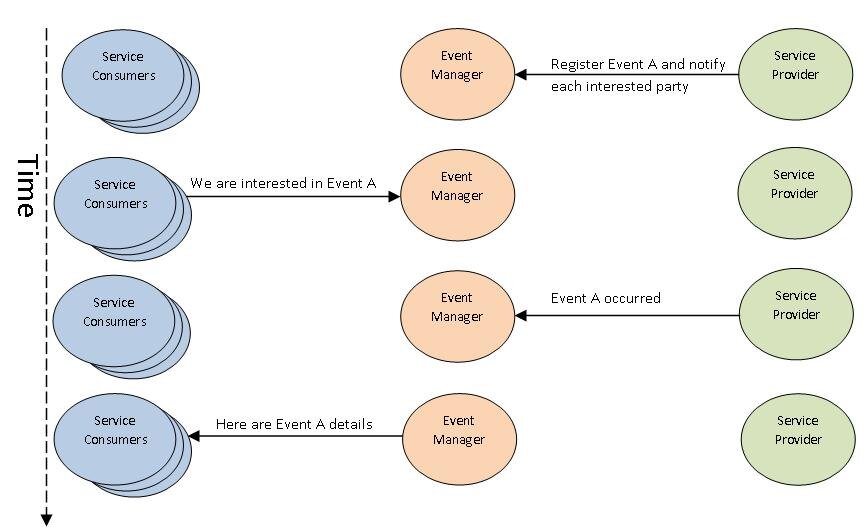
Now, imagine a different way of working. Instead of waiting, what if you could start a task, and while it's running, you move on to do other things? This is the core idea of asynchronous programming. It allows a program to handle multiple operations at once without getting stuck waiting for slow tasks to finish.
This is like sending a text message. You send it and then immediately put your phone down to start cooking dinner. You don't stare at the screen waiting for a reply. When the reply comes, your phone notifies you, and you can deal with it then.
When to Go Async
Asynchronous code isn't always the right tool for the job. It shines in specific situations where the program spends a lot of time waiting. These are called I/O-bound operations. "I/O" stands for input/output, which refers to your program communicating with something outside of its own process.
Common examples include:
- Network requests: Fetching data from a website or an API across the internet.
- Database operations: Querying a database for information.
- File system access: Reading from or writing to a file on a disk.
In all these cases, your program sends a request and then waits for a response. A synchronous program would just sit there, doing nothing, until the data arrives. An asynchronous program uses that waiting time to get other work done, making the application feel much faster and more responsive.
Asynchronous programming is crucial for creating applications that can handle multiple tasks simultaneously, improving performance and user experience.
This is especially critical for web servers, which need to handle thousands of connections from different users at the same time. If the server handled each request one by one, users would experience long delays. By handling them asynchronously, the server can manage many connections at once, providing a smooth experience for everyone.
Python's Approach
Python has powerful, built-in support for writing asynchronous code. The primary tool is a library called asyncio, which provides the foundation for running and managing asynchronous tasks. We'll explore asyncio in detail later, but for now, it's enough to know that it gives you the tools to write the "text message" style of code we talked about.
You'll often see the keywords async and await in modern Python code. These are special syntax that tell Python a piece of code is asynchronous. An async function can be paused while it's waiting for something, and await is the keyword that actually does the pausing.
Don't worry about the syntax for now. The key takeaway is that Python has a modern, elegant way to handle asynchronous operations directly in the language.
By embracing this style of programming for I/O-bound tasks, developers can build applications that are incredibly fast and scalable, capable of handling heavy workloads without breaking a sweat.
Let's check your understanding of these foundational ideas.
What is the primary characteristic of synchronous programming?
A program that spends most of its time waiting for a database to return data is considered I/O-bound.
Understanding when and why to use asynchronous code is the first step toward writing more efficient and powerful programs. Next, we'll start diving into the specific tools Python provides to make it happen.