Mastering Primavera P6 for Project Management
Introduction to Primavera P6
What is Primavera P6?
Oracle Primavera P6 is a powerful tool for managing large-scale, complex projects. Think of it as a central command center for everything from planning and scheduling to tracking progress and managing resources. It’s widely used in industries like construction, engineering, and manufacturing, where projects involve thousands of tasks and intricate dependencies.
Primavera P6 is a leading enterprise project portfolio management (EPPM) software that enables organisations to effectively plan, manage, and execute projects of any scale and complexity.
Unlike simpler to-do list apps, P6 is built to handle the entire project lifecycle. It provides a structured environment where project managers can organize work, assign resources, monitor costs, and make informed decisions to keep projects on track.
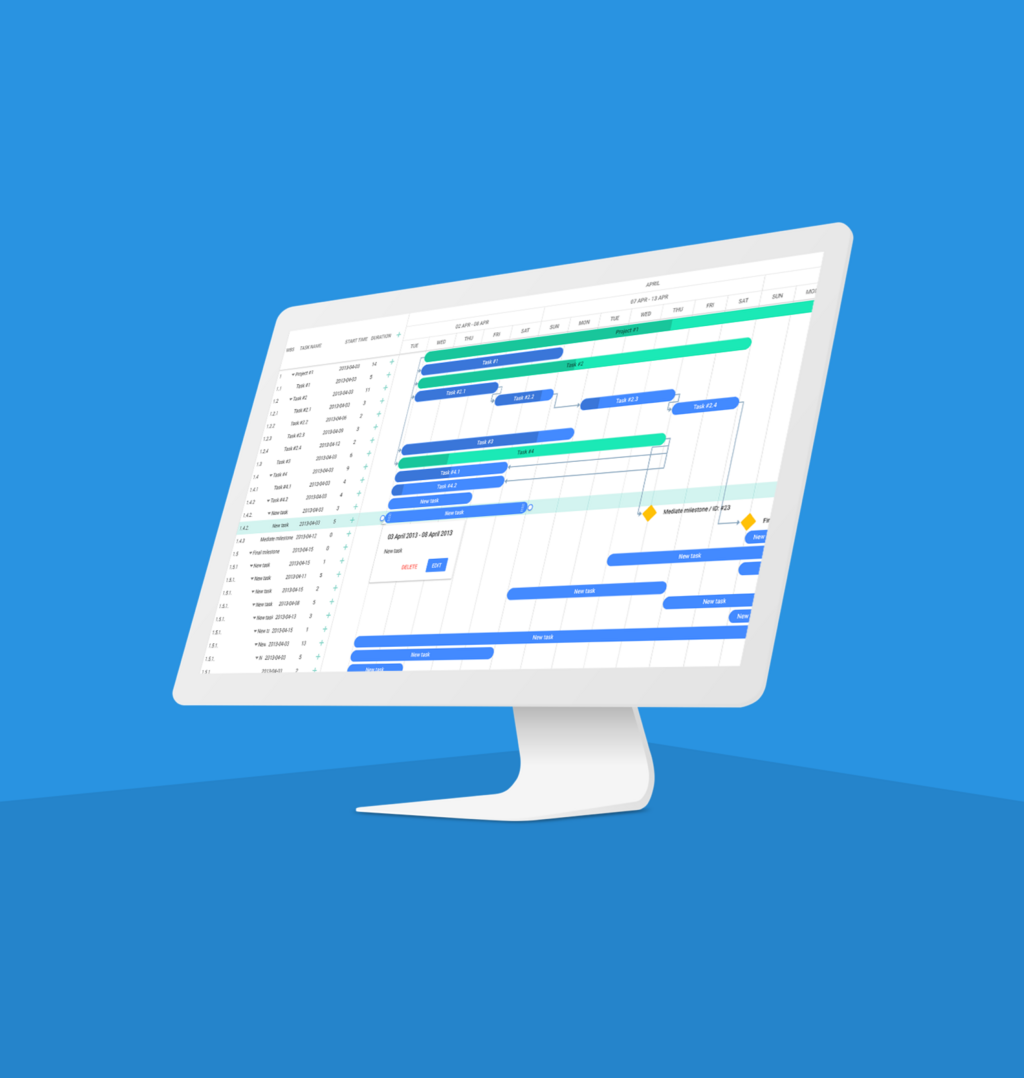
Exploring the Interface
When you first open Primavera P6, the interface can seem packed with information. However, it's organized logically around a few key areas. Understanding these components is the first step to navigating the software confidently.
The foundation of P6 is the Enterprise Project Structure (EPS). This is a hierarchical system for organizing all the projects within your company. Think of it like a folder system on a computer, where top-level folders represent divisions or programs, and sub-folders contain individual projects.
Once you select a project, you'll work primarily in these windows:
- Projects Window: Displays the projects within the selected EPS node. This is where you can open a specific project to view its details.
- Activities Window: The heart of the project schedule. It lists all the individual tasks, or activities, that need to be completed. Here, you'll define durations, set start and end dates, and link activities together.
- Gantt Chart: A visual representation of the project schedule. This bar chart plots activities against a timeline, showing you at a glance how tasks overlap and depend on one another.
- Detail Windows: These panels, usually at the bottom of the screen, provide specific information about whatever you've selected, whether it's a project, an activity, or a resource.
Core Functionalities
Primavera P6 is more than just a scheduling tool. Its core functionalities cover several key areas of project management.
Project Planning and Scheduling This is P6’s primary strength. You can create a new project from scratch, break it down into manageable activities using a Work Breakdown Structure (WBS), estimate how long each activity will take, and define the logical relationships between them. For example, you can specify that pouring a foundation must finish before framing can start.
This process of defining and linking tasks creates a detailed roadmap for the entire project.
Resource Management Every project needs resources, whether it's people, equipment, or materials. P6 allows you to create a pool of available resources and assign them to specific activities. This helps you understand who is working on what and ensures that you don't over-allocate a particular person or machine.
Project Control and Monitoring Once a project begins, P6 becomes a vital tool for tracking progress. You can update the status of activities, compare your actual progress against the original plan (the baseline), and identify any delays. This allows you to proactively address issues before they derail the project.
Integration with Project Management
Primavera P6 isn't a replacement for project management principles; it's a tool that supports them. Its features align directly with the standard project management process groups.
| Process Group | How Primavera P6 Helps |
|---|---|
| Initiating | Create a new project within the Enterprise Project Structure (EPS). |
| Planning | Define the scope (WBS), create activities, set durations, assign resources, and establish the baseline schedule. |
| Executing | Team members perform the work as scheduled in P6. |
| Monitoring & Controlling | Update activity progress, compare actuals to the baseline, and analyze variances to control the schedule. |
| Closing | Generate final reports and archive the project for future reference. |
By using P6, project managers can implement these processes in a structured, consistent, and data-driven way, improving the chances of delivering their projects on time and within budget.
Now, let's test your understanding of these foundational concepts.
What is the primary purpose of the Enterprise Project Structure (EPS) in Primavera P6?
A project manager needs to track how the project's actual progress compares to the original plan. Which P6 feature is essential for this comparison?