Mastering Power BI Data Modeling and Visualization
Advanced Data Connectivity
Choosing Your Connection
How you connect to your data in Power BI isn't just a technical detail—it's a core architectural choice that dictates your report's speed, data freshness, and scalability. Moving beyond basic file imports, you need to decide whether to copy data into your report or query it live from the source. Each approach has significant trade-offs.
This decision balances the need for speed against the need for the most current data.
The three primary methods for connecting to data are Import, DirectQuery, and Live Connection. Let's break down when and why you'd use each one.
In-Memory vs On-Demand
The main difference between connection types comes down to where the data lives after you connect to it. With Import mode, Power BI takes a full copy of your data and stores it inside the PBIX file. This data is compressed and optimized by the powerful in-memory engine, which makes report interactions incredibly fast. Because the data is self-contained, you have access to the full range of DAX functions for creating complex calculations. The downside? The data is static. It's only as current as your last scheduled refresh, and you're limited by the dataset size your Power BI license allows.
DirectQuery mode takes the opposite approach. It leaves the data in its original source, like a SQL Server database. When you interact with a visual in your report, Power BI generates a query in the native language of the source (like SQL) and sends it off. The visual updates only after the source database returns the results. This is perfect for enormous datasets that could never fit in memory and for scenarios where seeing near real-time data is critical. However, performance is entirely dependent on the speed of the underlying data source, and some DAX functions are unavailable because they can't be translated into a source query.
| Feature | Import Mode | DirectQuery Mode |
|---|---|---|
| Performance | Very Fast | Dependent on source |
| Data Freshness | Stale (Snapshot) | Near Real-time |
| Data Volume | Limited by memory | Virtually unlimited |
| DAX Support | Full | Limited |
The Hybrid Approach
Sometimes, a single connection mode for your entire data model isn't practical. You might have a massive, frequently updated sales transaction table but smaller, static dimension tables for products and store locations. This is where Dual storage mode comes in.
By setting a table's storage mode to Dual, you tell Power BI to act intelligently. If a query only needs columns from imported tables (like filtering by product category), Power BI uses its fast in-memory engine. But if the query also involves the huge sales table set to DirectQuery, Power BI will switch gears and send a query to the source database. It uses the most efficient method available for the query at hand. This provides a powerful way to balance performance with the need to query large, live datasets.
Connecting to the Enterprise
While you can connect to hundreds of sources, two of the most common in a business setting are SQL databases and Web APIs. Connecting to a SQL Server database is straightforward. You provide the server name and database, and then choose your data connectivity mode: Import or DirectQuery. The choice here directly applies the trade-offs we just discussed. Is it a massive data warehouse? Use DirectQuery. Is it a smaller, curated data mart? Import might be faster.
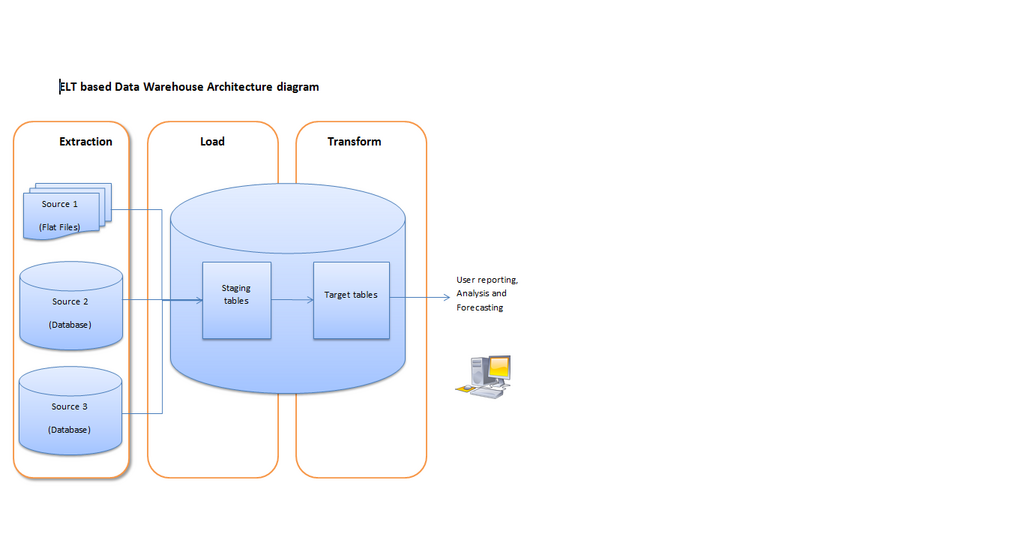
Connecting to a Web API is a bit different. APIs are gateways that let you request data from a web service. In Power BI, you'll typically use the "Web" connector and provide a URL. Often, you'll also need to provide authentication credentials. Because you are pulling data over the internet, these connections almost always use Import mode. You make a request, pull the data, and store it in your model. You can then schedule a refresh to pull new data periodically.
This leads to the final piece of the architecture: the data refresh. For any imported data, you need a way to keep it current. In the Power BI Service, you can schedule refreshes to run automatically. But for data sources that aren't in the cloud (like an on-premises SQL Server), you need a This gateway is a secure piece of software that you install on a server inside your company network. It acts as a bridge, allowing the Power BI Service in the cloud to safely reach your on-premises data to perform a refresh, without ever exposing your database directly to the internet.
Choosing the right connection type and understanding the refresh architecture are foundational skills for building robust, scalable, and performant Power BI reports in a business environment.
Ready to test your knowledge?
Which data connection mode in Power BI copies the entire dataset into the .PBIX file, resulting in very fast performance for report interactions but requiring scheduled refreshes to stay current?
You are building a report on a massive, multi-terabyte sales database that is updated every few seconds. Your users need to see the absolute latest transaction data. Which connection mode is the most appropriate for this scenario?