Mastering Password Security with Managers
Understanding Password Managers
The Password Problem
Think about how many online accounts you have. Email, banking, social media, shopping sites, streaming services... the list goes on. Each one needs a password. It's tempting to use the same simple password everywhere, but that's a huge security risk. If a hacker gets that one password, they can get into everything.
So you try to create unique, strong passwords. Something like J!mmyBuffett1977* for one site, and M@rgaritav!lle#77 for another. But how do you remember them all? Writing them on a sticky note isn't secure. This is where a password manager comes in.
Password Manager
noun
An application that creates, stores, and manages your passwords in a secure, encrypted digital vault.
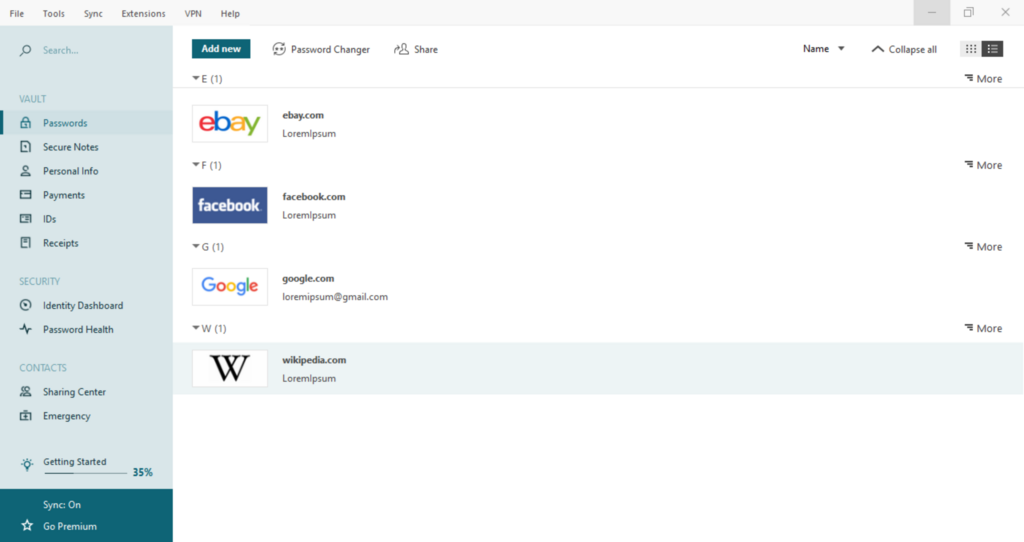
A password manager is like a secure digital safe for your login information. You put all your different, complex passwords inside this vault, and then you lock it with a single, strong password—the master password. This is the only password you ever have to remember. From then on, the manager can automatically fill in your credentials when you visit a website.
Password managers keep powerful passwords for all your accounts stored in a “vault” that you can access with a single master password.
Why It's Worth It
Using a password manager solves the biggest password problems. Humans are predictable. We use birthdays, pet names, or common words. Hackers know this. A password manager, on the other hand, can instantly generate truly random and strong passwords for you.
Think something like qG9$zFv!7k@pL*c3 instead of Password123. A password like this is nearly impossible for a person or computer to guess.
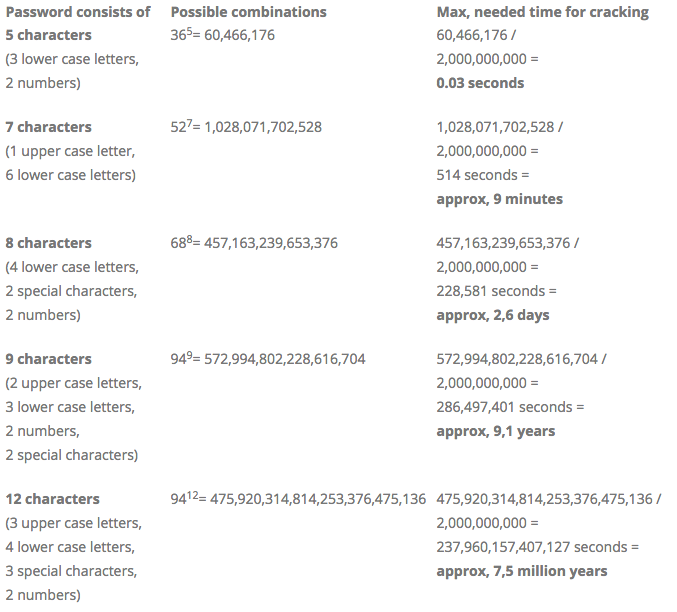
More importantly, a manager lets you use a unique password for every single site. This is critical. Data breaches happen all the time. If your password for one site is exposed, a unique password means the damage is contained. Your other accounts, like your email and bank account, remain safe because they use different passwords.
Finally, they are incredibly convenient. Most password managers have browser extensions and mobile apps that automatically fill in your username and password. No more fumbling to type a long, complicated password on your phone's tiny keyboard.
Types of Managers
Password managers come in a few different flavors, but they all serve the same core purpose. The main difference is where your encrypted vault is stored.
| Type | How It Works | Pros | Cons |
|---|---|---|---|
| Cloud-based | Your vault is encrypted and stored on the company's secure servers. | Access your passwords from any device (phone, laptop, tablet). Automatic syncing and backup. | You're trusting a third-party company with your encrypted data. |
| Desktop-based | Your vault is stored as a file on your computer's hard drive. | You have complete control over your data. It's not on a remote server. | Syncing between devices can be manual. If your hard drive fails and you have no backup, your vault is gone. |
| Browser-based | Built directly into your web browser (like Chrome, Safari, or Firefox). | Extremely convenient for autofill. No extra software to install. | Usually less feature-rich. Passwords are tied to that specific browser's ecosystem. |
For most people, a cloud-based manager offers the best balance of security and convenience. Desktop-based options are great for those who want maximum control, and browser-based managers are a good, simple starting point.
Regardless of which type you choose, using a password manager is one of the single best steps you can take to protect your digital life.
What is the primary purpose of a password manager?
If a website where you have an account suffers a data breach, how does using a password manager help contain the damage?