Mastering Password Managers for Unbreakable Security
Understanding Password Security
Your Digital Front Door
Think of your passwords as the keys to your online life. They unlock your email, bank account, social media, and more. A weak or reused password is like leaving a flimsy key under the doormat for anyone to find. It’s the easiest way for someone to gain access to your personal information.
Strong passwords are your first and most important line of defense. They create a secure barrier that protects your private data from unauthorized access. Without this barrier, your accounts are vulnerable.
How Passwords Are Compromised
Cybercriminals use several common methods to break through weak password security. One of the simplest is a brute force attack. In this scenario, an attacker uses automated software to try millions of password combinations in a very short time, hoping to guess the correct one. It's like a thief with a machine that can try every possible key on a lock until it opens.
Simple passwords like
123456orpasswordcan be cracked almost instantly with modern computers.
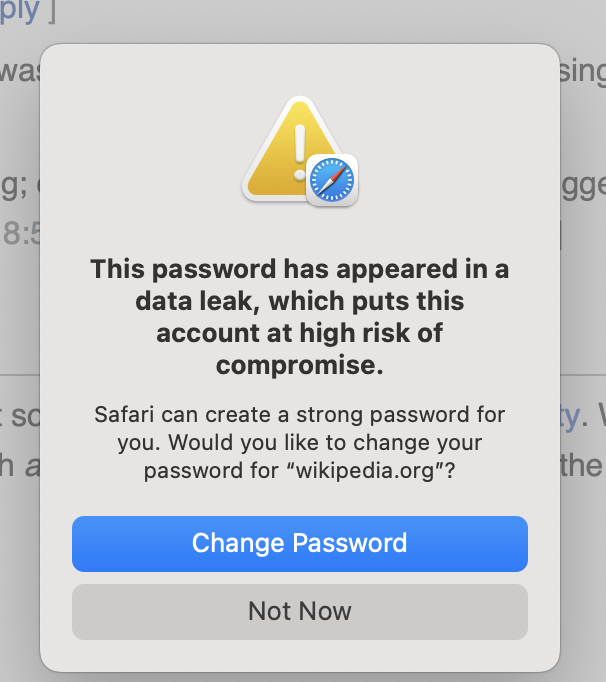
Another widespread threat is credential stuffing. This happens after a data breach at a company. Attackers take the leaked lists of usernames and passwords and use them to try logging into other popular websites. They bet that people reuse the same password for multiple accounts. If your password for a small forum leaks, a criminal might use it to try and access your email or bank account.
Building a Stronger Password
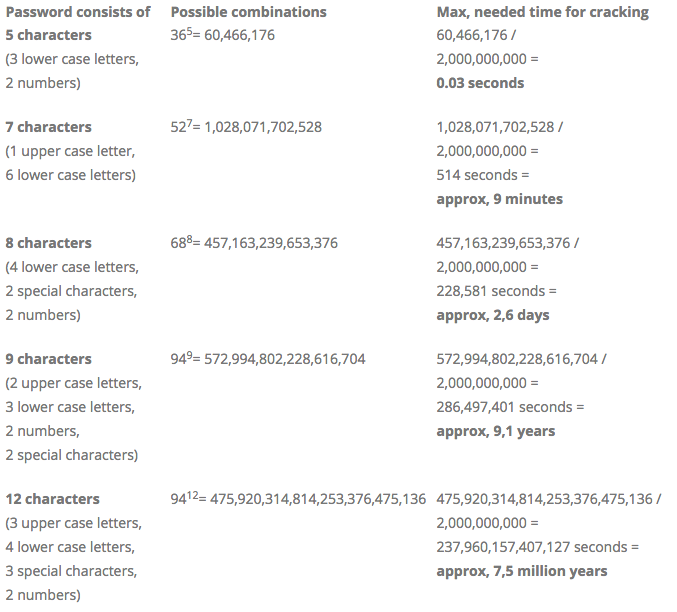
A strong password has three key ingredients: length, complexity, and uniqueness.
- Length: The longer, the better. Each additional character makes a password exponentially harder to crack.
- Complexity: Use a mix of uppercase letters, lowercase letters, numbers, and symbols (like
!or@). This dramatically increases the number of possible combinations. - Uniqueness: Never reuse passwords across different sites. If one account is compromised, this ensures the others remain safe.
Creating and remembering dozens of long, complex, unique passwords is a huge challenge. That’s where a specialized tool can help.
The Role of Password Managers
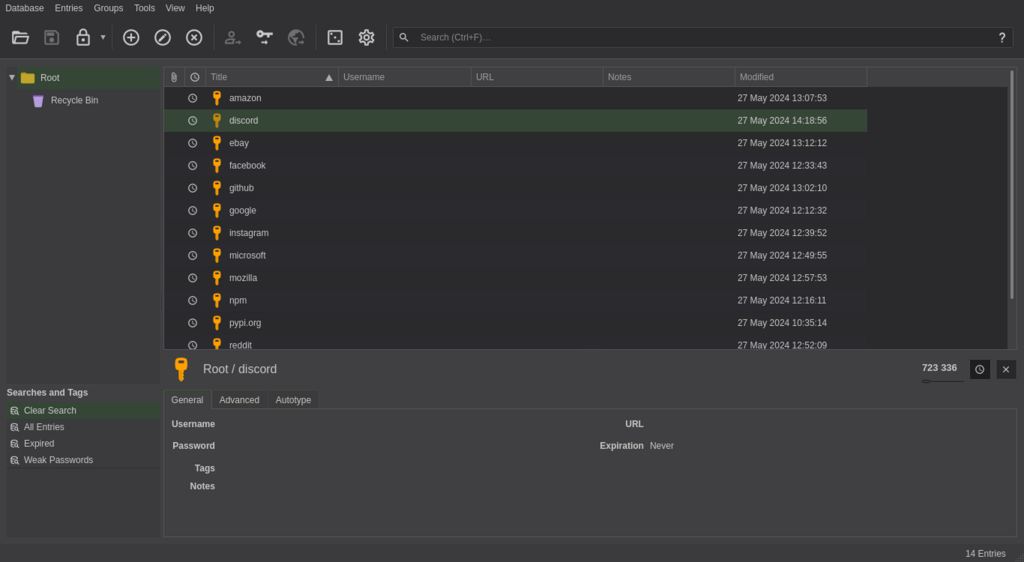
A password manager is an application designed to solve this problem. It acts like a secure digital vault for all your login credentials. You only need to remember one strong master password to unlock the vault.
Inside the manager, you can store the login information for all your accounts. The software can generate incredibly strong, random passwords for new accounts and automatically fill them in when you need to log in. This takes the burden of creating and remembering passwords off your shoulders.
A password manager simplifies password use across different sites, helping users create and manage strong and unique passwords to keep them more secure.
By using a password manager, you can easily implement the best practices for password security without having to memorize anything except your one master password. It’s one of the most effective steps you can take to protect your digital identity.
What is a "credential stuffing" attack?
Which of the following characteristics makes a password exponentially harder to crack with each addition?