Mastering Password Managers for Ultimate Security
Understanding Password Managers
Your Digital Keychain
Think about how many online accounts you have. Email, banking, social media, shopping sites... it adds up. Each one needs a password. If you use the same simple password everywhere, a single data breach on one site could expose all your accounts. But who can remember dozens of unique, complex passwords like j$p2!z*K8b@q?
This is where a password manager comes in. It's like a secure digital vault for all your login information. You create one strong, memorable "master password" to unlock the vault. Inside, the manager stores all your different usernames and passwords for every site you use.
A password manager is a tool that helps store, generate, and manage your passwords for different accounts securely.
When you need to log in to a website, the password manager can automatically fill in your credentials for you. It simplifies your digital life while dramatically boosting your security.
The Benefits
Using a password manager is one of the single best steps you can take to protect your online identity. The advantages are significant.
First, they create incredibly strong, random passwords for each of your accounts. You no longer have to think of them yourself. This eliminates the dangerous habit of reusing passwords, which is a major security risk. If one site gets hacked, the stolen password can't be used to access your other accounts.
Second, they offer immense convenience. Instead of typing your password every time, the manager fills it in for you with a click. This saves time and frustration, especially on mobile devices.
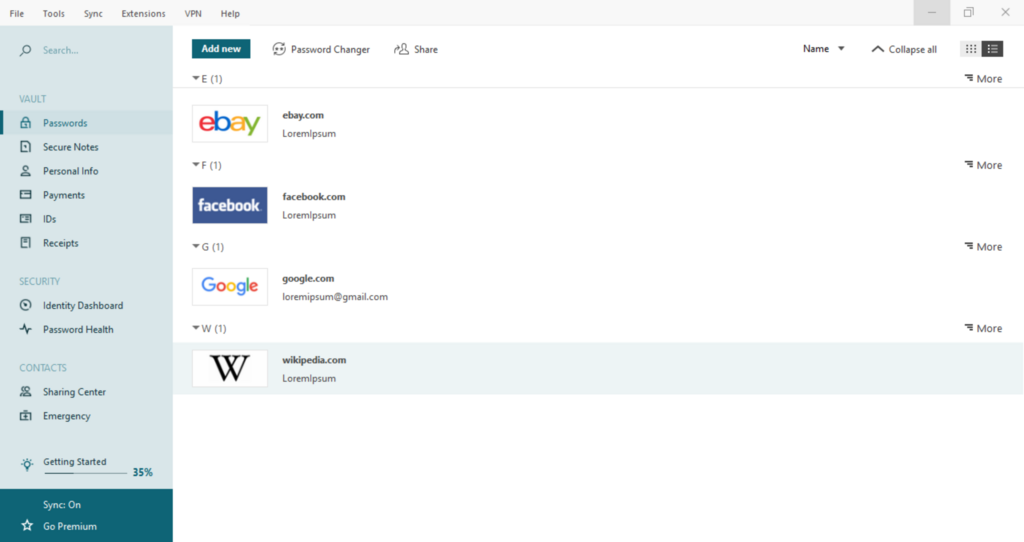
Finally, your password vault is encrypted. This means all your stored information is scrambled into an unreadable code, protected by your master password. Even if someone managed to steal the vault file, they wouldn't be able to see its contents without that key.
Choosing a Type
Password managers come in a few different flavors, each with its own set of trade-offs. The three main types are cloud-based, browser-based, and desktop-based.
| Type | How It Works | Pros | Cons |
|---|---|---|---|
| Cloud-Based | A third-party service stores your encrypted vault on their servers. | Syncs across all your devices (phone, computer, tablet). Accessible from anywhere. | You're trusting a company with your data. Requires an internet connection. |
| Browser-Based | Built directly into your web browser (like Chrome, Safari, or Firefox). | Extremely convenient for websites. No extra software to install. | Usually tied to a specific browser. May offer fewer advanced features. |
| Desktop-Based | A program you install that saves your encrypted vault as a file on your computer. | You have full control over your data. Doesn't require the internet to access passwords. | Syncing between devices can be manual and complex. If your device is lost or damaged, you could lose your vault. |
There is no single "best" type for everyone. A cloud-based manager is often a great starting point for its ease of use and multi-device syncing. If you primarily use one computer and value maximum control, a desktop-based option might be a better fit. Browser-based managers offer a seamless experience but are best for those who stick to one browser.
Ready to test your knowledge?
What is the primary purpose of a "master password" in a password manager?
Using a password manager eliminates the need to remember many complex passwords, but it does not eliminate the risk of a data breach on a website you use.
Understanding these different types is the first step toward choosing a tool that fits your needs and keeps your digital life secure.