Mastering OpenClaw Engine Development
Environment Setup
Managing Dependencies
Building a game engine from scratch means wrangling a lot of external code. For OpenClaw, this code lives in a 'ThirdParty' directory. This isn't just a messy folder; it's a curated collection of libraries that provide essential functions the engine doesn't need to reinvent. Think of it as your project's toolbox. Each tool has a specific job, from drawing graphics to simulating physics.
The core of our multimedia needs is handled by (Simple DirectMedia Layer). It's a cross-platform library that gives us a consistent way to handle input, create windows, and manage audio across Windows, macOS, and Linux. We don't just use the main SDL2 library; we also need its companions:
- SDL_image: For loading various image formats (like PNGs for sprites).
- SDL_ttf: For rendering text using TrueType fonts.
- SDL_mixer: For handling sound effects and music.
- SDL_gfx: For basic shape-drawing primitives.
Beyond multimedia, we rely on two other key libraries. Box2D is a popular 2D physics engine that will handle all our collision detection and physics simulations. For managing game data, like level layouts or enemy stats stored in files, we use TinyXML, a lightweight XML parser.
Automating the Build with CMake
Having a folder of libraries is one thing; getting your compiler to find and use them correctly is another. This is where comes in. It's a build system generator that creates project files for your chosen development environment, like Visual Studio solutions or Linux Makefiles. We write a single set of configuration files (CMakeLists.txt), and CMake handles the platform-specific details.
The root CMakeLists.txt file is the entry point. It defines the project name and tells CMake to look inside the src and ThirdParty directories. Within ThirdParty, each library has its own CMakeLists.txt file. This modular approach keeps things clean. For example, the script for Box2D tells CMake where to find its source files and how to build it as a static library.
# ThirdParty/Box2D/CMakeLists.txt

# Define the source files for the library
file(GLOB BOX2D_SRC "Box2D/*.cpp")

# Create a static library target called 'box2d'
add_library(box2d STATIC ${BOX2D_SRC})

# Specify include directories needed to use this library
target_include_directories(box2d PUBLIC ${CMAKE_CURRENT_SOURCE_DIR})
The add_library command creates a target, and target_include_directories exposes its header files. Back in our main CMakeLists.txt, we can then link our engine's executable against this target. CMake automatically handles the paths and linker flags.
# src/CMakeLists.txt

# Create the executable for our game
add_executable(OpenClaw main.cpp ...)

# Link the executable against our dependencies
target_link_libraries(OpenClaw PRIVATE sdl2 sdl2_image box2d tinyxml)
Platforms and Trade-Offs
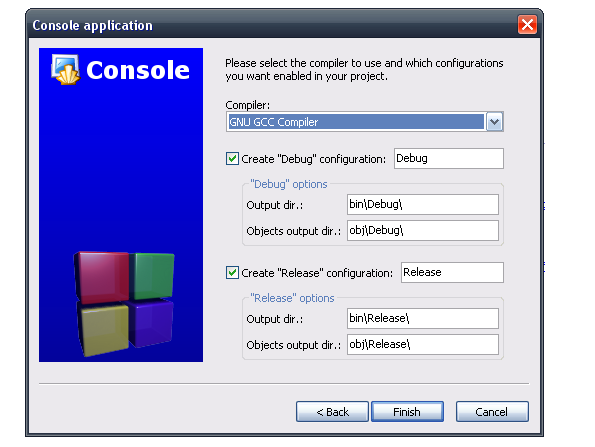
While CMake abstracts away many differences, the underlying on each platform, the set of programming tools used to create software, still has its quirks. Windows typically uses the MSVC compiler with Visual Studio, while Linux and macOS favour GCC and Clang, respectively. These compilers can have different levels of C++ standard support or produce slightly different warnings.
CMake helps manage this with conditional logic. We can check the operating system or compiler and set specific flags. For instance, we might need to link against different system libraries on Linux than on Windows.
Another key decision is how to handle dependencies: compiling from source versus linking against pre-compiled binaries. OpenClaw primarily compiles its dependencies from source, which is included in the ThirdParty directory. This offers several advantages but also has downsides.
| Approach | Pros | Cons |
|---|---|---|
| Compile from Source | Total control over build flags. Ensures ABI compatibility. Simpler for users to build. | Slower initial build time. Increases repository size. |
| Link Pre-compiled | Faster build times. Smaller repository. | Can lead to ABI mismatch errors. Requires managing binaries for each platform/architecture. |
By compiling everything from source with a single, consistent CMake configuration, OpenClaw guarantees that all components are built with the same compiler and settings. This avoids tricky linking errors related to mismatched C++ runtimes or incompatible library versions, which can be a major headache when dealing with pre-compiled binaries across different platforms.
This project is a multiplatform C++ reimplementation of original Captain Claw (1997) platformer game
Now that the environment is configured, it's time to test your knowledge.
What is the primary role of the 'ThirdParty' directory in the OpenClaw game engine project?
If you need to render text using a specific font in the OpenClaw engine, which SDL library would you use?
With a solid build system in place, you're ready to start exploring the engine's core architecture.