Mastering NetSuite for Business
NetSuite Basics
What is NetSuite?
NetSuite is a cloud-based business management suite. Think of it as a central hub for a company's entire operation. Instead of using separate software for accounting, sales, and inventory, NetSuite brings all these functions together into one unified system. This is often called an Enterprise Resource Planning, or ERP, system.
Because everything is connected, information flows seamlessly between departments. When a salesperson makes a sale, the system can automatically update inventory levels, notify the warehouse to ship the product, and tell the finance team to send an invoice. This integration eliminates the need to manually enter the same data in different places, which saves time and reduces errors.
NetSuite’s native cloud architecture provides a single suite of applications covering financials, CRM, e-commerce, inventory, and more, removing the need for multiple on-premises systems.
Finding Your Way Around
When you first log in to NetSuite, you’ll land on your dashboard. The layout is designed to be intuitive. At the very top, you'll find the main header, which contains key navigation tools.
Here's a breakdown of the key elements:
- Global Search Bar: This is one of the most powerful tools. You can type almost anything here—a customer's name, an invoice number, or a specific report—and NetSuite will find it for you.
- Navigation Menu: This is where you access different parts of the system. The options you see will change based on your role.
- User/Role Dropdown: NetSuite uses roles to control what users can see and do. You might have roles like 'Sales Rep', 'Accountant', or 'Administrator'. Switching roles changes your entire interface, including your dashboard and navigation menu, to show only the information and tools relevant to that job.
The Building Blocks: Modules
NetSuite's functionality is organized into modules. Each module is a collection of features and tools designed for a specific area of the business.
Oracle NetSuite ERP modules are the functional building blocks of the NetSuite ecosystem.
While there are many modules, most businesses start with a few core ones:
- Financial Management: This is the heart of the system, handling things like the general ledger, accounts payable, and accounts receivable.
- Customer Relationship Management (CRM): This module manages all interactions with customers, from initial leads to sales orders and post-sale support.
- Inventory and Order Management: This tracks products, manages stock levels across different locations, and processes sales orders from entry to fulfillment.
The real power of NetSuite comes from how these modules work together. For example, a single customer order can trigger actions across multiple modules instantly, keeping everyone in the company on the same page.
Make It Your Own
One of the best features of NetSuite is the ability to personalize your experience without needing to be a technical expert. Your dashboard, the first screen you see when you log in, is fully customizable.
The dashboard is made up of small windows called 'portlets'. Each portlet displays specific information, like key performance indicators (KPIs), reminders, or shortcuts to tasks you perform frequently. You can add, remove, and rearrange these portlets to create a dashboard that shows you exactly what you need to see to do your job.
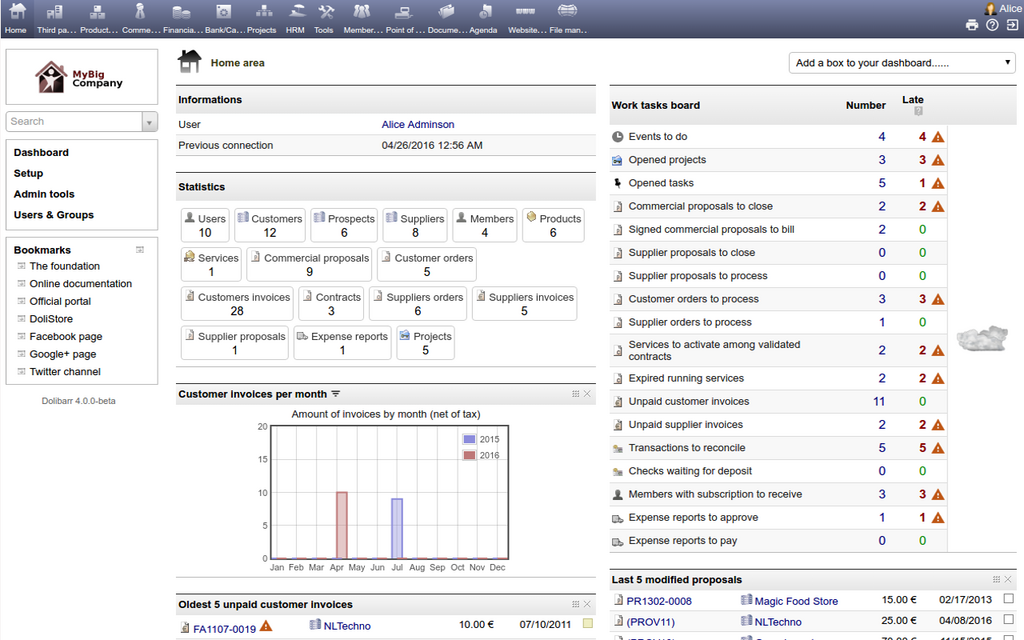
To personalize your dashboard, look for a 'Personalize' link or button, usually in the upper right corner of the dashboard area. From there, you can choose from a library of available portlets. You can set up shortcuts to pages you visit often, display a list of your open sales orders, or see a real-time graph of your company's sales.
Beyond the dashboard, you can also set personal preferences. In the 'Home' menu, look for an option like 'Set Preferences'. Here, you can adjust settings for how NetSuite looks and behaves, such as changing the color scheme or setting the number of search results displayed per page.
What is the primary function of an Enterprise Resource Planning (ERP) system like NetSuite?
In NetSuite, what happens when you switch your role using the User/Role dropdown?
This quick overview covers the essential concepts for getting started with NetSuite. By understanding the layout, the role of modules, and how to personalize your dashboard, you're ready to start exploring the platform.