Mastering Neovim
Introduction to Neovim
What is Neovim?
Neovim is a modern text editor that grew out of a classic tool called Vim. Vim is famous for being incredibly powerful and efficient, but it's also based on decades-old code. Neovim started as an effort to refactor Vim, making it easier to maintain, contribute to, and extend with new features.
Like Vim, Neovim runs inside your terminal. This makes it extremely fast and lightweight. It's designed for keyboard-centric workflows, allowing you to edit text without ever reaching for the mouse, which can dramatically speed up your work once you get the hang of it.
Neovim isn't just a cleaned-up version of Vim. It introduces several key improvements:
- Modern scripting with Lua: While Vim uses its own language called Vimscript, Neovim adds support for Lua, a popular and fast scripting language. This makes it easier for developers to write powerful plugins and custom configurations.
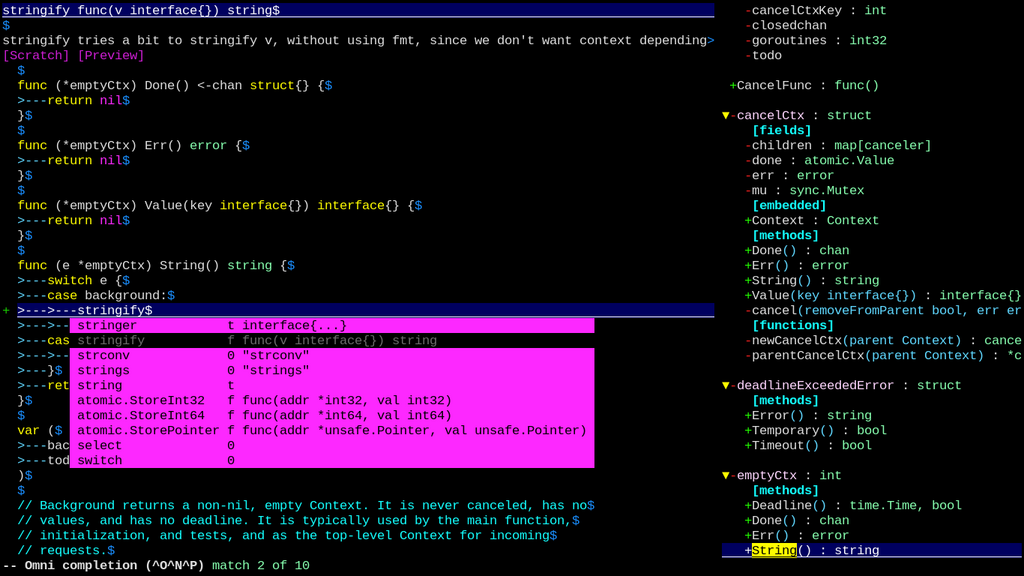
- Built-in Language Server Protocol (LSP): This is a big one. LSP allows your editor to understand your code on a deeper level. It enables features you'd typically find in big Integrated Development Environments (IDEs), like smart autocompletion, go-to-definition, and finding errors as you type, all without the bloat.
- Better extensibility: Neovim was designed from the ground up to be more extensible. It has a better API for plugins and integrates more smoothly with other tools.
Getting Neovim Installed
Installing Neovim is simple on most operating systems. You can usually get it from your system's default package manager. Here are the commands for a few common platforms.
| Operating System | Command |
|---|---|
| macOS (with Homebrew) | brew install neovim |
| Windows (with Winget) | winget install Neovim.Neovim |
| Ubuntu / Debian | sudo apt update && sudo apt install neovim |
| Arch Linux | sudo pacman -S neovim |
Once it's installed, open your terminal and type nvim. Press Enter, and you'll be greeted by the Neovim welcome screen. This confirms that everything is working correctly.
Your First Steps
The most important concept in Neovim (and Vim) is its use of modes. Unlike most editors where typing immediately inserts text, Neovim starts in Normal mode. In this mode, keys on your keyboard act as commands for moving around and manipulating text.
Normal mode is for navigation and commands. Insert mode is for typing text.
To start typing, you need to switch to Insert mode. You can do this by pressing the i key. You'll notice the text -- INSERT -- appears at the bottom of the screen. Now, your keyboard behaves as you'd expect, and you can type text freely.
To get back to Normal mode, press the Esc key. This is a fundamental workflow: you'll constantly be switching between Normal mode to navigate and Insert mode to type.
Let's try some basic navigation. Make sure you're in Normal mode (press Esc if you're not sure). You can use the arrow keys, but the classic Vim way is to use the h, j, k, and l keys.
| Key | Direction |
|---|---|
h | Left |
j | Down |
k | Up |
l | Right |
This might feel strange at first, but it keeps your fingers on the home row, which is more efficient. Try navigating around with these keys.
Finally, to quit Neovim, you'll use a command. From Normal mode, type a colon :, followed by q, and then press Enter. This is the command to quit.
:q
If you've made any changes to the file, Neovim will stop you from quitting to prevent you from losing your work. To quit without saving, use :q!. To save your work and quit, use :wq.
This is just the beginning. The real power of Neovim comes from combining commands, but for now, practice entering Insert mode, typing, returning to Normal mode, navigating, and quitting.