Mastering n8n Workflows with PostgreSQL
Database Connection Mastery
Connecting to PostgreSQL
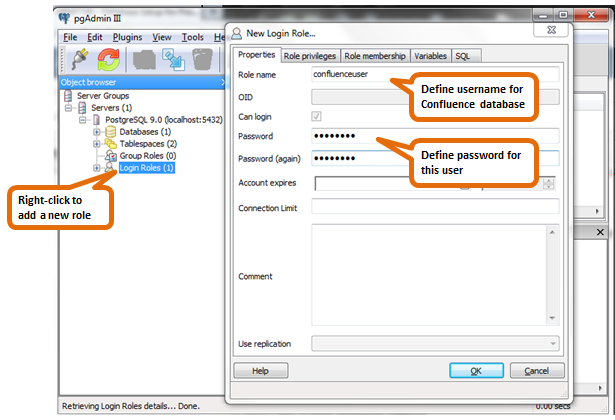
To get n8n talking to your PostgreSQL database, you'll need to create a new set of credentials. Navigate to the credentials section in your n8n instance and select the Postgres node. You'll see several fields, but the four essential ones are Host, Database, User, and Password.
Host: The IP address or domain name of your PostgreSQL server. Database: The specific database you want to connect to. User: The username for the database account. Password: The password for that user.
For a standard setup on your local machine, the host might simply be localhost. In a production environment, this will be a dedicated server address. It’s critical to use a specific user for n8n rather than a superuser account, but we'll get to that in a moment.
Securing the Connection
Entering your credentials is just the first step. A production-ready connection must be secure. You have two primary methods for this: SSL/TLS encryption and SSH tunneling.
SSL/TLS encrypts the data in transit between n8n and your database. In the n8n Postgres credentials, you'll find an SSL option with several modes:
- Allow / Prefer: These are less secure and generally not recommended for production.
- Require: This mode ensures the connection is encrypted, but it doesn't verify the server's identity. It protects against passive eavesdropping but not man-in-the-middle attacks.
- Verify-Full: This is the most secure option. It not only encrypts the connection but also verifies that the server's certificate is valid and was issued by a trusted Certificate Authority (CA). This prevents impersonation attacks.
When using Verify-Full, you might encounter errors if the server's CA isn't recognized by the system running n8n. If you're using a self-signed certificate or a private CA, you'll need to tell Node.js (the environment n8n runs on) to trust it. For Docker-based n8n installations, you can do this by setting an environment variable.
# In your docker-compose.yml file

environment:
  - NODE_EXTRA_CA_CERTS=/path/to/your/ca.crt
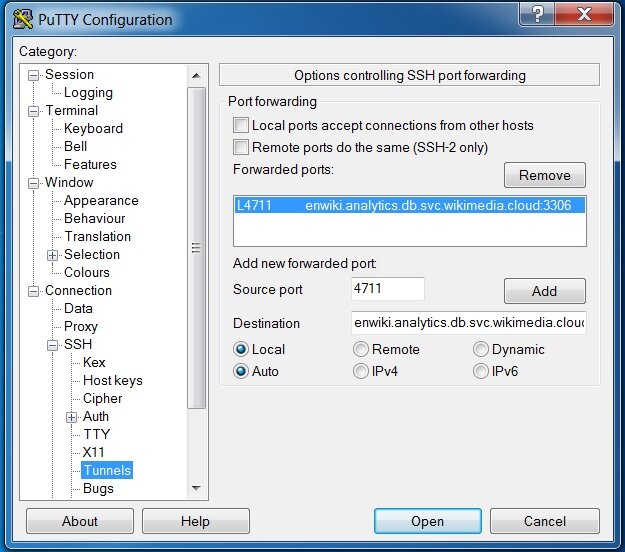
Alternatively, you can use to create a secure, encrypted channel to your database server. This is especially useful if your database isn't directly exposed to the internet. You configure the SSH host, port, and user, and n8n handles the rest, forwarding the database connection through this secure tunnel.
The Principle of Least Privilege
Never connect n8n to your database using a superuser or admin account. Doing so gives your workflows unrestricted power to read, modify, or even delete your entire database. This is a significant security risk. Instead, you should always follow the principle of least privilege: grant the n8n user only the permissions it absolutely needs to perform its tasks.
First, create a dedicated user for n8n. Then, use the command to give that user specific permissions on the tables it needs to access. For most automation tasks, SELECT, INSERT, and UPDATE are sufficient. Avoid granting DELETE, TRUNCATE, or DROP unless it is an explicit requirement of a workflow.
-- First, create a new role (user) with a secure password
CREATE ROLE n8n_user WITH LOGIN PASSWORD 'a-very-strong-password';

-- Then, grant only the necessary permissions on a specific table
GRANT SELECT, INSERT, UPDATE ON your_table_name TO n8n_user;

-- You may also need to grant usage on the schema
GRANT USAGE ON SCHEMA public TO n8n_user;
Finally, ensure your credentials themselves are protected within n8n. n8n encrypts all credential data at rest. By default, it uses a key generated on first run, but for production, you should define your own as an environment variable. This ensures your secrets are safe even if someone gains access to the n8n database file.
Time to check your understanding of these security concepts.
What are the four essential fields you need to fill in when creating new PostgreSQL credentials in n8n?
Which SSL mode offers the highest level of security by encrypting the connection and verifying the server's identity?
With these practices in place, you can be confident that your n8n workflows are interacting with your database both effectively and securely.