Mastering n8n Workflow Automation
Introduction to Workflow Automation
What is Workflow Automation?
Think about the last time you sent an email to a new customer. You probably typed out a welcome message, attached a getting-started guide, and then manually added their email to a separate marketing list. Now imagine if all of that happened automatically the moment they signed up. That’s workflow automation.
It’s the process of using software to connect different apps and services, creating a chain of actions that run on their own. Instead of you manually moving information from point A to point B, the system does it for you. A 'trigger' event, like a new sale or a filled-out form, kicks off a pre-defined sequence of tasks, or a 'workflow'.
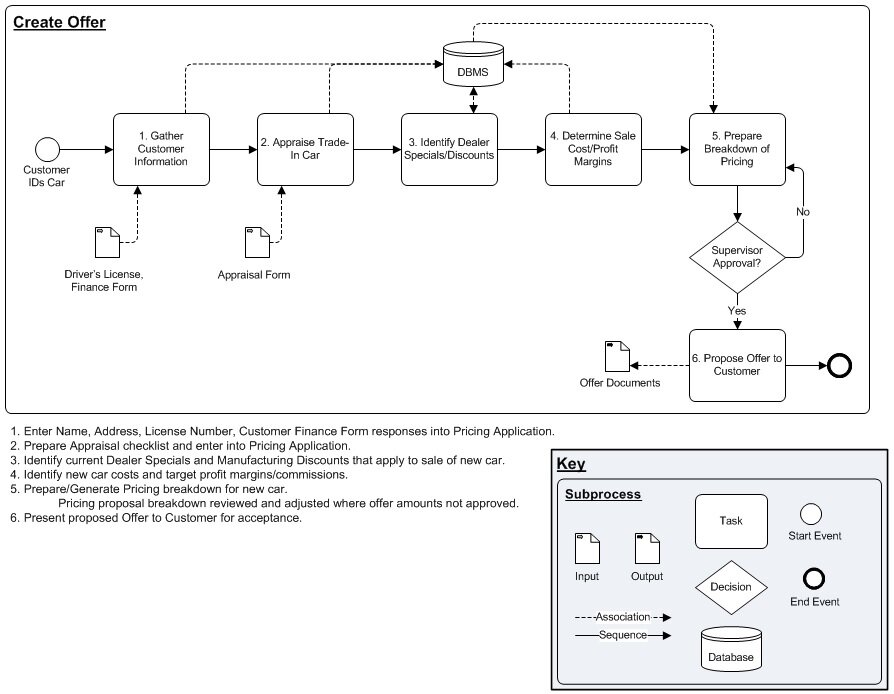
These workflows can be simple, like saving all your email attachments to Dropbox. Or they can be complex, involving multiple steps across several different applications. The goal is always the same: to handle repetitive, rule-based tasks without human intervention.
The Benefits of Automating
The most obvious benefit is saving time. When you automate a task that you used to do ten times a day, you get that time back. This adds up quickly, freeing you and your team to focus on work that requires creativity, critical thinking, and strategy—things computers aren't so good at.
Automation also dramatically reduces human error. We all make mistakes, especially when doing boring, repetitive tasks. A misplaced decimal, a forgotten email, or a typo in a customer's name can cause real problems. An automated workflow performs the task perfectly every single time.
By handling the predictable tasks, automation boosts efficiency and lets people concentrate on the work that truly matters.
This leads to more consistent and reliable processes. When you're onboarding a new client or processing an order, you want the experience to be the same every time. Automation ensures that no steps are missed and that everything happens in the right order.
Tools of the Trade
The market for workflow automation tools has exploded in recent years. There are many platforms designed to help you connect your apps and build automations, often with no coding required. Each has its own strengths.
| Tool | Best For | Key Feature |
|---|---|---|
| Zapier | Beginners, simple integrations | Huge number of app connections |
| Make | Visual thinkers, complex logic | Drag-and-drop flowchart interface |
| IFTTT | Smart home, personal tasks | Simple "If This, Then That" recipes |
Some tools are incredibly simple, built around basic cause-and-effect logic. Others provide powerful, visual editors that let you map out complex, multi-step workflows with branching paths and conditional logic. Choosing the right one depends on your technical comfort level and the complexity of the tasks you want to automate.
What is the primary goal of workflow automation?
In an automated workflow, what is the role of a 'trigger'?
Now that you understand the what and why of workflow automation, you're ready to explore how to build these powerful connections yourself.