Mastering Molecular Dynamics Simulations
Building Molecular Systems
Start with a Clean Slate
Every molecular dynamics simulation begins with a starting structure. For biomolecules, the go-to resource is the Protein Data Bank (PDB), an open-access archive of 3D structural data. Think of it as a massive library for the molecular world. When you download a PDB file, you're not getting a perfect, simulation-ready model. You're getting an experimental snapshot, often with baggage.
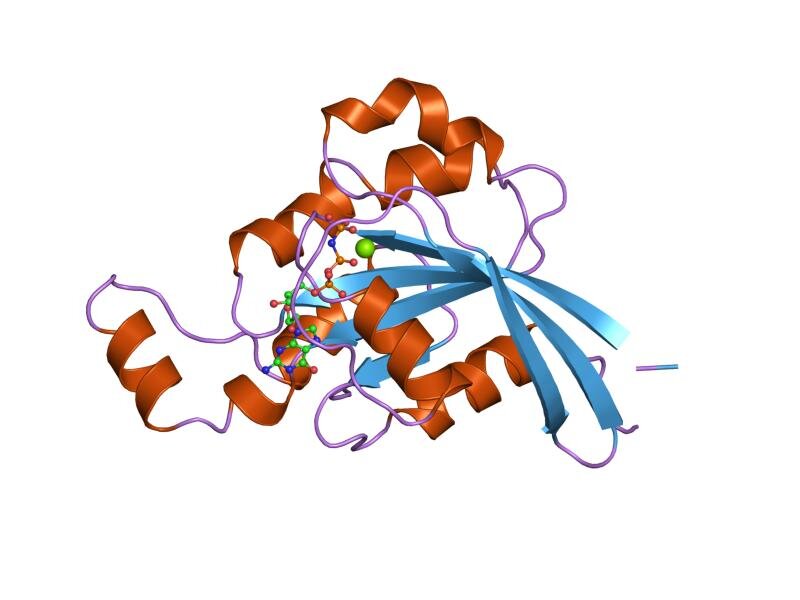
The first step is always to clean the PDB file. Experimental structures often contain non-protein molecules like crystallization agents, ligands, or multiple protein chains when you only want one. These need to be removed. More importantly, PDB files frequently have missing atoms, especially hydrogen atoms, because methods like X-ray crystallography can't resolve them. They might also be missing entire loops or side chains that were too flexible to be modeled.
Specialized software is used to process this raw file. Tools like GROMACS' pdb2gmx or Amber's tleap can read a PDB file, check for missing heavy atoms, and then add all the necessary hydrogens based on a chosen force field. This process is critical; you can't simulate a molecule with an incomplete or incorrect chemical structure.
Your simulation is only as good as your starting structure. A poorly prepared system will lead to unrealistic behavior and meaningless results.
Building the Environment
Molecules don't exist in a vacuum, and simulating them that way is usually a poor approximation of reality. The next step is to solvate the molecule by placing it in a simulation box filled with an explicit solvent, most commonly water. This isn't just about making things realistic; the solvent's interactions with the protein are crucial for its structure and dynamics.
Choosing a water model is a key decision. You'll encounter names like TIP3P and SPC/E. These are simplified, rigid models of water that balance computational efficiency with physical accuracy. They get the job done for most standard simulations without costing a fortune in processing time.
Once the box is filled with water, you need to address the system's net charge. Proteins are often charged at physiological pH. To make the system electrostatically neutral, we add counterions. If your protein has a net charge of -8, you'll add 8 positive ions (like Na+) to the solvent. Tools like GROMACS' genion can do this automatically, replacing random water molecules with ions to balance the charge.
Finally, we define the simulation box itself. A simple cube is common, but more efficient shapes like a rhombic dodecahedron are often used. They require fewer water molecules to solvate the protein at a minimum distance, saving computational resources. To simulate a small part of a much larger system, we use periodic boundary conditions (PBC). When a molecule exits the box on one side, it instantly re-enters from the opposite side. This setup eliminates edge effects and mimics an infinite solution.
The Command-Line Workflow
Putting it all together involves a sequence of commands using a simulation package like GROMACS or Amber. While GUIs exist, the command line offers more power and reproducibility. A typical GROMACS workflow for system setup looks something like this.
# 1. Process PDB, choose force field, add hydrogens
gmx pdb2gmx -f protein.pdb -o protein_processed.gro -water spce

# 2. Define the simulation box (e.g., cubic, 1.0 nm from protein)
gmx editconf -f protein_processed.gro -o protein_newbox.gro -c -d 1.0 -bt cubic

# 3. Fill the box with water
gmx solvate -cp protein_newbox.gro -cs spc216.gro -o protein_solv.gro -p topol.top

# 4. Add ions to neutralize the system
gmx grompp -f ions.mdp -c protein_solv.gro -p topol.top -o ions.tpr
gmx genion -s ions.tpr -o protein_solv_ions.gro -p topol.top -pname NA -nname CL -neutral
Each step generates new files that serve as the input for the next. The output is a fully prepared, solvated, and neutralized system ready for the next stages: energy minimization and equilibration. This careful setup is the foundation upon which successful and meaningful MD simulations are built.
Now, let's review the key terms from this process.
Time to check your understanding of how to build a molecular system from scratch.
What is the primary role of a file from the Protein Data Bank (PDB) when preparing a molecular dynamics simulation?
Why is it necessary to add counterions to a simulation system containing a protein?
With a properly built system, you are ready to move on to the next critical phases of the simulation.