Mastering Microsoft Power Automate
Introduction to Power Automate
What is Power Automate?
Think of the small, repetitive tasks you do every day at work. Maybe it's saving email attachments to a specific folder, notifying your team when a new file is uploaded, or copying information from one spreadsheet to another. These tasks are necessary but take up valuable time. This is where Microsoft Power Automate comes in.
Power Automate is a service that helps you create automated workflows between your favorite apps and services to synchronize files, get notifications, collect data, and more.
At its core, Power Automate is a tool for building "flows," which are automated processes. It operates on a simple principle: "When this happens, do that." The "when this happens" part is called a trigger, and the "do that" part is an action. For example, a new email arriving (the trigger) could cause its attachment to be saved to a Dropbox folder (the action).
The best part is that you don't need to be a programmer to use it. Power Automate uses a visual, no-code interface, allowing you to build powerful automations by simply connecting blocks together.
Microsoft Power Automate (formerly Microsoft Flow) empowers users to build powerful workflows across apps and services without writing a single line of code.
The Power of Automation
The primary benefit of automating tasks is efficiency. By letting software handle routine processes, you free up time to focus on more creative and strategic work. Automation also reduces the risk of human error. A flow will perform its task the exact same way every single time, ensuring consistency and accuracy.
Let's visualize a simple workflow. Imagine you want to be notified in a Microsoft Teams channel every time a new file is added to a specific SharePoint folder for your project.
This simple automation saves you from constantly checking the folder for updates. As you get more comfortable, you can build more complex flows with multiple steps and conditional logic, creating a powerful digital assistant tailored to your needs.
Part of a Bigger Family
Power Automate isn't a standalone product. It's a key component of the Microsoft Power Platform, a suite of tools designed to help people analyze data, build custom applications, and automate processes. Each tool has a specific role, but they work together seamlessly.
| Tool | Purpose |
|---|---|
| Power BI | Business analytics. Used to visualize data and share insights. |
| Power Apps | Application development. Build custom apps with little to no code. |
| Power Automate | Process automation. Connects apps and services to create workflows. |
| Power Virtual Agents | Chatbot development. Create intelligent chatbots without code. |
In this ecosystem, Power Automate often acts as the connective tissue. For instance, you could build a custom app with Power Apps that, when a button is pressed, triggers a workflow in Power Automate. That workflow could then pull data, generate a report in Power BI, and email it to stakeholders. This integration is what makes the Power Platform so powerful for businesses.
Connecting Everything
A major strength of Power Automate is its vast library of connectors. A connector is a bridge that allows Power Automate to talk to another application or service. There are hundreds of connectors available, enabling you to build workflows that span across your entire digital toolkit.
Naturally, it integrates deeply with Microsoft 365 services like Outlook, SharePoint, OneDrive, and Teams. But it also connects to a huge number of third-party services you probably use every day, including:
- Google Drive and Gmail
- Dropbox
- Slack
- Salesforce
This means you can create flows that are triggered by an event in one service (like a new tweet with a specific hashtag) and perform an action in a completely different one (like adding a row to a Google Sheet).
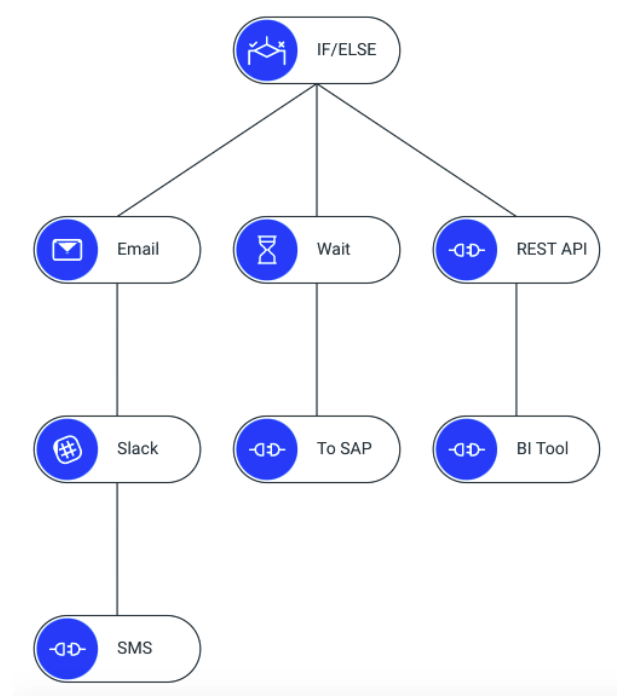
By bridging the gap between different applications, Power Automate helps break down data silos and creates a more unified, efficient work environment.
What is the fundamental principle on which Power Automate operates?
In a flow designed to post a message in a Slack channel every time a new file is added to a SharePoint folder, what is the 'trigger'?
In short, Power Automate is a user-friendly tool for automating the repetitive tasks that fill our workdays. By connecting different applications and services, it helps you save time, reduce errors, and focus on what truly matters.