Mastering Microsoft Copilot Prompts
Introduction to Microsoft Copilot
What is Copilot?
Microsoft Copilot is an AI-powered assistant designed to work alongside you in various Microsoft applications. Think of it as a partner that helps you with tedious tasks, sparks creativity, and finds information quickly. Its main goal is to let you focus on what's important, rather than getting bogged down in the small stuff.
A copilot is an application that uses modern AI and large language models such as GPT-4 to help people with everyday tasks, allowing them to spend more time on the highest value parts of their job and less time on mundane chores.
It’s not just one tool, but a set of features integrated across the Microsoft ecosystem. You’ll find it in Windows, the Edge browser, and the entire Microsoft 365 suite of apps, each tailored to the specific program you're using.
A Brief History
The Copilot story began with a focus on a very specific audience: software developers. The first version, GitHub Copilot, was launched to help programmers write code more efficiently.
GitHub Copilot, the first iteration of Copilot to make it to commercial launch in the Windows ecosystem, has become a successful AI coding assistant and a key part of GitHub's public focus, recently receiving a free version for all users.
It acted like an AI pair programmer, suggesting lines of code and entire functions as developers typed. The success of this tool demonstrated the power of AI assistance in a professional workflow. Microsoft realized this same concept could be applied to everyday office tasks, leading to the expansion of Copilot across its product line.

Copilot in Your Daily Workflow
Copilot is woven into the fabric of Microsoft 365, meaning it appears right where you already work. This integration is key to its usefulness. You don't need to switch to a separate app to get AI assistance; it’s available within the tools you use every day.
| Application | How Copilot Helps |
|---|---|
| Word | Drafts documents, summarizes long texts, and rewrites paragraphs. |
| Excel | Analyzes data, creates charts, and identifies trends in spreadsheets. |
| PowerPoint | Generates presentations from a simple prompt or an existing document. |
| Outlook | Helps draft emails, summarize long threads, and manage your inbox. |
| Teams | Summarizes meetings, lists action items, and answers questions about the discussion. |
For example, in Microsoft Word, you can ask Copilot to write a first draft of a report based on a few bullet points. In Excel, it can help you make sense of a large dataset by creating formulas and pivot tables for you. The goal is always to reduce friction and speed up your workflow.
By handling repetitive tasks, Copilot allows you to focus more energy on problem-solving and collaboration.
Core Capabilities
At its heart, Copilot excels at understanding and generating human-like text. This allows it to perform a variety of functions across different applications.
- Content Creation: It can generate text, from simple emails to complex reports. You provide a prompt, and it produces a draft you can refine.
- Summarization: Copilot can condense long documents, email chains, or meeting transcripts into key points, saving you valuable time.
- Data Analysis: In tools like Excel, it can interpret your data to find insights and create visualizations without you needing to be a spreadsheet expert.
- Answering Questions: It connects to your organization's data (with permission) to answer questions based on your documents, presentations, and emails.
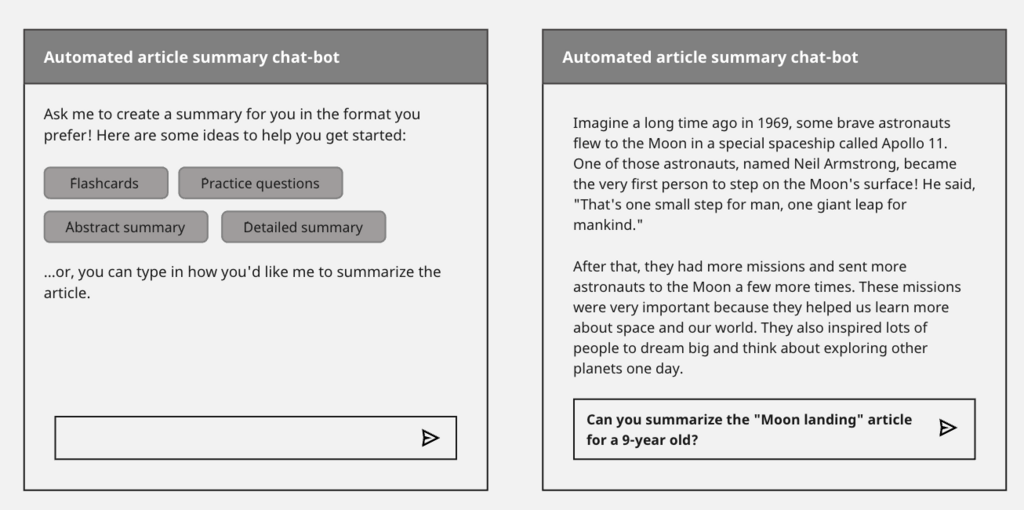
This combination of features makes it a versatile assistant. It's designed to be a starting point for your work, not a replacement for your own judgment and expertise.
Ready to check your understanding?
What is the primary goal of Microsoft Copilot?
Microsoft Copilot's concept first proved successful in a tool designed for which specific professional group?
By integrating AI directly into familiar applications, Copilot aims to enhance productivity and streamline the way we approach daily tasks.