Mastering Mario Kart Wii
Game Controls
Get a Grip on the Controls
Before you can start chasing gold trophies, you need to know how to drive. The core actions in Mario Kart are simple: accelerating, braking, steering, and using items. How you perform these actions depends on the controller you're using. Mario Kart Wii offers several ways to play, and we'll cover the most common ones.
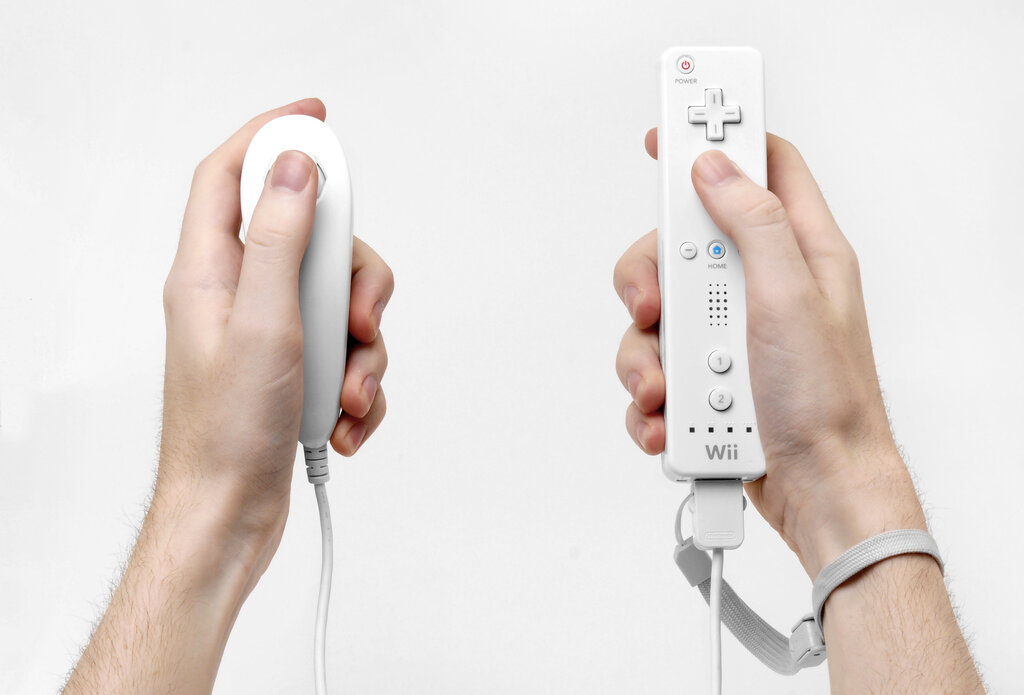
Let's start with the most important buttons: the gas and the brake. To accelerate, you'll press and hold a specific button. To brake, you use another. Braking is also used for drifting around corners, but we'll get into that in a later lesson. For now, just think of it as your brake and reverse.
| Controller | Accelerate | Brake / Reverse |
|---|---|---|
| Wii Remote (solo) | 2 Button | 1 Button |
| Wii Remote + Nunchuk | A Button | B Button |
| GameCube Controller | A Button | B Button |
Steering and Items
Steering is what makes the Wii version of Mario Kart unique. If you're using just the Wii Remote, you'll tilt it left and right to steer, just like a real steering wheel. This is called motion control. It's intuitive and fun, especially when you use the plastic Wii Wheel accessory that came with the game.
For more precise control, you can use the control stick on the Nunchuk or the GameCube controller. Many experienced players prefer this method for its accuracy.
What's a race without a few items? Driving through a floating, rainbow-colored Item Box will give you a random power-up. Once you have an item, you can use it to attack opponents or give yourself a boost. You can also hold an item behind you for defense by pressing and holding the item button. This is great for blocking incoming shells.
| Controller | Use Item |
|---|---|
| Wii Remote (solo) | D-Pad (any direction) |
| Wii Remote + Nunchuk | Z Button |
| GameCube Controller | L, X, or Y Button |
Controller Layouts
Seeing all the controls in one place can help tie everything together. Here’s a visual breakdown of the most common controller setups and their primary functions for racing.
This setup is great for beginners. The motion controls make it easy to jump in and feel like you're really driving.
This configuration separates steering and acceleration into two hands, which many players find more comfortable and precise.
Which action is required to make your kart accelerate in Mario Kart Wii?
When using only the Wii Remote, how do you steer your kart?
Now that you know the basics, you're ready to hit the track. Pick the controller that feels best and start practicing.