Mastering Manus.io Workflows
Introduction to Digital Asset Management
Taming Digital Chaos
Every organization runs on digital files. Think about it: logos, photos, videos, presentations, documents, spreadsheets. Each one is a valuable piece of your brand and your work. But as these files multiply, they can quickly become a disorganized mess, scattered across hard drives, cloud storage, and email inboxes.
digital asset
noun
Any digital file that has value to a company or individual. This includes images, documents, videos, audio files, and presentations.
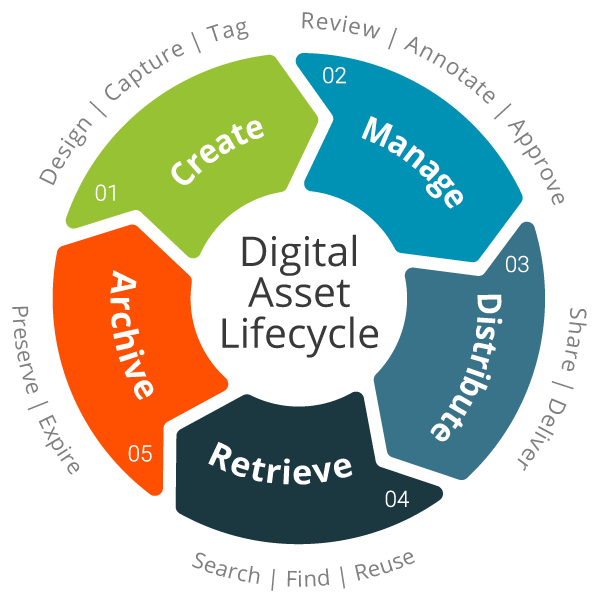
This is where Digital Asset Management, or DAM, comes in. A DAM system is a centralized library for all your important digital files. It's not just another folder on a server; it's a smart, organized hub that helps you store, find, use, and share your assets efficiently. It provides a single source of truth, so everyone knows they're working with the most current and approved files.
Why Bother Organizing?
Implementing a DAM system brings order to the chaos, saving time and preventing headaches. When your files are organized, workflows become smoother. Instead of emailing large files back and forth or searching endless folders for a specific photo, your team can find what they need in seconds. This speed and efficiency boost productivity across the board.
Good organization also strengthens your brand. It ensures that everyone is using the correct logo, the most up-to-date presentation template, and approved marketing images. This consistency builds a stronger, more professional brand identity. Finally, a DAM system protects your valuable assets by controlling who has access to them, reducing the risk of misuse or accidental deletion.
A neat file-organization system is key to experiencing these benefits and this blog will provide insight on organizing digital files and introduce you to some automated digital organizing tools that will aid in your efficiency.
Core Features
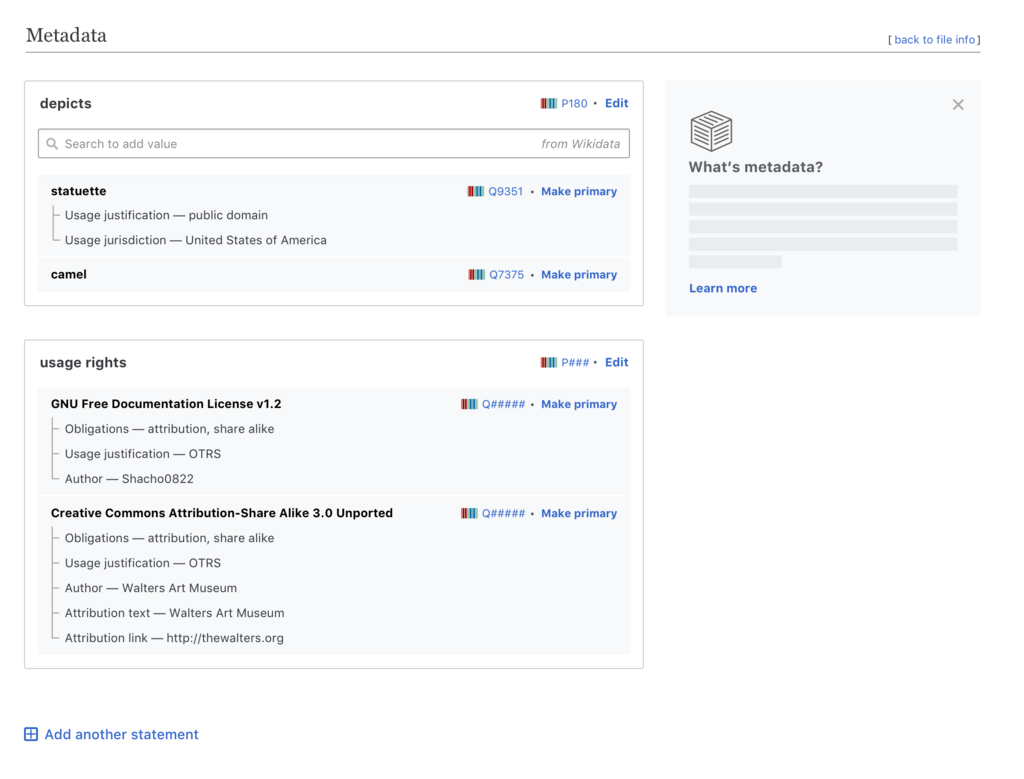
DAM platforms are built on a few powerful features that make them so effective. One of the most important is metadata tagging.
Metadata is simply data that provides information about other data. Think of it as a label on a box. For a photo, metadata might include the date it was taken, the location, the photographer's name, and keywords describing what's in the picture.
This descriptive information makes assets searchable. Instead of remembering a vague file name like IMG_8754.jpg, you can search for “San Francisco skyline at sunset” and find the exact image you need instantly.
Another key feature is version control. We’ve all seen files named Report_final_v2_USE_THIS_ONE.docx. Version control eliminates this confusion by storing the history of an asset. It allows you to track changes, see who made them, and revert to previous versions if needed. Everyone can be confident they are working on the latest, correct document.
Finally, DAM systems offer robust access permissions. You can control exactly who can view, download, edit, or share specific assets or folders. This ensures that sensitive information is kept secure and that team members only have access to the files relevant to their roles. You can grant broad access to marketing materials for the sales team while restricting access to in-progress designs to the creative department.
Ready to check your understanding?
What is the primary function of a Digital Asset Management (DAM) system?
Which of the following describes the feature that makes assets searchable using descriptive keywords like “San Francisco skyline at sunset” instead of just a file name?
By centralizing files and making them easy to find and manage, a DAM system becomes an essential tool for any team looking to work more efficiently and protect its valuable digital content.