Mastering JSON Schema Fundamentals
Introduction to JSON
What Is JSON?
JSON stands for JavaScript Object Notation. It's a simple, text-based way to store and send information. Think of it like a digital version of a contact list. Each entry has a label (like "Name" or "Phone Number") and a corresponding piece of information. This structure makes it incredibly easy for both humans to read and computers to understand.
JSON (JavaScript Object Notation) is a lightweight, text-based data interchange format that's easy for humans to read and write, and easy for machines to parse and generate.
Originally derived from JavaScript, JSON is now language-independent. This means that a Python program can easily read data created by a Java program, as long as it's in JSON format. This universal compatibility is a big reason why it's so popular for sending data across the web.
Syntax and Structure
JSON is built on two simple structures:
- A collection of key/value pairs. You might know this as an object, record, struct, dictionary, or hash table in other programming languages.
- An ordered list of values. This is often called an array, vector, or list.
In JSON, an object is wrapped in curly braces {}, and it holds keys and values. Keys are always strings in double quotes, followed by a colon, and then the value. An array is wrapped in square brackets [] and contains a comma-separated list of values.
{
  "firstName": "Jane",
  "lastName": "Doe",
  "isStudent": true,
  "courses": ["History", "Math", "English"],
  "address": {
    "street": "123 Main St",
    "city": "Anytown"
  }
}
In this example, "firstName" is a key, and "Jane" is its value. The whole structure is one big JSON object. Notice that the value for the "courses" key is an array of strings, and the value for the "address" key is another object. This ability to nest structures is what makes JSON so flexible.
The Six Data Types
JSON values can be one of six specific data types. This keeps the format consistent and predictable, which is essential for programs that need to process the data.
| Data Type | Description | Example |
|---|---|---|
| String | Textual data, enclosed in double quotes | "Hello, World!" |
| Number | An integer or a floating-point number | 42 or 3.14159 |
| Object | A collection of key/value pairs, in {} | {"key": "value"} |
| Array | An ordered list of values, in [] | [1, 2, 3] |
| Boolean | A logical value, either true or false | true |
| null | Represents an empty or non-existent value | null |
Understanding these types is key to working with JSON. When a program receives JSON data, it knows to expect one of these six types for any given value, making it straightforward to parse and use the information.
Common Use Cases
Because it's lightweight and easy to work with, JSON has become the standard for many applications, especially on the web.
The most common use for JSON is to exchange data between a web server and a web browser. When you use a weather app, it likely sends a request to a server, and the server replies with the forecast neatly packaged in JSON.
Other common uses include:
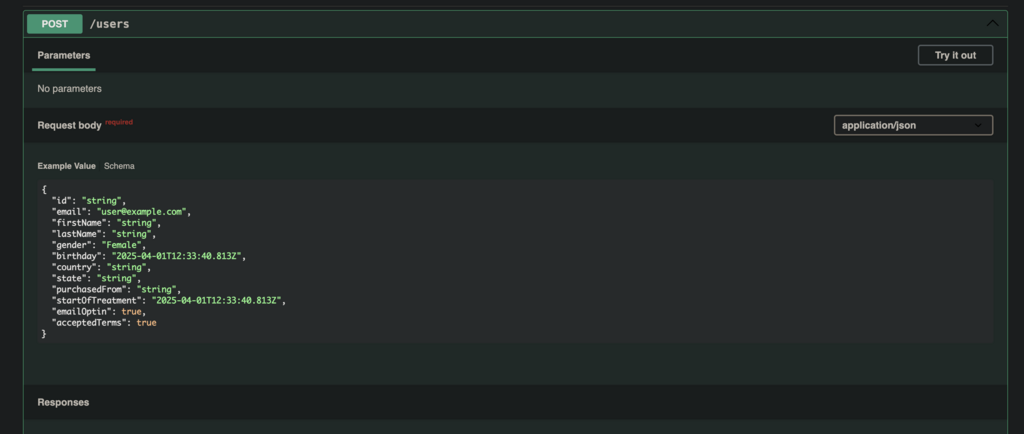
- APIs: Application Programming Interfaces (APIs) often use JSON to return data. When a service like Twitter or GitHub provides data to developers, it's almost always in JSON format.
- Configuration Files: Many software applications use JSON files to store settings. It's a readable way to manage configuration options without needing a complex database.
- NoSQL Databases: Databases like MongoDB use a JSON-like document format to store data, making it very natural to work with JSON directly in the database.
Its simplicity and power have made it an essential tool for modern software development. Now that you understand what JSON is, you're ready to learn how to define and validate its structure.
Time to test your knowledge.
What does JSON stand for?
JSON's format is language-independent, meaning a program written in Python can easily read JSON created by a program written in Java.