Mastering ICT Problem Resolution
Troubleshooting Basics
The Art of Troubleshooting
When something breaks in the world of technology, the fix isn't usually a single, magic button. Effective troubleshooting is a process of elimination and logical thinking. It’s less about knowing every possible problem and more about having a reliable method to figure out what's wrong.
A systematic approach to troubleshooting is vital.
Without a structured approach, you might waste time trying random solutions, potentially making the problem worse. A good methodology ensures you move from the symptom to the root cause efficiently. It’s about being a detective, not a gambler.
First, Identify the Problem
Before you can fix anything, you need to understand what's actually happening. This is the information-gathering stage. Your goal is to get a clear, unbiased picture of the issue. Don't jump to conclusions. Instead, start by asking questions to define the problem's scope.
Key Questions to Ask:
- What is the specific problem?
- When did it start happening?
- Has anything changed recently?
- Can the problem be reproduced consistently?
- What is the impact on the user?
By answering these, you can separate the symptoms (what the user sees) from the actual problem (the underlying cause). For example, a user reporting "the internet is down" might actually have an issue with a specific application, not their entire connection.
Rapid Problem Resolution
One popular and effective methodology is Rapid Problem Resolution (RPR). It’s a structured technique that focuses on finding the root cause of an issue quickly. RPR breaks the troubleshooting process into three main phases: Discover, Investigate, and Fix.
In the Discover phase, you gather all the facts. This is where you use the problem identification techniques we just discussed. Your goal is to create a precise problem statement.
Next comes the Investigate phase. Here, you form a hypothesis—a testable theory about the cause of the problem. For example, if an application is slow, your hypothesis might be, "The application is slow because a recent software update introduced a bug." Then, you test it. Can you confirm the update caused the slowdown? If your hypothesis is wrong, you formulate a new one and test again. This cycle continues until you find the root cause.
Finally, you enter the Fix phase. Once you've confirmed the cause, you implement a solution. This could be rolling back an update, changing a configuration, or replacing a component. The crucial final step is to verify that the fix actually solved the problem and didn't create any new ones.
Using Flowcharts and Decision Trees
To standardize the troubleshooting process, especially for common issues, technicians often use diagnostic flowcharts or decision trees. These are visual guides that map out a series of steps and questions to lead you to a solution.
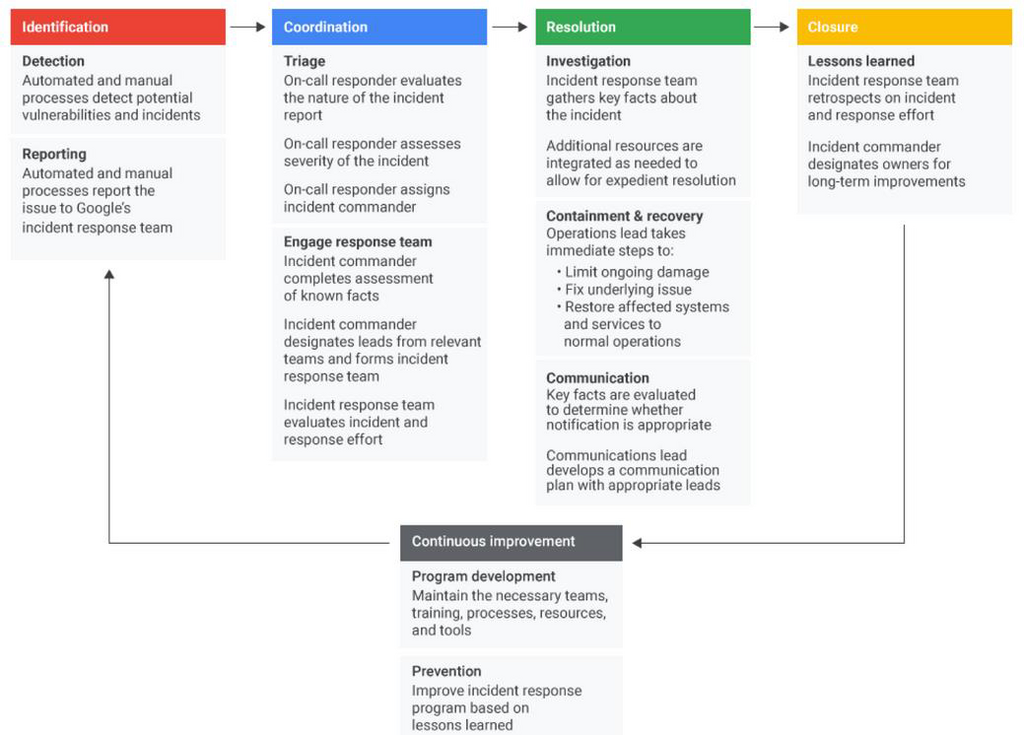
A flowchart starts with a common problem, like "Printer not printing." It then presents a series of yes/no questions, such as "Is the printer turned on?" Each answer directs you to the next logical step. If yes, you move to the next question. If no, the chart tells you to turn it on.
This structured format ensures that you don't miss simple, obvious solutions. It creates a repeatable, efficient process that anyone can follow to diagnose and resolve known problems.
What is the primary goal of a structured troubleshooting methodology?
In the Rapid Problem Resolution (RPR) methodology, which phase involves forming and testing a hypothesis about the problem's cause?
By combining a systematic methodology like RPR with tools like flowcharts, you can approach any technical problem with confidence and clarity.