Mastering Google Docs Training
Getting Started
What is Google Docs?
Google Docs is a word processor that lives on the internet. Unlike traditional software that you install on your computer, your documents are stored in the cloud. This means you can access and edit them from any device with an internet connection. There's no need to save your work manually or worry about losing it if your computer crashes. Google Docs handles all of that for you automatically.
It's a core part of Google Workspace, a collection of productivity tools that includes Google Sheets for spreadsheets, Google Slides for presentations, and Google Drive for file storage. All these applications are designed to work together seamlessly.
Creating Your First Document
Getting started is simple. Open your web browser and go to docs.google.com. You might need to sign in with your Google account.
Once you're there, you'll see a gallery of templates at the top. To start from scratch, just click on the large plus sign under "Start a new document." That's it! A new, blank document will open, ready for you to start typing.
One of the best features of Google Docs is that it saves your work automatically every few seconds. You'll never have to hit a save button again.
Finding Your Way Around
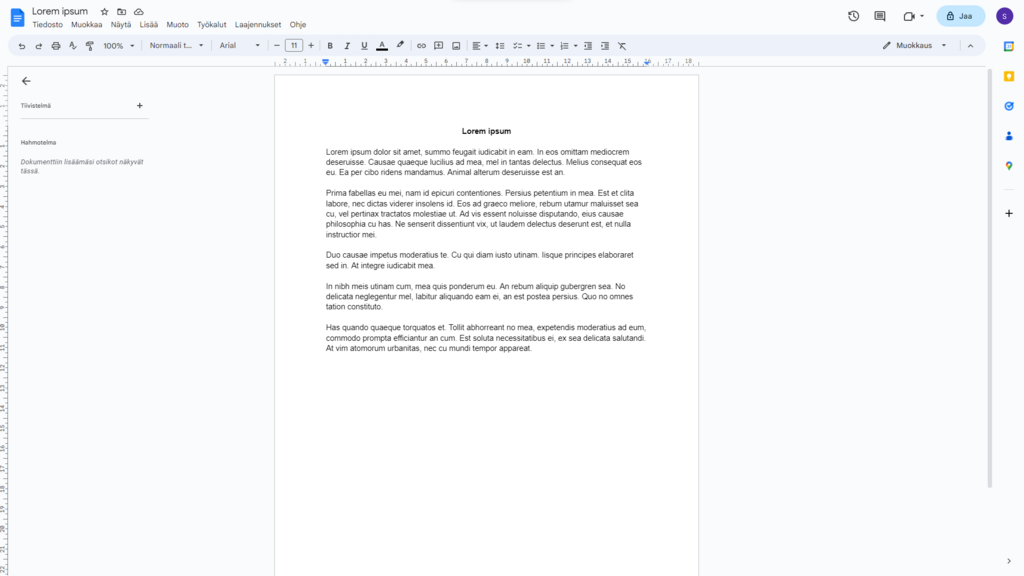
The Google Docs interface is clean and straightforward. At the very top, you'll see the Menu Bar with options like File, Edit, View, and Insert. This is where you can find every possible action you can take in your document.
Just below the Menu Bar is the Toolbar. This area contains icons for the most common actions, like changing your text to bold, adjusting alignment, or creating a numbered list. Think of it as a shortcut for the popular tools found in the menus.
The largest part of the screen is the Document Area. This is your blank page, where you'll do all your writing.
Access From Anywhere
Because your documents are tied to your Google account, not a specific machine, you can work on them from almost anywhere.
- On a computer: Any web browser on any computer (Windows, Mac, or Linux) will work. Just navigate to docs.google.com.
- On a phone or tablet: Google provides free Google Docs apps for both Android and iOS. Download the app, sign in, and all your documents will be there, ready to edit on the go.
This flexibility is a key advantage of using cloud-based tools. A document you start on your work laptop can be finished on your home computer or reviewed on your phone while you're waiting in line. The latest version is always available, everywhere.