Mastering Google AI Studio
Introduction to Google AI Studio
Your AI Prototyping Sandbox
Google AI Studio is a web-based tool that acts as a creative playground for Google's powerful Gemini family of AI models. Think of it as a workshop where you can experiment with ideas, test prompts, and see what the AI can do without writing a single line of code. It was launched in December 2023 alongside the Gemini API, giving both developers and curious individuals a direct way to interact with the latest generative AI.
Google AI Studio lets you quickly try out models and experiment with different prompts.
The main goal of AI Studio is to make prototyping fast and easy. Whether you want to generate creative text, get help with a coding problem, or analyze an image, you can do it all in a simple, browser-based interface. It’s designed to lower the barrier to entry for working with advanced AI.
Exploring the Interface
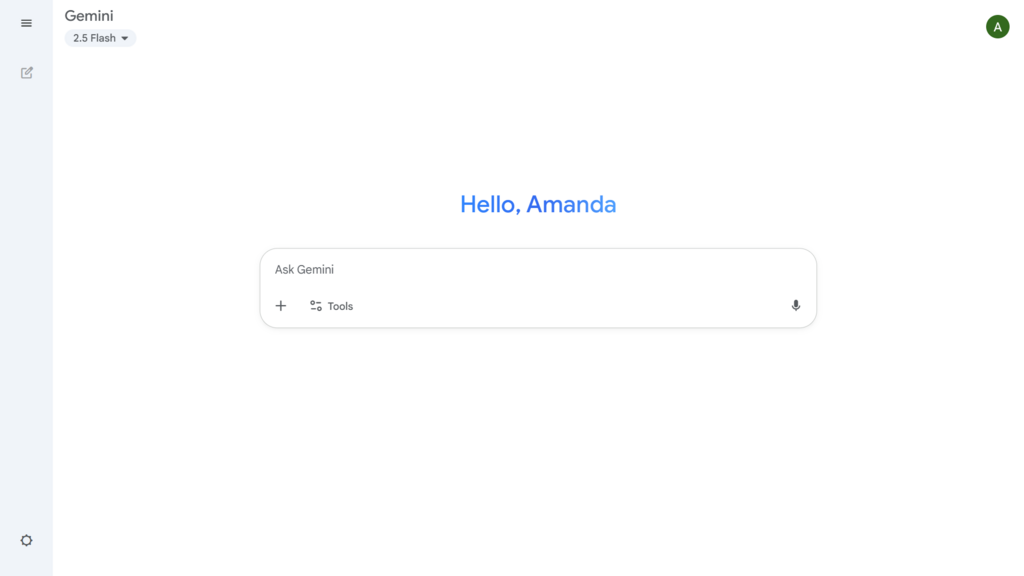
When you open Google AI Studio, the layout is straightforward. The largest area is the prompt window, where you type your instructions for the AI. To the side, you’ll find a settings panel. This is where you can select which Gemini model you want to use, such as Gemini Pro or Gemini Flash.
You can also adjust parameters to fine-tune the AI's responses. For example, the 'Temperature' setting controls randomness. A lower temperature makes the output more predictable and focused, while a higher temperature encourages more creative or unexpected results.
One of the most powerful features of AI Studio is its ability to handle more than just text. The Gemini models are multimodal, meaning they can process and understand different types of information at once. You can upload images, audio clips, and even video files to include them as part of your prompt. This allows you to ask questions like, "What is the main subject of this photo?" or "Summarize the key points from this audio recording."
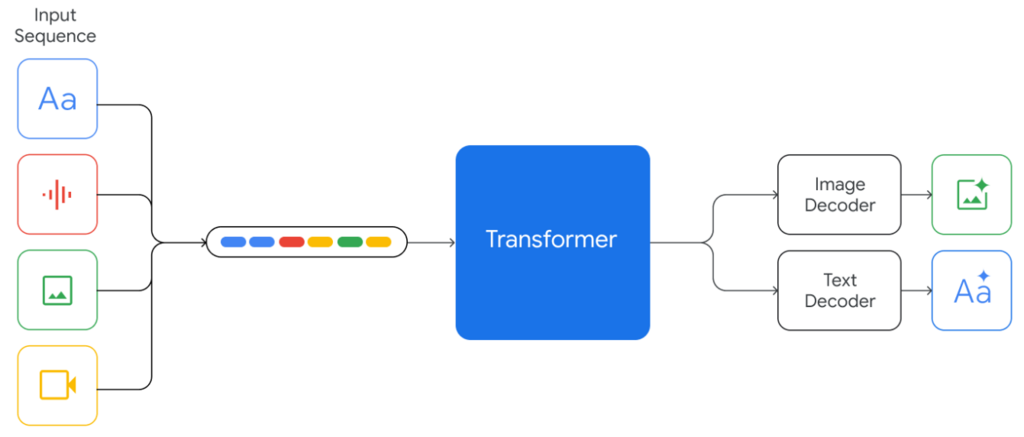
Once you’ve crafted a prompt that gives you the perfect result, AI Studio makes it simple to use that logic in your own projects. With the click of a button, you can generate the necessary code in popular programming languages like Python, JavaScript, or Go. This code allows you to call the Gemini API from your own application, effectively turning your successful prototype into a functional part of a larger system.
Data, Privacy, and Access
Understanding how your data is handled is crucial when using any AI tool. With the free version of Google AI Studio, the prompts you enter and any files you upload may be reviewed by Google to help improve their products. Your content is stored for up to 18 months. However, Google takes steps to anonymize this data by removing personal information like email addresses and phone numbers.
For users with a paid Google Cloud Vertex AI plan, the data policies are different. In that case, Google does not use your data to train its models.
Key takeaway: Free users' data might be used to improve the service, while paid users' data is kept private.
Google AI Studio is widely available, but there are some restrictions. Users must be at least 18 years old to use the service. It's accessible in many regions, including North America, South America, Asia, and Europe, though it's not available everywhere. It's a good idea to check the latest availability list if you're unsure.
What is the primary purpose of Google AI Studio?
The Gemini models in AI Studio are described as "multimodal." What does this mean?
This quick look at Google AI Studio shows how it serves as a bridge between complex AI models and practical application, making powerful technology more accessible.