Mastering GitHub Fundamentals
Introduction to Version Control
The Problem with Files
Imagine you're writing an important document with a few teammates. The first draft is called report.docx. Someone makes edits and saves it as report_final.docx. Another person adds their changes, creating report_final_sallys_edits.docx. Soon, your folder is a mess of files, and nobody knows which one is the real, up-to-date version.
This chaos happens all the time in software development, but the stakes are much higher. A single misplaced line of code can break an entire application. Programmers need a reliable way to track changes, collaborate without overwriting each other's work, and roll back to a previous version if something goes wrong. This is where version control comes in.
Version Control
noun
A system that records changes to a file or set of files over time so that you can recall specific versions later.
A Version Control System (VCS) is a piece of software that handles this tracking. It acts like a detailed logbook for your project. It doesn't just save the current state of your files; it saves the entire history of every change, who made it, and why. This gives developers a safety net, allowing them to experiment freely, knowing they can always undo a change or revert to a stable state.
Think of it as an unlimited undo button for your entire project, not just your last action.
Core Concepts
While different version control systems exist, most share a few fundamental ideas. Understanding these terms is the first step to using any VCS effectively.
Repository
noun
The database containing the entire history of a project's files. It's often shortened to "repo."
The repository is the heart of your project. It’s a directory that contains not only all your project files and folders but also a hidden sub-directory (often called .git) that stores the complete history of every change ever made. When you work with a VCS, you're interacting with this repository.
Commit
noun
A snapshot of the repository at a specific point in time. It represents a saved change.
A commit is more than just saving a file. It's a deliberate action where you save a snapshot of your changes to the repository's history. Each commit has a unique ID and is accompanied by a message describing the change. This creates a timeline of logical, well-documented steps, rather than a jumble of edits.
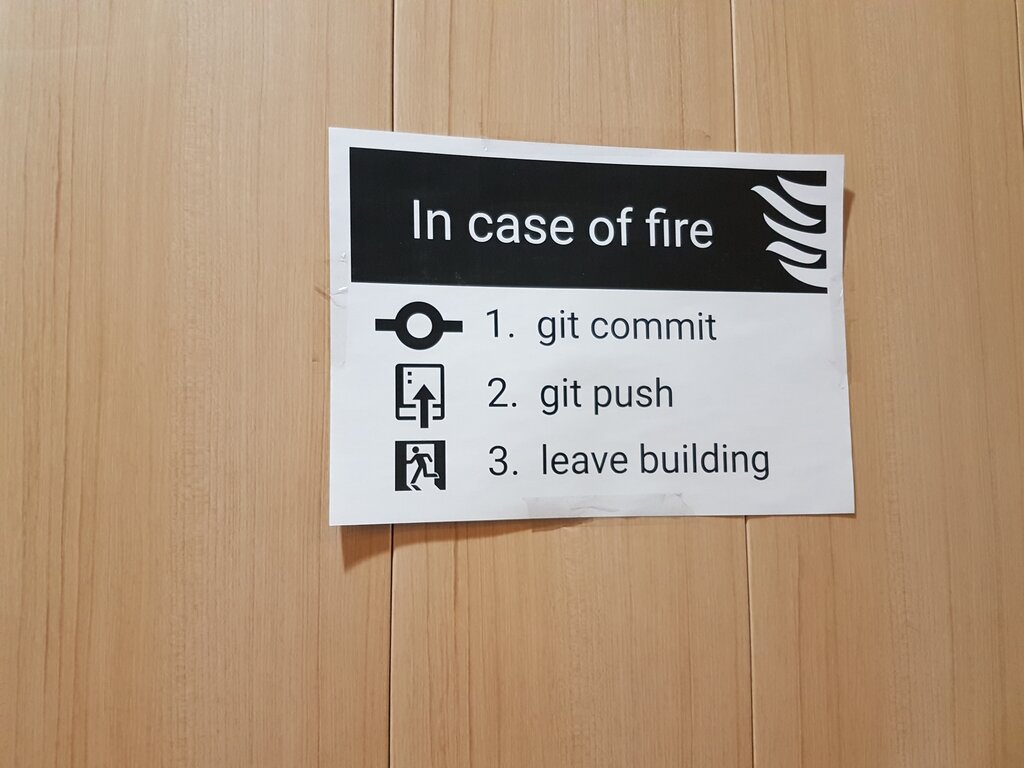
What if you want to work on a new feature without disrupting the main project? You can create a branch.
Branch
noun
An independent line of development. It acts as a movable pointer to a specific commit.
Branching allows you to diverge from the main line of development and work on new ideas in isolation. The main, stable version of your project is typically on a branch called main or master. When you create a new branch, you're essentially creating a copy of the project at that point in time where you can experiment safely. This keeps the main branch clean and functional.
Once the work on your feature branch is complete and tested, you'll want to incorporate it back into the main project. This process is called a merge.
Merge
verb
The action of combining the changes from one branch into another.
Merging takes the unique changes from your feature branch and integrates them with the main branch. The VCS is smart about this, often combining the work automatically. If two people have changed the same line of code, the system will flag a "merge conflict," which a developer must resolve manually. This structured process prevents accidental overwrites and ensures all changes are accounted for.
Centralized vs. Distributed
Not all version control systems work the same way. They generally fall into two categories: centralized and distributed.
Centralized Version Control Systems (CVCS), like Subversion, use a single central server that stores the entire repository. Developers "check out" files from this server to work on them. The major drawback is that the central server is a single point of failure. If it goes down, nobody can collaborate or save their changes.
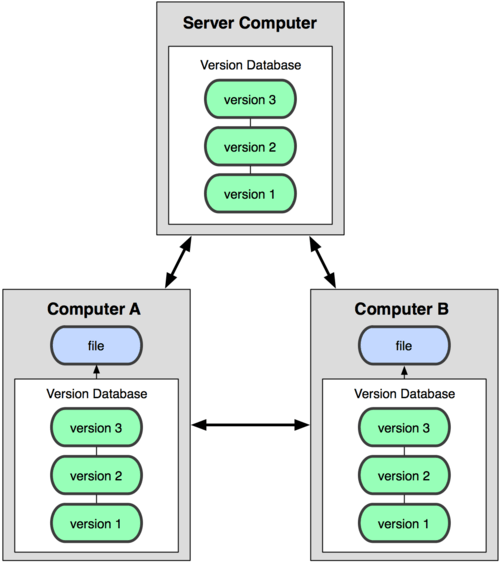
Distributed Version Control Systems (DVCS), like Git and Mercurial, are more modern. Instead of just checking out files, every developer has a full copy—a clone—of the entire repository on their local machine, including its complete history. This makes the system much faster and more resilient. You can commit changes, create branches, and view history without being connected to a central server. Collaboration happens by pushing and pulling changes between these local repositories.
Understanding these core concepts—repository, commit, branch, and merge—provides a solid foundation for working with any modern version control system. It's a fundamental skill that transforms software development from a chaotic process into a structured and collaborative practice.