Mastering Full-Text Search
Introduction to Full-Text Search
What Is Full-Text Search?
Imagine you're looking for a specific note you wrote last year. You don't remember the file name, but you remember a unique phrase you used: "the curious case of the magenta flamingo." If you just search for file names, you'll come up empty. But if your computer can look inside every file, it will find your note in seconds. That's the power of full-text search.
Full-text search is a technique that scans the entire content of documents in a database, not just their titles or other metadata. Instead of looking at labels, it reads every word inside. This allows you to find documents based on what they're actually about.
Full-text search engines are important tools for information retrieval.
Beyond Metadata
Most basic search methods rely on metadata. Metadata is data about data, like a file's name, its creation date, or the author of a document. It’s useful, but limited. A metadata search can help you find a book in a library by its title, but it can't find a specific quote inside that book.
Full-text search goes deeper. It doesn't care about the container; it cares about the contents.
| Search Type | What It Looks For | Example |
|---|---|---|
| Metadata Search | File name, author, date created | Searching for all files named "Report" |
| Full-Text Search | Any word or phrase inside the file | Searching for the phrase "quarterly earnings analysis" |
Think of it like this: a metadata search is like using a table of contents to find a chapter. A full-text search is like having an index of every single word in the entire book, telling you exactly which page to turn to.
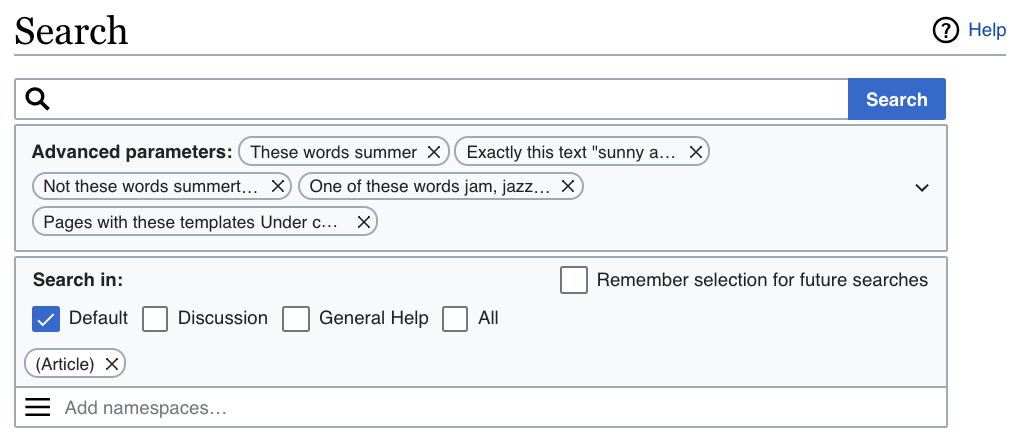
How It Works: Indexing and Querying
Full-text search seems like magic, but it relies on a two-step process: indexing and querying. The real work happens long before you ever type in a search term.
First, the system performs indexing. It reads through every document in the collection and creates a special, highly organized list, called an index. This index is essentially a giant map that lists every unique word and tracks where it appears in every document.
Once the index is built, the system is ready for the second step: querying. This is what happens when you type something into a search bar. The system doesn't re-read all the original documents. Instead, it quickly looks up your search terms in the pre-built index. It finds all the matching documents and presents them to you as results. This is why full-text search can sift through millions of documents in a fraction of a second.
Now let's check your understanding of these core concepts.
What is the primary function of full-text search?
Searching an online store by filtering for brand, price, and color is most similar to which type of search?
This two-part process of indexing and querying is the foundation of how search engines, email clients, and databases help us find exactly what we're looking for.