Mastering Flutter App Development
Flutter Declarative UI Principles
Telling vs. Showing
Most traditional UI toolkits are imperative. You build a UI and then, when something needs to change, you issue commands to alter it. You grab a specific UI element by its ID and tell it, "change your color to red," or "update your text."
Think of it like giving someone step-by-step directions to bake a cake. You provide a detailed sequence of actions: "First, preheat the oven. Next, mix the flour and sugar. Then, add the eggs."
This imperative style forces you to manage the state of every UI element and the transitions between those states. It can get complicated quickly.
Flutter, on the other hand, uses a declarative style. Instead of providing step-by-step instructions, you describe what the UI should look like for any given state of your application. When the state changes, Flutter rebuilds the UI from your description.
This is like showing a baker a picture of the finished cake. You don't specify the steps; you just describe the final result. The baker (or in this case, the Flutter framework) figures out the most efficient way to get there.
Flutter, by contrast, lets the developer describe the current UI state and leaves the transitioning to the framework.
UI as a Function of State
In Flutter, the user interface is simply a function of your application's state. You can think of it as a simple equation: .
Whenever the state changes—perhaps a user toggles a switch or data arrives from a network—Flutter runs your UI code again to create a new description of the interface. It doesn't modify the existing UI elements. It builds a new tree of widgets representing the new state.
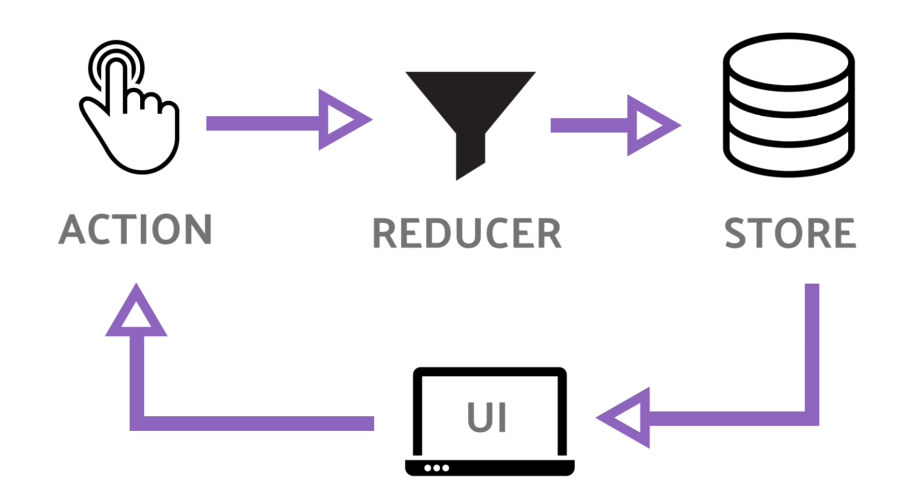
You might worry that rebuilding the UI constantly would be slow, but Flutter is highly optimized for this. The framework is incredibly efficient at comparing the new widget tree with the old one and only making the necessary changes to the actual pixels on the screen. These widget descriptions are just lightweight "blueprints," not the heavy UI elements themselves.
Why This Matters
This declarative approach has two major benefits: predictability and maintainability.
Because the UI is always a direct representation of the current state, you eliminate an entire class of bugs called "state bugs." You no longer have to worry about a part of your UI being in an inconsistent state because some imperative command was missed or run out of order. If the UI looks wrong, you know the state is wrong. It simplifies debugging immensely.
Your code becomes a description of what the UI should be, not a complex script of how to change it from one state to another.
This leads to code that is easier to read, reason about, and maintain. As applications grow in complexity, this advantage becomes crucial. You can look at a piece of UI code and know exactly what it will produce for a given state, without having to trace a long history of imperative modifications.
Which statement best describes the core principle of a declarative UI framework like Flutter?
In Flutter, the user interface can be thought of as a simple equation: . What does this mean?