Mastering FlowForma BPM
Introduction to FlowForma
Automating Your Workflows
Every business runs on processes. Think about onboarding a new employee, approving an invoice, or requesting time off. These are all multi-step tasks that often involve forms, emails, and approvals from different people. When done manually, they can be slow, prone to errors, and difficult to track.
FlowForma is a tool designed to solve this problem. It helps you digitize and automate these business processes, turning clunky, manual workflows into smooth, efficient digital ones. The best part? It's a "no-code" platform. This means you don't need to be a software developer or write a single line of code to build powerful automations.
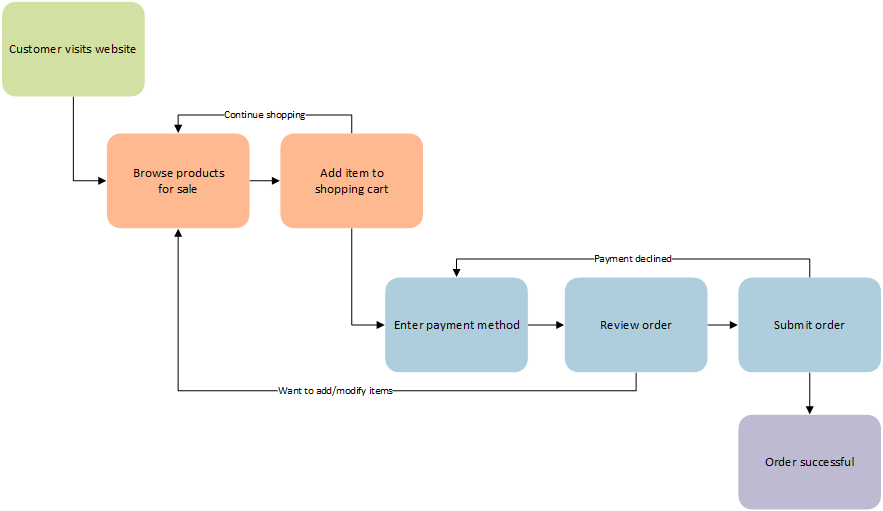
Instead of relying on email chains and spreadsheets, you can create clear, repeatable processes that guide tasks from start to finish. This ensures steps aren't missed and everyone knows what they need to do next.
Built on Microsoft 365
One of FlowForma's key advantages is that it doesn't exist in a vacuum. It's built to work directly within the Microsoft 365 and SharePoint environments that many organizations already use every day. This tight integration means there's no need to juggle separate systems or worry about data security.
Your workflows, forms, and data all live securely within your company's existing SharePoint infrastructure. This makes it easier for your team to adopt, as they're working in a familiar setting, and simplifies management for your IT department.
By living inside SharePoint, FlowForma keeps your processes connected to the tools you already use, all while maintaining your organization's security standards.
Core Features
FlowForma combines three key capabilities to bring your processes to life: forms, workflows, and an AI assistant.
Form Automation Instead of paper forms or messy email requests, you can build clear, digital forms to capture information accurately. Think of an expense claim form that ensures employees enter all the necessary details and attach their receipts right from the start.
Workflow Design This is where you map out the journey of your process. FlowForma provides a visual, drag-and-drop designer to define each step. For example, after an expense claim is submitted, you can design a flow that automatically sends it to the right manager for approval. If the amount is over $500, the flow can add an extra step to notify the finance department.
AI-Powered Copilot To make building workflows even easier, FlowForma includes an AI assistant. You can simply describe the process you want to create in plain language, like "Create a workflow for new customer onboarding that starts with the sales team filling out a form, then notifies the project manager to schedule a kickoff call." The AI Copilot will then generate a starting workflow for you to review and refine.
What is the primary problem FlowForma is designed to solve?
FlowForma is described as a 'no-code' platform. What does this mean for its users?
By combining these features, FlowForma provides a complete toolkit for anyone to start automating and improving their business processes, freeing up valuable time for more important work.