Mastering Facebook Ads
Introduction to Facebook Advertising
Why Advertise on Facebook?
Facebook, and its family of apps like Instagram, is where billions of people connect. Advertising on this platform lets you reach a massive audience. But it's not just about numbers. The real power lies in precision. You can show your ads to people who are most likely to be interested in what you offer.
Think of it like a billboard that only appears for your ideal customers, whether they're down the street or across the world.
Using Facebook Ads can help your business grow by driving traffic to your website, generating leads, and increasing sales. It’s a direct way to connect with potential customers where they already spend their time.
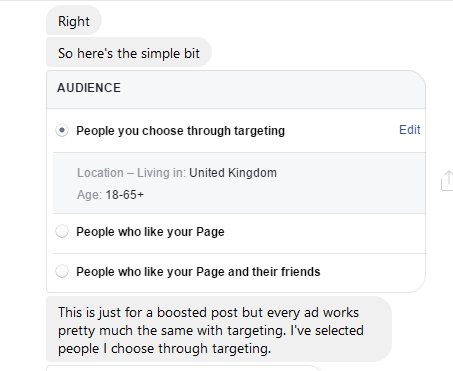
Facebook enables businesses to target specific demographics, interests, and behaviors, ensuring that their ads are shown to the most relevant audience.
Choosing Your Ad Format
Facebook offers several ad formats, each with its own strengths. The format you choose depends on what you want to achieve. Let's look at the most common types.
Image Ad
noun
A single, high-quality picture used to showcase a product, service, or brand. They are simple, clean, and effective for getting a clear message across quickly.
Video ads are great for storytelling and capturing attention. They can demonstrate a product in action or share a customer testimonial. Keep them short and engaging, as many people watch videos on their phones without sound.
Carousel ads let you show up to ten images or videos in a single ad, each with its own link. This is perfect for showcasing a range of products, highlighting different features, or telling a story in parts.
Finally, Collection ads are a mobile-only format that makes it easy for people to discover, browse, and purchase products from their phones. When someone taps on a Collection ad, it opens a full-screen experience where they can browse multiple items.
| Ad Type | Best For |
|---|---|
| Image | Simple, clear messages and strong calls-to-action. |
| Video | Storytelling, product demonstrations, and grabbing attention. |
| Carousel | Showcasing multiple products or features in one ad. |
| Collection | Creating an immersive mobile shopping experience. |
Your Control Center: Ads Manager
Facebook Ads Manager is the tool you'll use to create, manage, and analyze all of your campaigns. Think of it as the mission control for your advertising efforts. From here, you can set up new ads, define who you want to see them, decide on your budget, and track how well they're performing.
The interface might look complex at first, but it's organized logically. You'll create campaigns based on your overall goal (like increasing website traffic). Within each campaign, you'll have ad sets, where you define your audience, budget, and schedule. Finally, inside each ad set are your actual ads—the images, videos, and text that people will see.
Getting comfortable with Ads Manager is the first step to running successful campaigns. Now, let's test what you've learned.
What is the primary tool used to create, manage, and analyze Facebook advertising campaigns?
Within the Facebook Ads structure, at which level do you define your target audience, budget, and schedule?