Mastering Elite Typing Speed
Ergonomics and Posture
Your Ergonomic Foundation
You already know where your fingers belong on the home row, but that's just the start. To type quickly and comfortably for long periods, your entire setup matters. Think of it as building a stable platform for your hands to perform.
Start with your chair. Adjust its height so your feet are flat on the floor and your knees are at a roughly 90-degree angle. Your forearms should be parallel to the floor when your fingers are resting on the keyboard. This alignment is your baseline. If your desk is too high or low to achieve this, you may need an adjustable desk or a footrest to compensate.
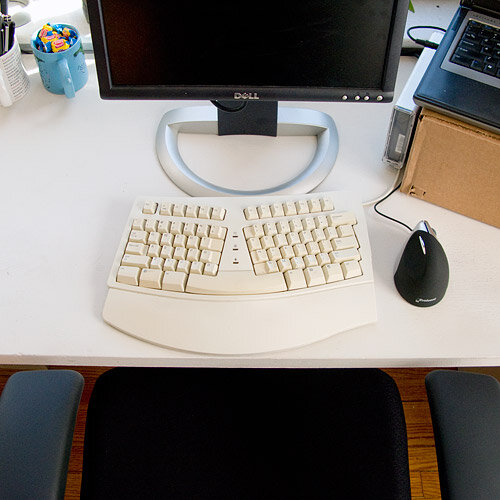
Creating an ergonomic workspace is crucial for minimizing hand and wrist pain.
Next, consider your monitor. The top of your screen should be at or slightly below eye level. This prevents you from craning your neck up or hunching down, which can lead to shoulder and back pain. The screen should be about an arm's length away. This simple positioning has a massive impact on your endurance during long typing sessions.
Arms, Wrists, and Hands
With your foundation set, let's focus on your arms. Keep your elbows bent at about a 90-degree angle, close to your sides. Avoid flaring them out. Your shoulders should be relaxed, not shrugged up toward your ears. This relaxed posture minimizes tension and allows for fluid movement.
The most critical adjustment for speed and health is your wrist position. Your wrists should be straight, not bent up or down. A common mistake is resting the wrists on the desk or a padded wrist rest. While it might feel comfortable initially, this practice anchors your hands, limits reach, and can compress nerves, leading to conditions like Carpal Tunnel Syndrome over time.
The solution is the "floating wrist" technique. Your hands should hover over the keyboard, with your arms supporting their weight. This keeps your wrists straight and allows your entire arm, from the shoulder down, to guide your fingers to the keys. It feels unnatural at first but is the key to unlocking maximum speed and preventing injury. Your fingers should be gently curved, as if resting on a ball.
Staying Healthy
Even with perfect posture, long typing sessions are demanding. Your body isn't meant to hold one position for hours. Taking short breaks to stretch is essential for preventing Repetitive Strain Injury (RSI), a general term for pain in muscles, nerves, and tendons caused by repetitive movement and overuse.
At least once an hour, step away from your desk. A good routine involves stretches that counteract the typing posture. Here are a few simple ones:
| Stretch | Instructions |
|---|---|
| Wrist Extensor | Extend one arm in front of you, palm down. Gently bend your wrist down with your other hand. Hold for 15-30 seconds. |
| Wrist Flexor | Extend your arm, palm up. Gently bend your wrist down with your other hand. Hold for 15-30 seconds. |
| Finger Tendon Glides | Make a sequence of hand positions: open hand, hook fist, full fist, straight fist. Move slowly through each. |
| Shoulder Rolls | Sit or stand tall and slowly roll your shoulders backward in a circle 5 times, then forward 5 times. |
Proper ergonomics isn't about rigid rules. It's about creating an environment where your body can work efficiently without strain. By investing a little time in your setup and habits, you build a foundation for faster, more comfortable, and healthier typing for years to come.
When setting up your typing station, what is the correct alignment for your forearms?
To prevent neck strain, the top of your monitor should be positioned: