Mastering Digital Inquiry
Search Logic Fundamentals
Taking Control of Your Search
You already know how to type words into a search bar. But sometimes, just listing keywords feels like shouting into a hurricane and hoping for the best. To get better results, you need to give the search engine more specific instructions. Think of it less like a suggestion and more like a command.
Luckily, search engines have a built-in language for this. Using a few simple symbols and words, you can tell the engine precisely what to find and what to ignore. This transforms your search from a vague question into a targeted query, saving you time and frustration.
Boolean Logic
The foundation of precise searching lies in a few simple words: AND, OR, and NOT. These are called Boolean operators, named after the 19th-century mathematician . They work like logical commands to combine or exclude keywords.
Let's break down how they work.
AND tells the search engine that all the terms you list must appear in the results. This narrows your search. If you search for solar panels AND installation cost, you'll only get pages that contain both of those phrases. Most search engines, like Google, use AND by default, so you often don't even need to type it.
OR broadens your search. It tells the engine to find pages that contain either of your keywords. This is great for finding information on related topics or when a concept has multiple names. A search for therapist OR counselor in Chicago will give you results for both professions.
NOT (often typed as a minus sign - right before a word) excludes terms. This is incredibly useful for filtering out irrelevant results. If you're looking for information about the animal jaguar but keep getting results for the car, you could search jaguar speed -car.
| Operator | Purpose | Example |
|---|---|---|
| AND | Narrows search; all terms must be present. | electric cars AND safety |
| OR | Broadens search; any of the terms can be present. | job interview OR resume tips |
| NOT or - | Excludes a term from results. | best cookies -oatmeal |
Getting More Specific
Boolean operators are a great start, but you can get even more precise by controlling the structure of your search terms.
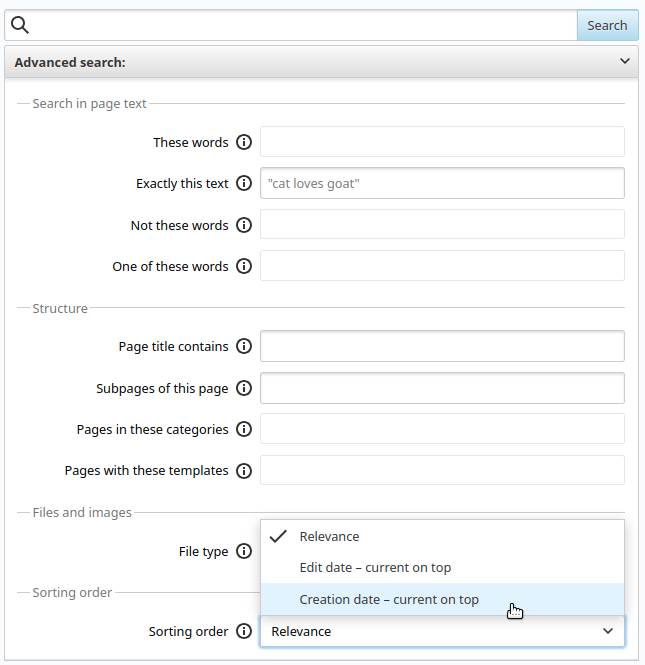
Exact Phrase Searches
When you search for climate change effects on agriculture, the engine looks for pages containing those words, but not necessarily in that order. The words could be scattered throughout the page.
To find an exact phrase, enclose it in quotation marks. Searching for "climate change effects on agriculture" forces the engine to find only pages where those words appear together, in that precise sequence. This is perfect for finding song lyrics, quotes, or specific official titles.
Use quotation marks to search for a specific, multi-word phrase in the exact order you type it.
Wildcard and Proximity Searches
The asterisk * acts as a wildcard—a placeholder for any unknown word or words. It's useful when you can't remember a word in a phrase or want to see all variations of a query.
For example, searching "the greatest * of all time" might bring up results for athletes, movies, or scientific discoveries. It's a powerful tool for exploration.
Some search engines also support , which let you find words that are near each other, even if they aren't an exact phrase. This gives you a middle ground between a general keyword search and a restrictive exact-phrase search.
Transitioning from simple keywords to structured queries is the single biggest step you can take to improve your search skills. By combining these operators and symbols, you can craft a search that filters out the noise and gets you directly to the information you need.
You want to find information about Mexican food, but your search results are cluttered with pages about the Taco Bell fast-food chain. Which query would be the most effective at filtering out the unwanted results?
What is the primary function of the OR operator in a search query?