Mastering Digital 3D Modeling Techniques
Topology and Edge Flow
Building for Movement
A well-made 3D mesh is like a well-built sculpture. It's not just about the final shape, but about the underlying structure that allows it to hold its form, whether it's static or in motion. In 3D modelling, this structure is called topology, and its most critical aspect for animation is deformability. A mesh must be built to bend, stretch, and squash believably without breaking.
The foundation of a deformable mesh is the strategic arrangement of polygons, specifically quads. We organise these quads into continuous lines called edge loops and parallel series of edges called edge rings. Think of edge loops as the ribs of a ship, defining its curves, while edge rings are the planks that run between them. Mastering how these interact is the first step toward creating models that animate beautifully.
The Language of Edge Flow
Edge flow is the directional logic of your topology. It’s the path your edge loops take as they wrap around the form of your model. Good edge flow follows the natural contours and anticipated lines of movement, much like muscle fibres follow the bones they are designed to move. When a character smiles, the edge loops around the mouth should contract and expand in a circular pattern, mimicking the orbicularis oris muscle. If the edge flow fights this motion, the deformation will look stiff and unnatural.
This is why a is the industry standard. Quads, having four sides, naturally form clean, predictable loops and rings. Triangles abruptly terminate flow, and (polygons with more than four sides) create chaos when the mesh needs to subdivide or deform. Sticking to quads wherever possible keeps the surface predictable and easy to work with.
Edge flow is one powerful concept to consider when designing the retopo mesh of your model.
Managing Poles
In a perfect quad mesh, every vertex would have exactly four edges connected to it. But to change the direction of edge flow or add detail, we must use poles: vertices with a different number of connected edges.
An N-pole has three connected edges, which is useful for terminating an edge loop. An E-pole has five or more edges, which is necessary for splitting one edge loop into multiple loops. While necessary, E-poles can be problematic. They disrupt the smooth grid of quads and can cause pinching or shading artefacts when the surface is subdivided, especially on curved areas.
The key is control. Place poles deliberately, not accidentally. Hide them in flat, static areas where they won't interfere with deformation. For example, on a face, you might place an E-pole on the flat plane of the cheek rather than on the creasing corner of the mouth or the curve of the nose. This minimises their negative impact on the final surface.
Density and Tension
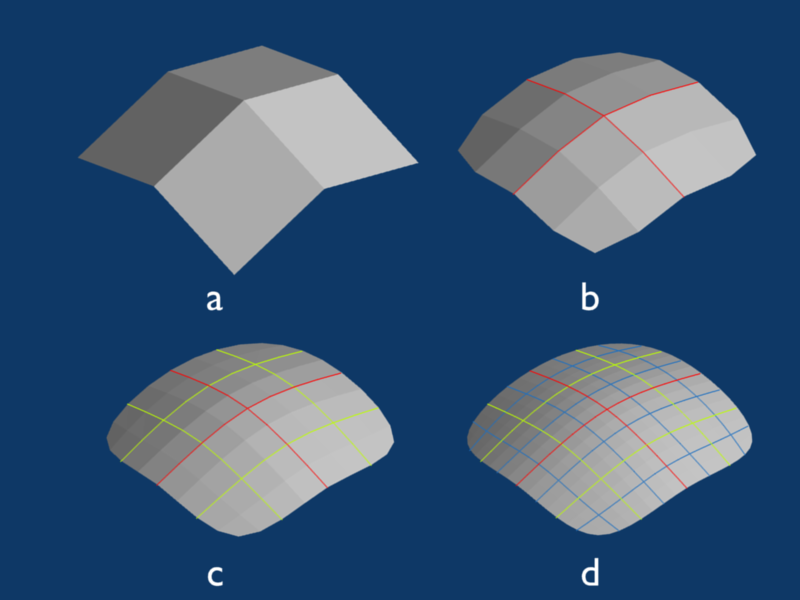
The final piece of the puzzle is mesh density. The polygons that make up your mesh should be as evenly sized and spaced as possible. Think of the mesh as a digital fabric stretched over a frame. If the weave is tighter in some areas and looser in others, it will pull and stretch unevenly. This creates the appearance of surface tension, resulting in lumps and bumps when the model is subdivided or lit from certain angles.
Areas that require more detail or will undergo more complex deformation, like the joints of a finger or the corners of a mouth, naturally need higher polygon density. The transition to these dense areas should be gradual. Use your knowledge of edge loops and poles to gracefully add detail where needed, ensuring the change in polygon size is smooth and deliberate. This maintains the integrity of the surface and ensures clean, predictable deformations.
Ready to test your knowledge? Let's see if you can spot good topology.
What is the primary reason for focusing on good topology in a 3D model intended for animation?
In the context of 3D modelling, what is 'edge flow'?
Mastering topology is less a technical exercise and more an art form. It requires you to think not just about the shape you're creating, but about how that shape is meant to live and move. By planning your edge flow, managing your poles, and controlling your mesh density, you build a foundation for believable and expressive animation.