Mastering DevOps Engineering and Lifecycle Automation
CI CD Pipeline Architecture
The Blueprint for Automation
Moving code from a developer's machine to production used to involve a lot of manual steps, checklists, and late-night deployments. Modern software development treats this process, the pipeline, as a product in itself. The goal is to create a reliable, repeatable, and automated path for your code.
The core principle behind this is Pipeline as Code. Instead of clicking through a user interface to configure build steps, you define the entire pipeline in a file that lives right alongside your application's source code. This makes your deployment process version-controlled, reviewable, and easy to replicate across different environments.
Choosing Your Engine
Two dominant tools for building these pipelines are Jenkins and GitHub Actions. They achieve similar goals but have fundamentally different architectures.
Jenkins is the classic, self-hosted workhorse. You run it on your own servers, giving you complete control over the environment. It's incredibly powerful and extensible, thanks to a massive ecosystem of plugins for just about any tool or service you can imagine. Its pipelines are typically defined using a Domain-Specific Language (DSL) based on Groovy, a flexible scripting language that runs on the Java Virtual Machine (JVM).
GitHub Actions is a newer, cloud-native alternative. It's built directly into GitHub, making it incredibly easy to get started with. Instead of a central server, it uses event-driven workflows defined in YAML files. When you push code, open a pull request, or even add a label to an issue, a workflow can be triggered to run on runners hosted by GitHub or on your own machines.
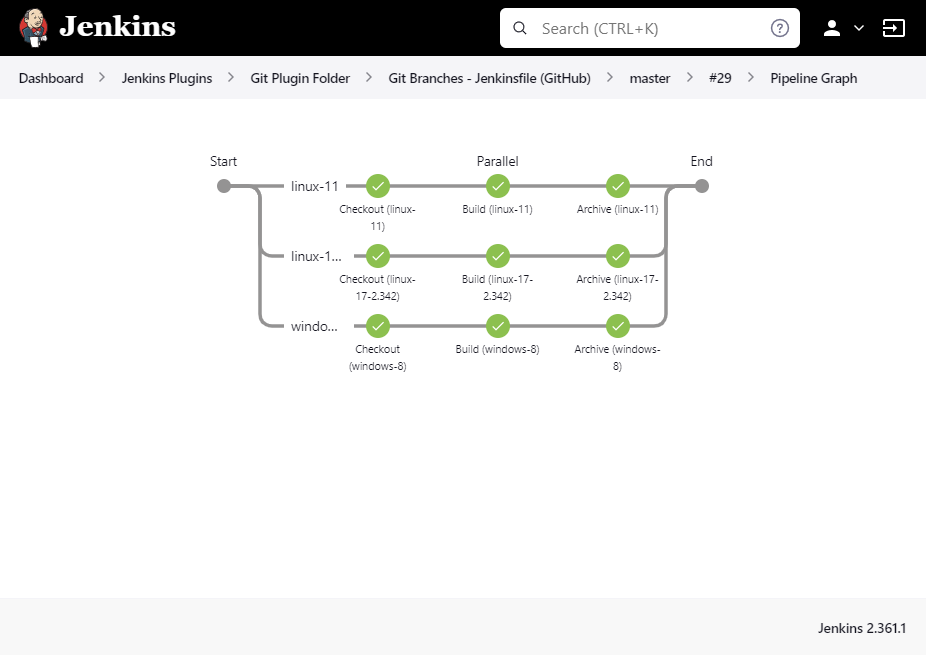
The choice between them involves trade-offs in maintenance, scalability, and integration.
| Feature | Jenkins | GitHub Actions |
|---|---|---|
| Hosting | Self-hosted (on-prem or cloud) | Cloud-native (GitHub-hosted) or self-hosted runners |
| Configuration | Groovy (Jenkinsfile) or UI | YAML (.github/workflows) |
| Maintenance | High (server, plugins, security) | Low (managed by GitHub) |
| Ecosystem | Thousands of plugins | Marketplace of reusable actions |
| Approach | Centralized, imperative | Decentralized, event-driven, declarative |
Pipeline as Code in Practice
Let's see what Pipeline as Code looks like. Here's a simple pipeline that builds and tests a Node.js application, first in Jenkins and then in GitHub Actions.
Notice how Jenkins uses a more programmatic, scripted syntax with Groovy's curly braces and function calls.
// Jenkinsfile
pipeline {
    agent any

    stages {
        stage('Build') {
            steps {
                echo 'Building..'
                sh 'npm install'
            }
        }
        stage('Test') {
            steps {
                echo 'Testing..'
                sh 'npm test'
            }
        }
    }
}
Now, the same workflow in GitHub Actions. The YAML format is declarative. You describe the desired end state, and the platform figures out how to achieve it. Each step can use a pre-built 'action' from the marketplace (actions/checkout, actions/setup-node) or run shell commands directly.
# .github/workflows/ci.yml
name: Node.js CI

on: [push]

jobs:
  build:
    runs-on: ubuntu-latest
    steps:
    - uses: actions/checkout@v3
    - name: Use Node.js
      uses: actions/setup-node@v3
      with:
        node-version: '18.x'
    - run: npm install
    - run: npm test
Both files achieve the same result, but their structure reflects their underlying philosophies. Jenkins gives you a scripting environment; GitHub Actions gives you a configuration file that links together composable, shareable units of work.
Building Trust with Automation
A pipeline isn't just about running commands. It's about building confidence in your code. This is where automated testing and quality gates come in.
A quality gate is a point in your pipeline where you enforce a rule. If the rule isn't met, the pipeline fails. This prevents bad code from moving forward. Common gates include:
- Unit Test Coverage: Does the code meet a minimum test coverage percentage (e.g., 80%)?
- Static Analysis: Does the code adhere to style guides and avoid common bugs?
- Vulnerability Scans: Are there any known security vulnerabilities in the code or its dependencies?
Integrating these checks is straightforward. You add a step in your pipeline to run the tool and configure it to fail the build if its standards aren't met. For example, a npm test command will automatically return a non-zero exit code if any tests fail, which the CI system interprets as a failure for that step.
A passing pipeline should be a strong signal that the code is ready for the next environment, whether that's staging or production.
Another critical piece is artifact management. An artifact is the output of your build process—a Docker image, a Java JAR file, or a compiled binary. A good pipeline doesn't just build these; it versions them and stores them in a dedicated repository like Docker Hub, JFrog Artifactory, or AWS ECR.
Each successful build on your main branch should produce a versioned, immutable artifact. This ensures that the exact code that passed all your quality gates is the exact code you deploy.
Securing the Pipeline
Your pipeline needs to interact with other services, like a cloud provider to deploy resources or an artifact repository to push an image. The old way of handling this was with static, long-lived credentials—API keys or secrets stored directly in the CI system.
This is a major security risk. If a secret is compromised, an attacker has persistent access to your systems.
The modern, secure approach is to use short-lived credentials via OpenID Connect. Instead of storing a static secret, the CI/CD platform can securely request a temporary token from your cloud provider (like AWS, Google Cloud, or Azure). The pipeline job uses this token to authenticate, performs its tasks, and the token expires shortly after. If the token were ever to leak, its useful lifetime is measured in minutes, not months.
Both GitHub Actions and Jenkins (with plugins) support OIDC. Configuring it involves a one-time setup to establish a trust relationship between your CI tool and your cloud provider. From then on, your pipelines can securely authenticate without ever needing a static secret file.
By combining Pipeline as Code, automated quality gates, proper artifact management, and secure authentication, you build a CI/CD architecture that is not only efficient but also robust and trustworthy. This foundation enables your team to deliver changes to users faster and with greater confidence.
What is the primary principle behind "Pipeline as Code"?
Which statement best describes a key difference between Jenkins and GitHub Actions as presented in the text?