Mastering Design Systems
Introduction to Design Systems
What Is a Design System?
Imagine building a huge castle with a team of people. If everyone uses different sized bricks and their own unique building style, you'd end up with a chaotic mess. A design system is like giving everyone the same set of high-quality, perfectly-sized Lego bricks and a clear instruction manual. It’s a collection of reusable components and clear standards that guide how a digital product is built.
A design system is a collection of reusable components, guided by clear standards, that can be assembled to build any number of applications.
It acts as the single source of truth for both designers and developers. Instead of reinventing the wheel for every new screen or feature, teams can pull from a shared library of pre-made parts. This ensures that a company’s website, mobile app, and internal tools all look and feel like they belong together.
The Core Components
A design system isn't just one thing. It's typically made up of a few key parts that work together.
First, you have the style guide. This defines the visual identity. It specifies the exact colors, typography, spacing, and logos to be used. Think of it as the product's DNA, dictating its fundamental look and feel.
Next is the component library. This is the set of reusable user interface (UI) elements. It includes everything from basic buttons and input fields to more complex pieces like navigation bars and data tables. These are the actual building blocks that engineers use to construct the product.
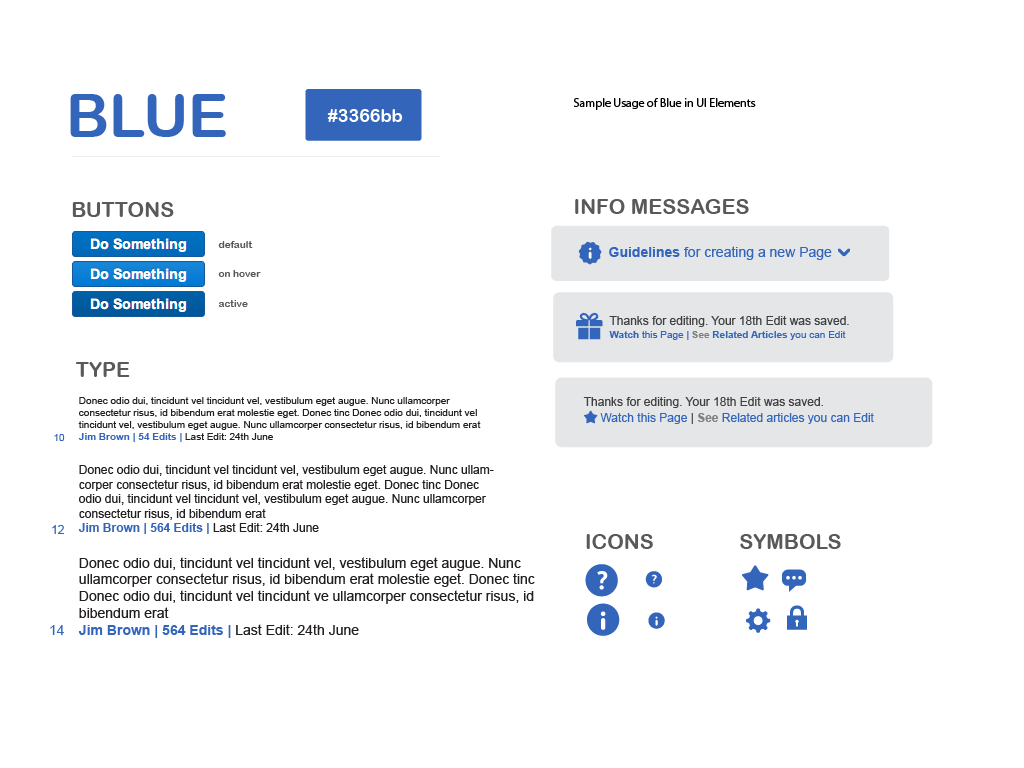
Finally, and perhaps most importantly, there's documentation. This is the rulebook that explains how, when, and why to use each component and style. Good documentation provides code snippets, design principles, and examples of correct and incorrect usage. It’s the glue that holds the system together, making it easy for anyone on the team to use the components correctly.
The Big Payoff
So, why do companies invest so much time and effort into creating a design system? The benefits are significant.
Consistency is the most obvious win. A design system ensures a cohesive user experience across all platforms. A button on the mobile app looks and behaves just like a button on the website, which builds trust and makes the product easier to learn.
Efficiency is another huge advantage. Designers and developers can build products much faster because they aren't starting from scratch every time. They can grab ready-made components, assemble them quickly, and focus their energy on solving bigger, more complex user problems rather than redesigning a dropdown menu for the tenth time.
This speed and consistency allow companies to scale their products more effectively. As a team grows or the product line expands, the design system keeps everyone aligned and prevents the user experience from fracturing.
Systems in the Wild
Many of the digital products you use every day are built with powerful design systems. Google's Material Design is a well-known example. It provides the components and guidelines for the consistent look of Android apps and Google's web services.
Another is IBM’s Carbon Design System. It’s an open-source system for creating products and digital experiences. Both provide extensive libraries and clear documentation that allow teams around the world to build products that feel unified and thoughtfully designed.
Let's review the main ideas.
Ready to check your understanding?
What is the primary purpose of a design system?
Which part of a design system contains the reusable UI elements like buttons, input fields, and navigation bars?
By creating a shared language and a toolkit of reusable parts, design systems empower teams to build better products, faster.