Mastering Data Flow with React Props
State Lifting Patterns
The Problem with Sibling State
In React, data flows one way: from parent to child via props. This is a core principle that makes applications predictable. A parent component can pass its state down to its children, but a child cannot directly pass data back up or to a sibling.
This creates a challenge. What happens when two sibling components need to share and react to the same piece of information? For instance, imagine an accordion interface where opening one panel should automatically close any other open panel. Each panel is a component, and each needs to know which panel is currently active. If they each manage their own 'isOpen' state, they have no way to communicate with each other.
When multiple components need to reflect the same changing data, it's a sign that the state should live in their closest common ancestor.
Lifting State Up
The solution is a pattern called "lifting state up." Instead of letting each child component manage its own local version of the shared data, you move that state into their closest common parent component. This parent becomes the single source of truth for that data.
The parent component then passes the state down to the children that need it. Now, both siblings receive the same information via props, ensuring they are always in sync.
But how does a child component tell the parent to update the state? It can't modify the props it receives. The parent also passes down a special kind of prop: a function. This is often called a callback prop.
When an event happens in the child component, like a button click or an input change, it calls this function it received from its parent. The function execution happens back in the parent component, which then updates its own state. React re-renders the parent, and the new state value flows back down to all the children as props.
// Parent Component
function Accordion() {
  // State is lifted to the parent
  const [activeIndex, setActiveIndex] = useState(0);

  return (
    <>
      <h2>Which planet is the hottest?</h2>
      <Panel
        title="Mercury"
        isActive={activeIndex === 0}
        onShow={() => setActiveIndex(0)}
      >
        Mercury is the closest planet to the Sun, but not the hottest!
      </Panel>
      <Panel
        title="Venus"
        isActive={activeIndex === 1}
        onShow={() => setActiveIndex(1)}
      >
        With a surface temperature of 464°C, Venus is the hottest planet.
      </Panel>
    </>
  );
}

// Child Component
function Panel({ title, children, isActive, onShow }) {
  return (
    <section>
      <h3>{title}</h3>
      {isActive ? (
        <p>{children}</p>
      ) : (
        <button onClick={onShow}>
          Show Answer
        </button>
      )}
    </section>
  );
}
In this example, the Accordion component owns the activeIndex state. It determines which Panel is active.
It passes two crucial props to each Panel:
isActive: A boolean calculated from the parent's state, telling the child whether it should be expanded.onShow: A callback function that, when called, tells theAccordionto update itsactiveIndexstate.
When a user clicks the "Show Answer" button in a closed panel, the onClick handler calls the onShow prop. This triggers the state update in the Accordion parent, and the UI re-renders to show the correct panel content.
A Predictable Data Flow
This pattern reinforces React's unidirectional data flow. It creates a clear and predictable structure for your application.
- State flows down: The single source of truth lives in a higher-level component and is passed down to children who need to display it.
- Events flow up: Child components use callback functions to communicate events back up to the component that owns the state.
This separation makes components more reusable and easier to debug. If there's a bug in the state logic, you know to look in the parent component where the state is managed. If there's a display bug, you can isolate the child component responsible for rendering that state.
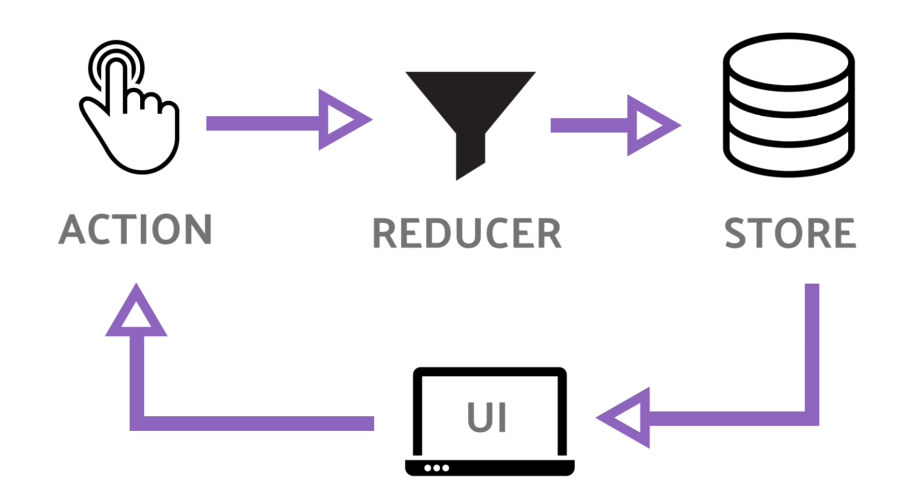
This makes your application's logic easier to follow. There's no confusion about where data comes from or how it gets changed. The flow is always top-down for data and bottom-up for events.
Let's check your understanding of how this pattern works.
What is the primary problem that the "lifting state up" pattern in React is designed to solve?
After lifting state up, where does the 'single source of truth' for the shared data reside?
By centralising shared state in a common ancestor, you ensure data consistency and maintain a clear, top-down data flow throughout your application.