Mastering Core Web Vitals for Better SEO
Introduction to Core Web Vitals
Your Website's Vital Signs
Imagine walking into a store. You want it to be easy to find what you're looking for, quick to get help, and not have shelves suddenly move around while you're reaching for something. The web is no different. Users want pages that are fast, responsive, and stable. To help website owners measure this, Google introduced Core Web Vitals.
Think of Core Web Vitals as a quick health checkup for your website's user experience. They are a set of specific, measurable metrics that Google uses to understand how a person perceives the experience of interacting with a web page. A good score means your site offers a smooth experience; a poor score suggests there's room for improvement.
Core Web Vitals are basically Google's way of measuring whether your site's user experience cuts the mustard.
The Three Core Metrics
Core Web Vitals focus on three key aspects of the user experience: loading, interactivity, and visual stability. Each has its own metric.
Let's break down what each of these means.
Largest Contentful Paint
noun
LCP measures how long it takes for the largest image or block of text to become visible on the screen. It’s all about perceived loading speed. A good LCP score reassures the user that the page is actually loading.
Think about the last time you clicked a link and stared at a blank white screen for a few seconds. It’s frustrating, right? LCP aims to measure that moment when the main content of the page has likely loaded.
First Input Delay
noun
FID measures the time from when a user first interacts with your page—like clicking a button or a link—to the time when the browser is actually able to respond to that interaction. It's a measure of responsiveness.
A good FID is crucial for making a site feel responsive. A long delay after clicking a sign-up button can make users wonder if the site is broken. A short delay makes the experience feel smooth and immediate.
Cumulative Layout Shift
noun
CLS measures visual stability. It quantifies how much the content on a page unexpectedly shifts around as it loads. This often happens when images, ads, or fonts load late, pushing other content down.
Have you ever tried to click a link, only for an ad to pop up right under your finger, causing you to click it by mistake? That’s a layout shift, and it’s what CLS helps prevent.
Why Bother with Vitals?
So, why do these metrics matter? It boils down to two things: user experience and search engine optimization (SEO).
Better User Experience: A website that scores well on Core Web Vitals is simply more pleasant to use. Pages that load quickly, respond to input instantly, and don't jump around are less likely to frustrate visitors. This can lead to users staying longer, engaging more, and being more likely to return.
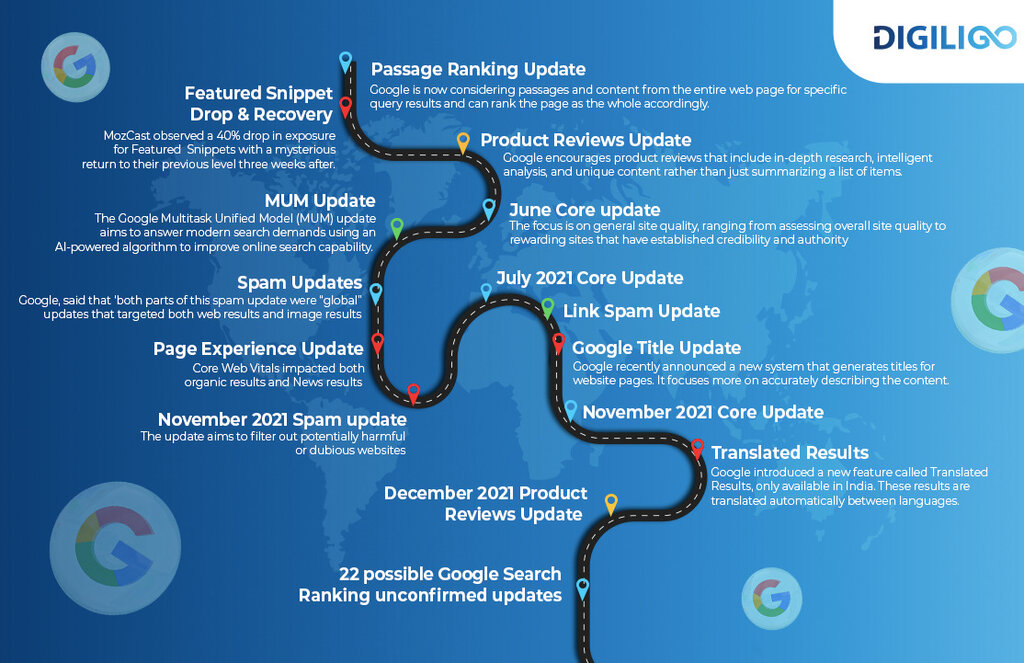
Improved SEO: Google wants to show its users the best possible results, and that includes pages that offer a great experience. Since 2021, Core Web Vitals have been a factor in how Google ranks pages. While great content is still king, a poor user experience can hurt your site's visibility in search results. Improving these vitals can give you an edge over competitors with slower, clunkier websites.
By focusing on these three core metrics, you can make tangible improvements that both your users and search engines will appreciate.
Time to see what you've learned about these fundamental metrics.
What is the primary purpose of Core Web Vitals?
The 'Largest Contentful Paint' (LCP) metric is primarily concerned with which aspect of user experience?
That's a quick look at Core Web Vitals. Understanding LCP, FID, and CLS is the first step toward creating a better experience for everyone who visits your site.