Mastering C++ Strings
Introduction to C++ Strings
Working with Text
So far, we've worked with numbers like integers and floats. But what about text? In programming, a sequence of characters, like a word or a sentence, is called a string. C++ has two main ways to handle strings: one inherited from its predecessor, C, and a more modern, flexible approach.
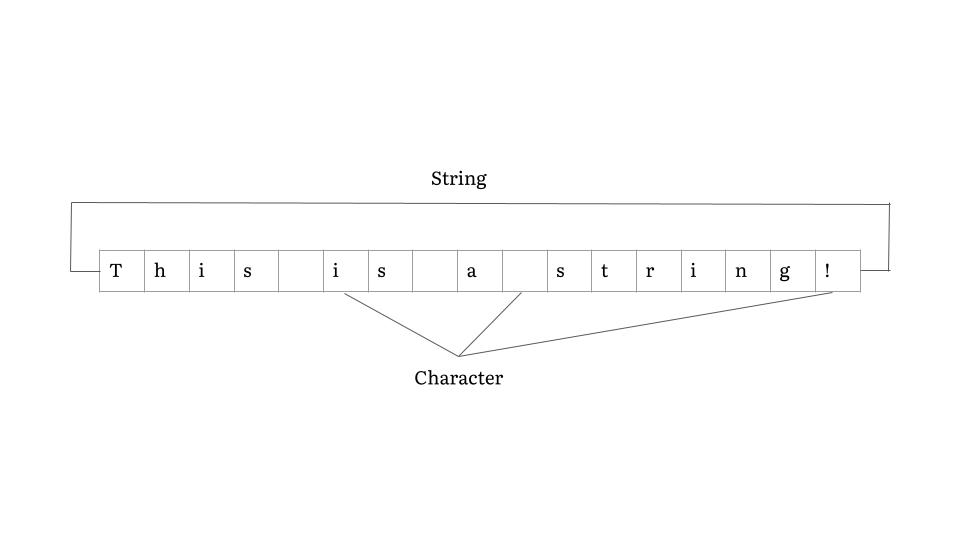
Let's look at the classic way first.
The C-Style String
The original way to store strings in C and C++ is by using an array of characters. This is often called a "C-style string" or a "character array."
It's a fixed-size container for characters. You declare it like any other array, but you can initialize it with a string literal in double quotes.
char greeting[] = "Hello";
When the compiler sees "Hello", it creates an array with enough space for each character, plus one extra. This extra character is the null terminator, written as \0. It's an invisible character that marks the end of the string. All C-style strings must end with this null terminator.
The biggest downside to C-style strings is that their size is fixed when you create them. If you declare an array of 10 characters, you can't store 11 characters in it. Trying to do so can lead to bugs and security vulnerabilities. Managing memory manually is tricky and often a source of errors.
The Modern C++ String
To solve the problems with C-style strings, C++ introduced the string class. This is the recommended way to work with text in modern C++. To use it, you first need to include the string library.
#include <iostream>
#include <string> // Required for std::string

int main() {
  std::string modern_greeting = "Hello, C++!";
  std::cout << modern_greeting;
  return 0;
}
The std::string type is much more powerful than a simple character array. It handles its own memory automatically. If you need to add more text to it, it will resize itself. You don't have to worry about the null terminator; the string class manages it behind the scenes.
This makes your code safer, cleaner, and much easier to write.
As a rule of thumb, always prefer
std::stringover C-style character arrays. It's the modern, safer, and more convenient choice for handling text in C++.
Reading and Writing Strings
You can print both types of strings easily using std::cout, just like you would with numbers.
#include <iostream>
#include <string>

int main() {
  // C-style string
  char old_school[] = "C-style string.";

  // Modern C++ string
  std::string modern = "Modern C++ string.";

  std::cout << old_school << std::endl;
  std::cout << modern << std::endl;

  return 0;
}
Reading input from the user with std::cin works, but it has a quirk: it stops reading at the first whitespace character (like a space, tab, or newline).
For example, if the user types "Ada Lovelace" and you try to read it into a string with cin, you'll only get "Ada".
#include <iostream>
#include <string>

int main() {
  std::string name;

  std::cout << "Enter your full name: ";
  std::cin >> name; // Stops reading at the first space

  std::cout << "You entered: " << name << std::endl;

  return 0;
}

// If you input "Ada Lovelace"
// Output will be: You entered: Ada
To read an entire line of text, including spaces, you can use the std::getline() function. It takes the input stream (std::cin) and the string variable you want to store the line in.
#include <iostream>
#include <string>

int main() {
  std::string full_name;

  std::cout << "Enter your full name: ";
  std::getline(std::cin, full_name); // Reads the whole line

  std::cout << "Hello, " << full_name << "!" << std::endl;

  return 0;
}

// If you input "Ada Lovelace"
// Output will be: Hello, Ada Lovelace!
This is just the beginning of working with strings. The std::string class has many powerful features for searching, modifying, and combining text that we'll explore later.
Ready to check your understanding?
What special character signifies the end of a C-style string?
What is the primary advantage of using std::string over a C-style character array?
Now that you can work with text, you're equipped to write much more interactive and useful programs.