Mastering C Programming
Introduction to C
The Language That Built Everything
Before most of the programming languages we use today existed, there was C. Born in the early 1970s at Bell Labs, C was created to build the Unix operating system. It was designed to be simple, powerful, and close to the hardware, giving programmers a level of control that was rare at the time.
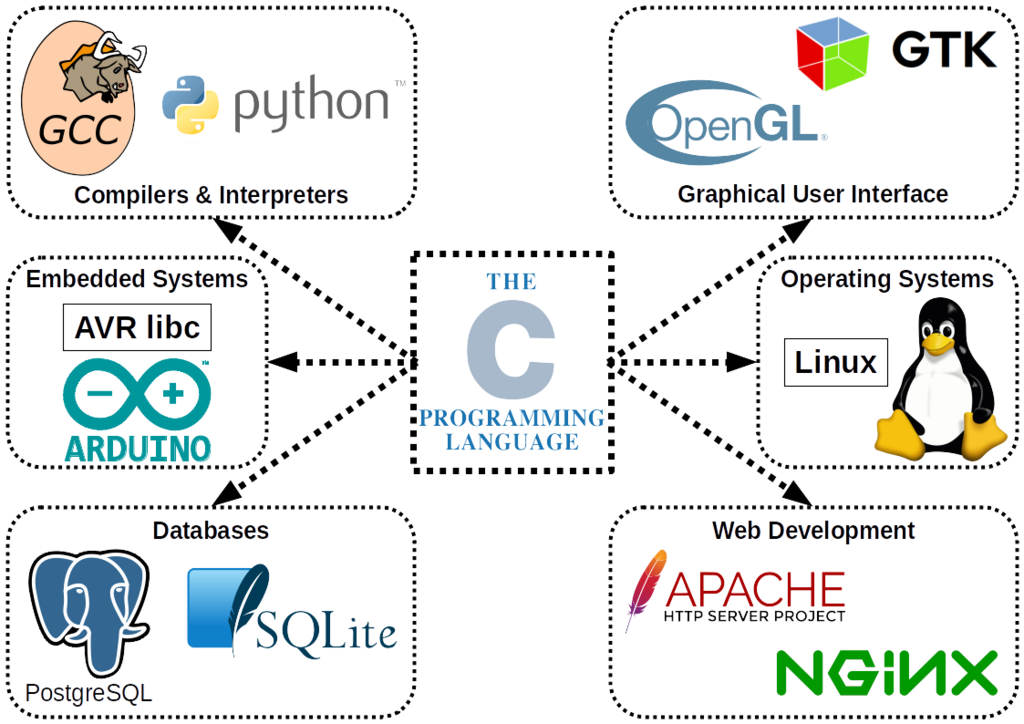
Think of C as the Latin of programming languages. It’s not spoken on the street much anymore, but its DNA is everywhere. Languages like C++, Java, C#, and Python all inherited ideas and syntax from C. Operating systems like Windows, macOS, and Linux are written largely in C. It's the silent foundation much of the modern digital world is built on.
Setting Up Your Workshop
To start writing C, you need two basic tools: a text editor and a compiler.
A text editor is just a program for writing plain text. It's like a notebook where you'll write your instructions. You can use simple programs like Notepad on Windows or TextEdit on Mac, but programmers often use more powerful editors like VS Code, Sublime Text, or Atom because they offer helpful features like syntax highlighting.
A compiler is a special program that translates your human-readable C code into machine code—the ones and zeros that a computer's processor can actually execute. Think of it as a translator that converts your instructions into a language the computer understands. The most common C compiler is GCC (the GNU Compiler Collection), which is free and available for all major operating systems.
For a simple setup, you can install GCC. On macOS, it's part of the Command Line Tools. On Windows, you can get it through MinGW-w64. On Linux, it's usually just a command away (
sudo apt-get install gcc).
Your First Program
It's a long-standing tradition for programmers to make their first program in a new language simply print the phrase "Hello, World!" to the screen. Let's write ours.
#include <stdio.h>

int main() {
    // This line prints our message to the console
    printf("Hello, World!\n");
    return 0;
}
Let's break that down piece by piece.
#include <stdio.h>: This is a preprocessor directive. It tells the compiler to include the contents of a file called stdio.h. This file is a standard library header that contains the information needed to use input and output functions, like printf.
int main(): This is the main function. Every C program must have a main function; it's the starting point where execution begins. The int before main specifies that the function will return an integer value when it finishes.
{ ... }: The curly braces mark the beginning and end of the function. All the code belonging to the main function goes inside these braces.
printf("Hello, World!\n");: This is a call to the printf function, which stands for "print formatted." It prints the text inside the double quotes to the console. The \n at the end is a special character that represents a newline, moving the cursor to the next line after the text is printed. The semicolon ; at the end marks the end of the statement.
return 0;: This line ends the main function. It returns the value 0 to the operating system, which is a standard way of saying the program executed successfully without any errors.
From Text to Action
Once you've written your code, you need to compile and run it. The process turns your source code into an executable file your computer can run.
First, save your code in a file. Let's call it hello.c. The .c extension is important because it tells the compiler that this is a C source file.
Next, open your terminal or command prompt, navigate to the directory where you saved hello.c, and run the compiler. If you're using GCC, the command is:
gcc hello.c -o hello
This command tells GCC to take hello.c as input and produce an executable file named hello. If there are no errors in your code, the command will complete silently and you'll see a new file in your directory.
To run your program, you just type its name:
On macOS or Linux: ./hello
On Windows: hello
Press Enter, and you should see Hello, World! printed on your screen. You've just written, compiled, and executed your first C program.
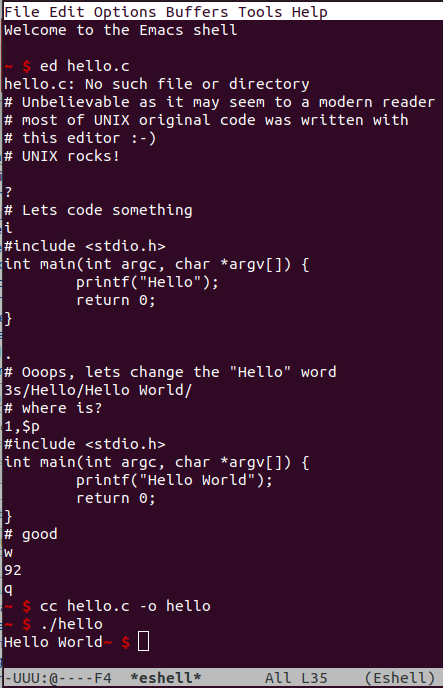
This compile-then-run cycle is fundamental to C and many other compiled languages. You write the code, translate it into a language the machine understands, and then run the translated version.