Mastering Angular Frontend Development
Modern Angular Architecture
The Angular Renaissance
Angular is undergoing a significant evolution. For years, NgModules were the core organizing principle, bundling components, directives, and pipes into cohesive blocks of functionality. While powerful, they often introduced a layer of complexity and boilerplate that could be cumbersome, especially in large applications.
Today, Angular has embraced a more streamlined, modern approach: standalone components. This isn't just a minor feature addition; it represents a fundamental shift in how we build and structure Angular applications, moving towards a simpler, more intuitive developer experience.
Angular follows a component-based architecture, where an application is composed of multiple components.
The move to standalone APIs makes this component-based architecture more direct. Instead of managing dependencies through module hierarchies, components now declare their own dependencies directly. This change simplifies the mental model, reduces boilerplate, and makes Angular more approachable for developers coming from other frameworks like React or Vue.
Standalone is the New Standard
Since Angular v14, we've had the ability to create standalone components, directives, and pipes. As of v17, this is the default and recommended approach for all new applications. A standalone component is a component that is not part of any NgModule and manages its own dependencies.
Here's what a basic standalone component looks like:
import { Component } from '@angular/core';
import { CommonModule } from '@angular/common'; // For ngIf, ngFor, etc.

@Component({
  selector: 'app-user-profile',
  standalone: true,
  imports: [CommonModule], // Import dependencies directly
  template: `
    <div *ngIf="user">
      <h2>{{ user.name }}</h2>
      <p>{{ user.email }}</p>
    </div>
  `
})
export class UserProfileComponent {
  user = { name: 'Alex Doe', email: 'alex.doe@example.com' };
}
The key differences are the standalone: true property in the decorator and the imports array. Instead of declaring this component in an NgModule and importing other modules there, you import what you need directly into the component. This makes each component more self-contained and easier to understand.
| Feature | NgModule-based Component | Standalone Component |
|---|---|---|
| Declaration | Declared in an NgModule's declarations array. | Not declared in any module. |
| Dependencies | Managed by the imports array of its NgModule. | Managed by its own imports array. |
| Boilerplate | Requires an associated module file (.module.ts). | Self-contained in a single file. |
| Reusability | Can be difficult to reuse without importing its entire module. | Easily imported and used anywhere. |
This shift also simplifies the application's startup process. Instead of bootstrapping a module, you now bootstrap a standalone component directly. This creates a much flatter and more logical project structure.
// main.ts - Bootstrapping a standalone application

import { bootstrapApplication } from '@angular/platform-browser';
import { AppComponent } from './app/app.component';
import { appConfig } from './app/app.config';

bootstrapApplication(AppComponent, appConfig)
  .catch((err) => console.error(err));
The appConfig object is where you provide application-wide services and routing, replacing the providers and imports of the root AppModule.
Faster Builds, Faster Development
Alongside the architectural shift to standalone components, Angular has revamped its build system. The classic builder used Webpack, a powerful but often complex and slower tool. The new standard is an application builder powered by Vite and esbuild.
esbuild is an extremely fast JavaScript bundler written in Go, and Vite is a development server that leverages native ES modules in the browser. The combination provides near-instant server start times and lightning-fast Hot Module Replacement (HMR).
For new projects created with ng new, this builder is the default. For existing projects, you can switch by updating your angular.json file. Simply change the @angular-devkit/build-angular:browser builder to @angular-devkit/build-angular:browser-esbuild.
// angular.json

"architect": {
  "build": {
    "builder": "@angular-devkit/build-angular:browser-esbuild", // Changed from :browser
    "options": {
      // ... your options
    }
  }
}
This change dramatically improves the developer feedback loop, making the entire development process more efficient and enjoyable, especially on large, enterprise-scale projects.
Structuring for Scale
As applications grow, managing the codebase becomes a primary challenge. How do you share code between different parts of your app, or even between different apps, without creating a tangled mess? This is where your workspace structure becomes critical.
The standard Angular CLI workspace is great for single applications. It provides a clean, conventional structure. However, when you need to manage multiple applications (e.g., a customer-facing app and an admin app) that share common UI components or services, a monorepo approach is often superior.
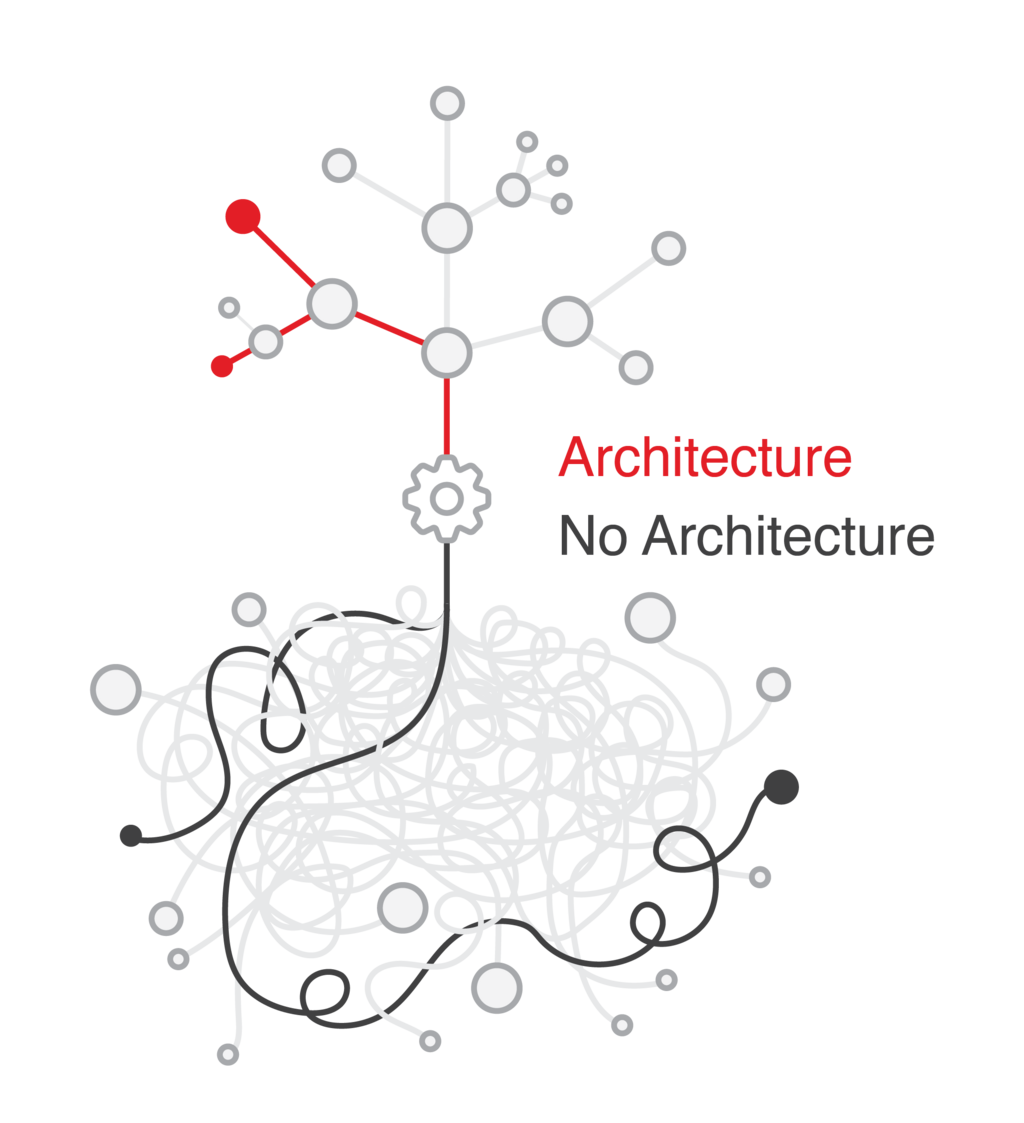
Nx is a popular set of extensible developer tools for monorepos, and it has first-class support for Angular. An Nx workspace provides a more robust structure for managing multiple projects and their dependencies.
Here’s a comparison of the two approaches:
| Aspect | Standard CLI Workspace | Nx Monorepo |
|---|---|---|
| Best For | Single applications or a few loosely related projects. | Multiple, highly-related applications and shared libraries. |
| Code Sharing | Possible via libraries, but dependency management is manual. | Streamlined. Nx automatically manages dependencies and builds. |
| Tooling | Standard Angular CLI. | Enhanced CLI with code generation, dependency graphs, and caching. |
| Build Performance | Builds the entire application on every change. | Can intelligently rebuild only the parts of the app that were affected. |
Choosing between a standard workspace and an Nx monorepo depends on your project's needs. For a single application, the standard CLI is perfectly sufficient. For an enterprise ecosystem with multiple frontends sharing a common design system or business logic, an Nx monorepo provides the structure and tooling necessary to scale effectively.
What is the key property in the @Component decorator that defines a component as standalone?
Since Angular v17, the default build system for new applications uses Vite and esbuild, replacing the previous Webpack-based builder.
Modern Angular focuses on simplifying the developer experience while enhancing performance and scalability. By embracing standalone components, leveraging the new esbuild-based builder, and choosing the right workspace structure, you can build applications that are both powerful and maintainable.