Mastering Amazon S3 Cloud Storage
Cloud Storage Basics
Beyond Your Hard Drive
Think about where you save a photo. For a long time, the answer was simple: on your computer's hard drive, a USB stick, or an external drive. This is traditional storage. Your data lives on a physical device you own and can hold in your hand.
Cloud storage works differently. Instead of saving files to a local device, you save them to a network of data centers—massive, secure buildings full of servers—owned and operated by a cloud provider. You access your files over the internet. It's like moving your photo albums from a box in your closet to a secure vault that you can access from anywhere in the world.
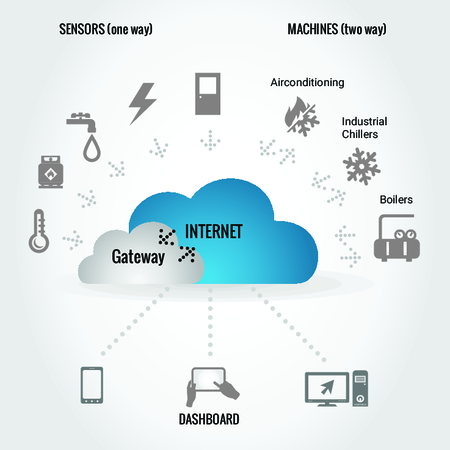
This shift from local hardware to remote servers isn't just a small change; it completely redefines how we handle data. The key benefits are scalability, accessibility, and cost-effectiveness.
| Feature | Traditional Storage | Cloud Storage |
|---|---|---|
| Accessibility | Limited to the physical device | Access from any internet-connected device |
| Scalability | Fixed; requires buying new hardware | Elastic; pay for more space instantly |
| Cost | High upfront cost for hardware | Pay-as-you-go for what you use |
| Durability | Vulnerable to device failure or loss | Data is copied across multiple locations for safety |
With traditional storage, if your laptop breaks, your data might be gone forever. If you run out of space, you have to buy a new hard drive. Cloud storage solves these problems. Your data is kept safe across multiple servers, and you can increase or decrease your storage space on demand.
A New Filing System
Traditional storage systems organize data in a hierarchy, like files inside folders, which are inside other folders. This is called a file system. It works well, but it can get complex and rigid as the amount of data grows.
Cloud storage often uses a different approach called object storage. Instead of a complex folder structure, each piece of data—whether it's a photo, a video, or a document—is treated as a self-contained unit called an "object."
An object is more than just the file. It includes the data itself, descriptive information about the data (metadata), and a unique identifier.
Imagine a valet parking service. With a file system, you have to remember exactly where you parked your car: Level 3, Row G, Spot 12. With object storage, you just hand your keys to the valet and get a ticket. When you want your car back, you give them the ticket (the unique ID), and they retrieve it for you. You don't need to know or care where it's parked.
This flat structure is incredibly flexible and scalable, making it perfect for handling the massive amounts of data generated today.
By treating every file as an independent object in a massive pool, object storage provides the foundation for the highly durable, available, and scalable cloud services used by companies and individuals worldwide.
What is the fundamental difference in where data is stored between traditional and cloud storage?
According to the valet parking analogy, what does the valet ticket represent in an object storage system?
Now that you understand the core ideas, you're ready to see how these concepts are put into practice.